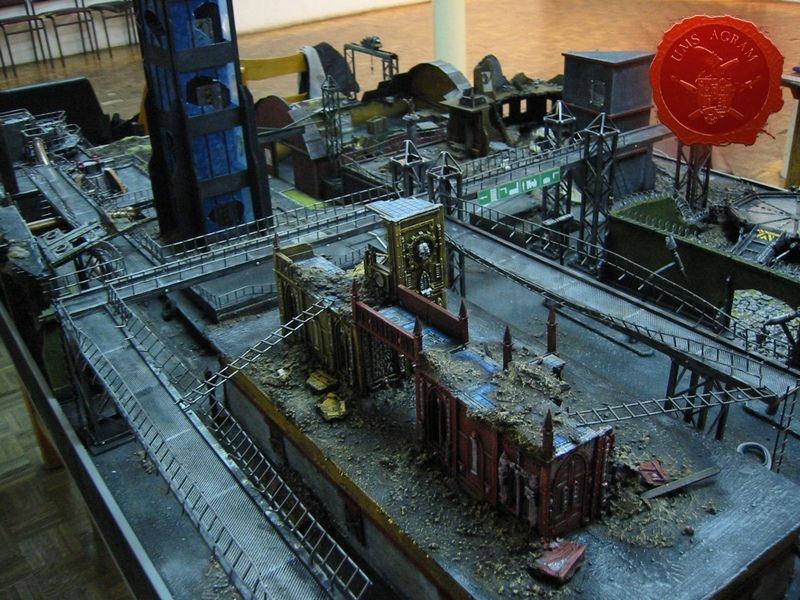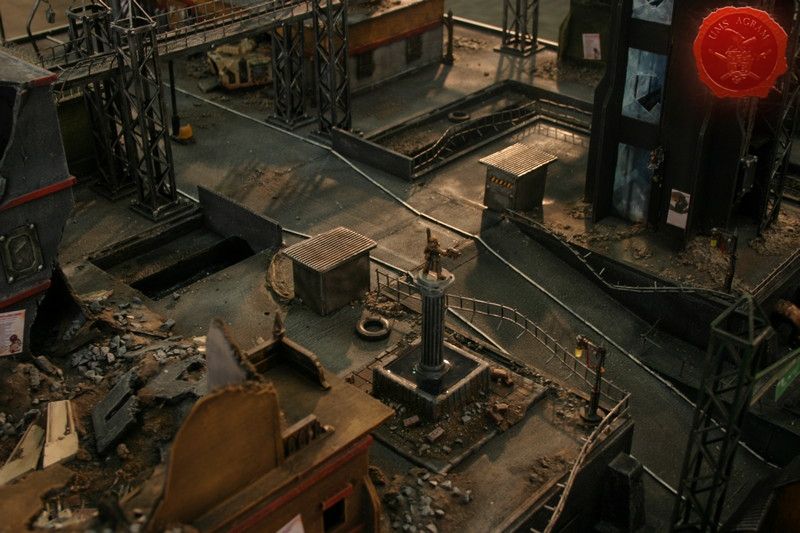
Cities Of Death Gaming Table

Marko Paunović, 22nd August 2020

Project manager: Marko Paunović

''Special effects'' team:
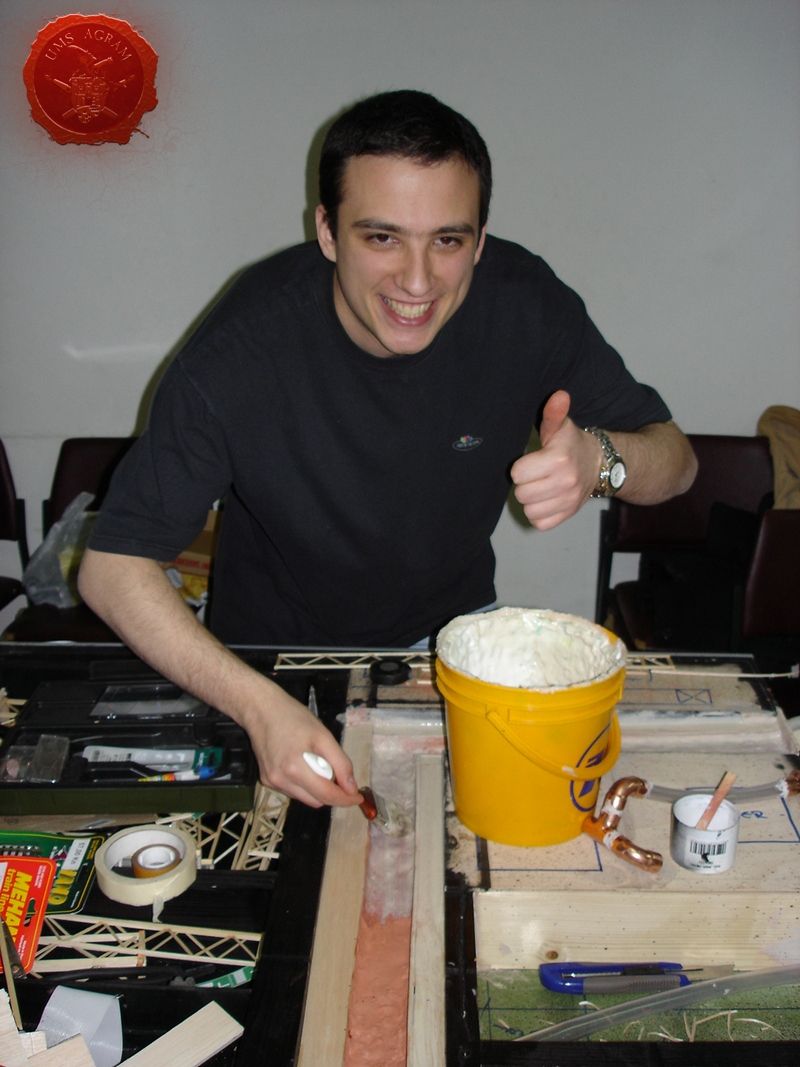
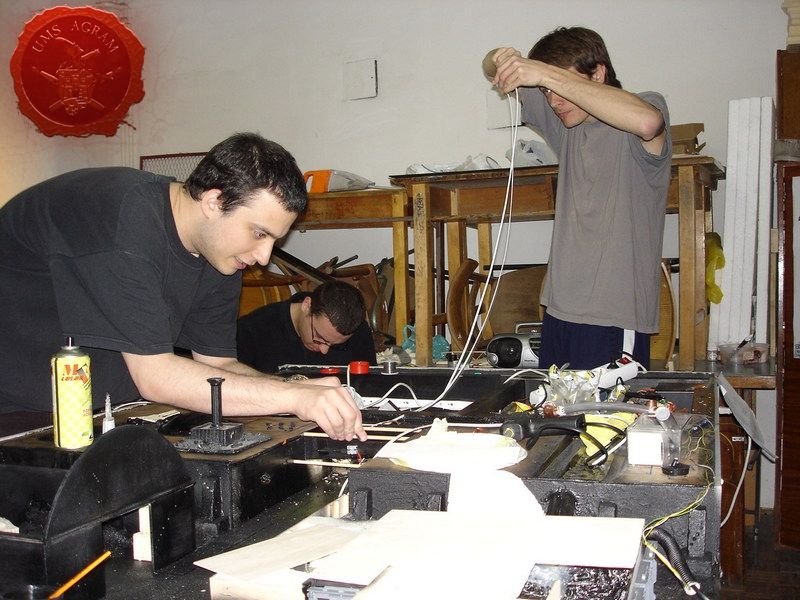
- Table design and water features (waterpump and fogger) engineered and made by: Marko Paunović (left)
- Electric/electronic components engineered and made by: Davor Bokun (right)
- Landing-pad and vents made by: Tomislav Petrović (far left)
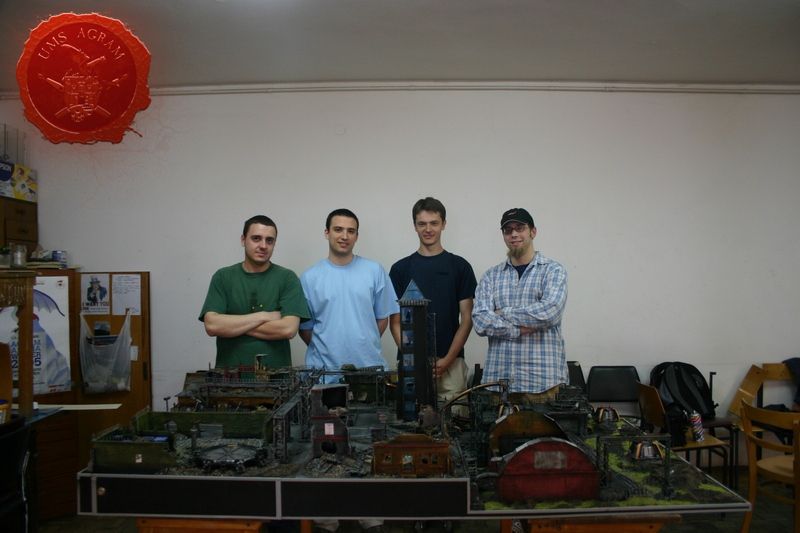
Click for enlarged picture

Crew: Andrija ''Walker'' Jurišić (foreman, far right in the picture) , Tomislav Rac, Ivan Kalazić, Goran Magdić, Filip ''The Dumbo'' Dumbović, Ante Majić, Domagoj Pribanić, Igor Iliovski, Ivan Kecerin

Photographs: Marko Paunović, Igor Hamzić and Borna Kržišnik

GW components used: Cities of Death sprues, Necron Destroyer, Predator, Sentinel, Shuttle from The Battle for McCragge, Steel Legion Lieutenant, Imperial Comissar, old Necromunda building parts and several left-over heavy weapons...

THE NEWS OF THE COMPETITION

A while back, in 2006 to be exact, our club recieved the news of a competition to build a gaming table for Warhammer 40.000 from our retailer Land of Magic (which was its name at that time, it's called Carta Magica these days), so we immediately started working on ideas to put on the table. First, we had a ''brainstorming'' meeting where we all suggested various ideas for items that should go onto the table. After the list of all possible ideas was made, we decided which ones to use.

These were the following: - flowing water through a canal, - a force field (made by laser pointers going through fog/mist made by a fogger), - various street lights (both blinking and normal), - a spinning radar, - a landing pad (with running lights), - some vents to be put in an industrial part of the city, - also to make this part of the city appear more industrial we decided to put in the railroad tracks

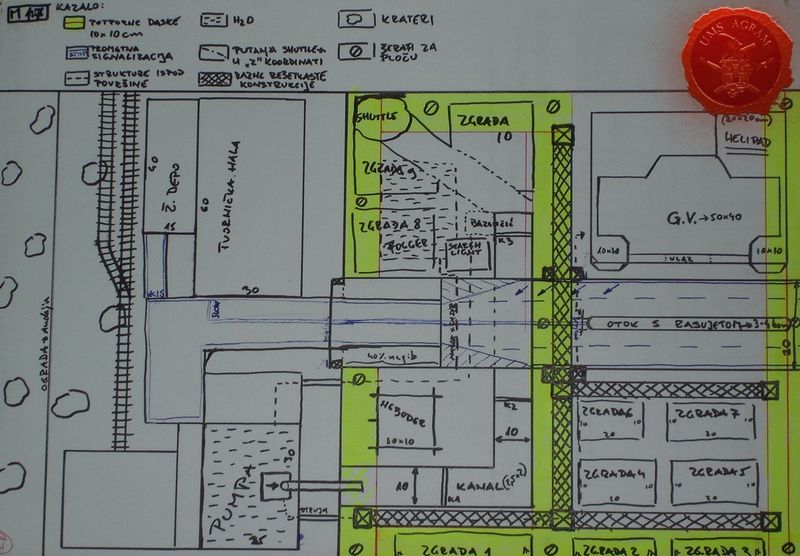
Next step was to make blueprints of the table in such a manner that no special effect interferes with another. It is of vital importance when dealing with projects of such a magnitude to delegate and divide the work apropriately. Good organisation is crucial as well as setting strict deadlines, and abiding by them.
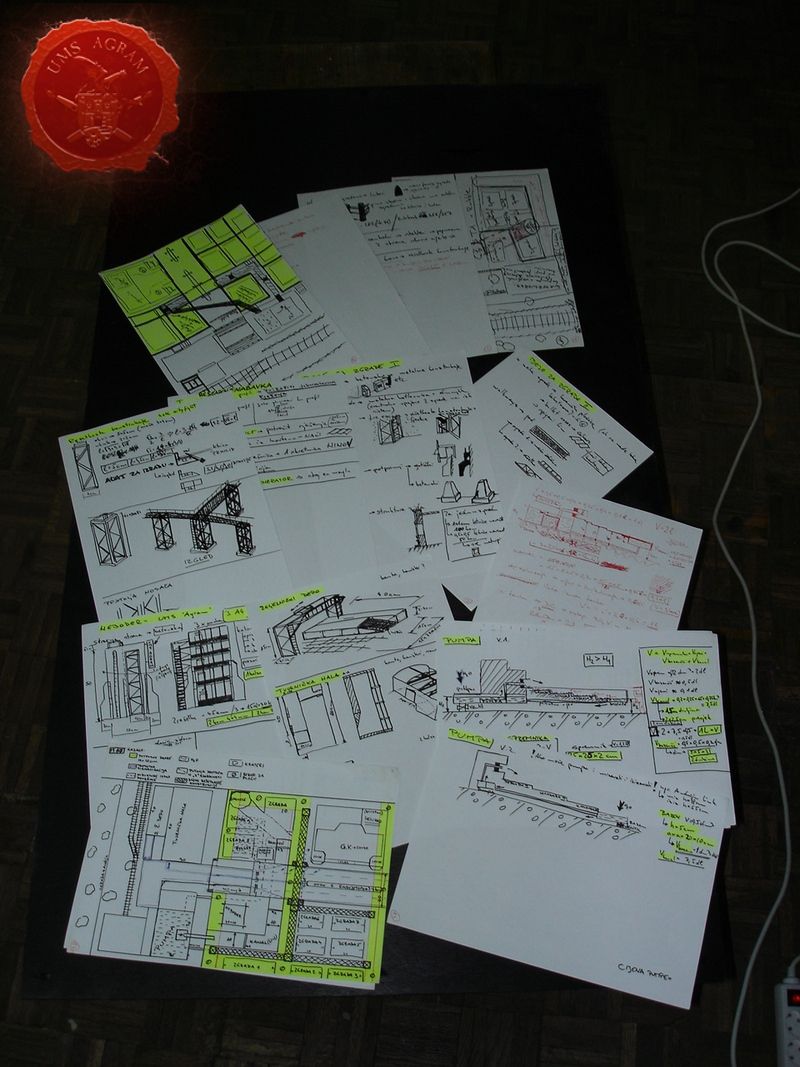
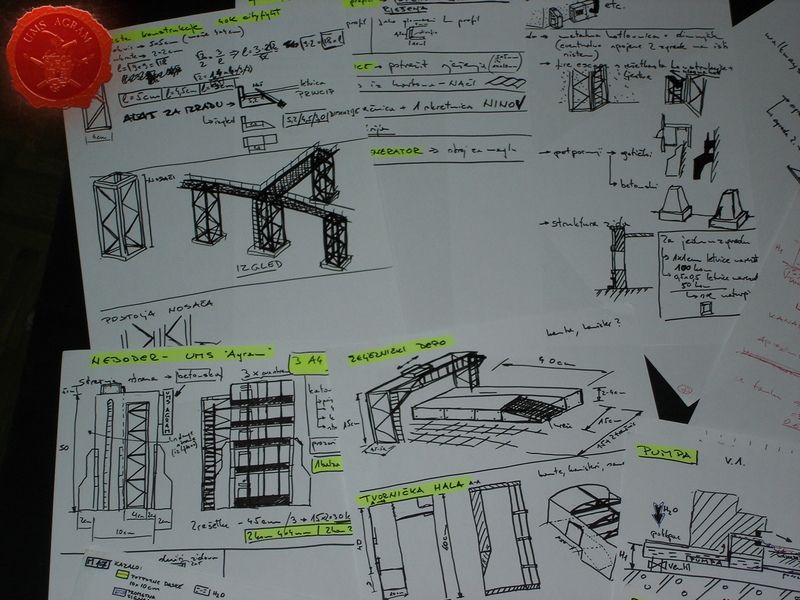
Click for enlarged picture

Click for enlarged picture

Click for enlarged picture

TABLE FRAME

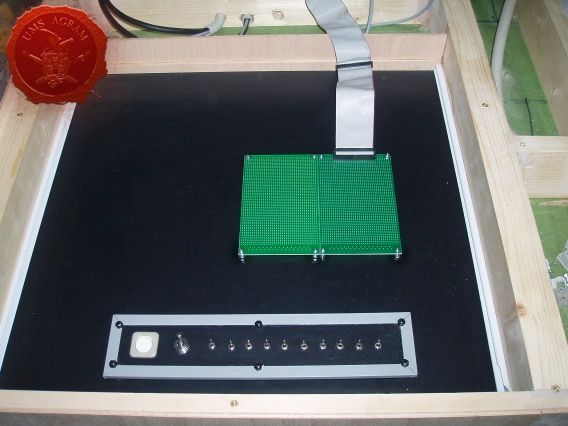
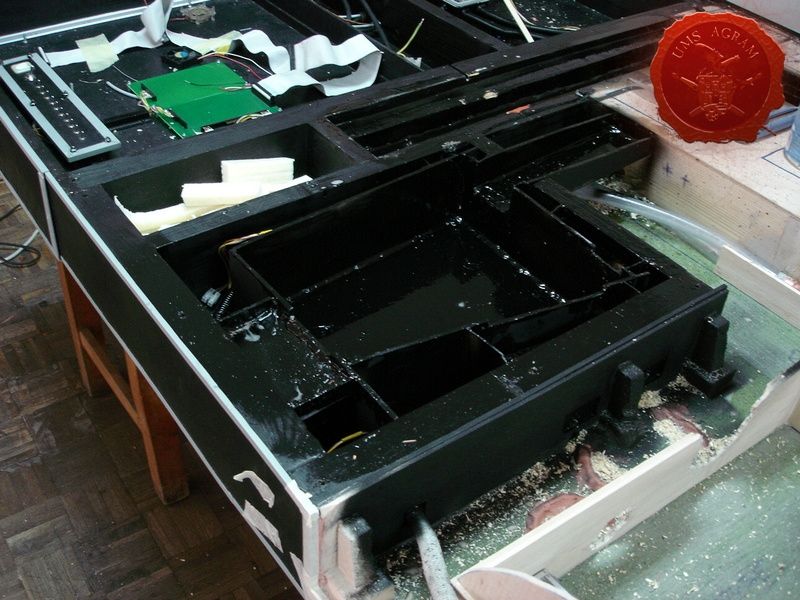
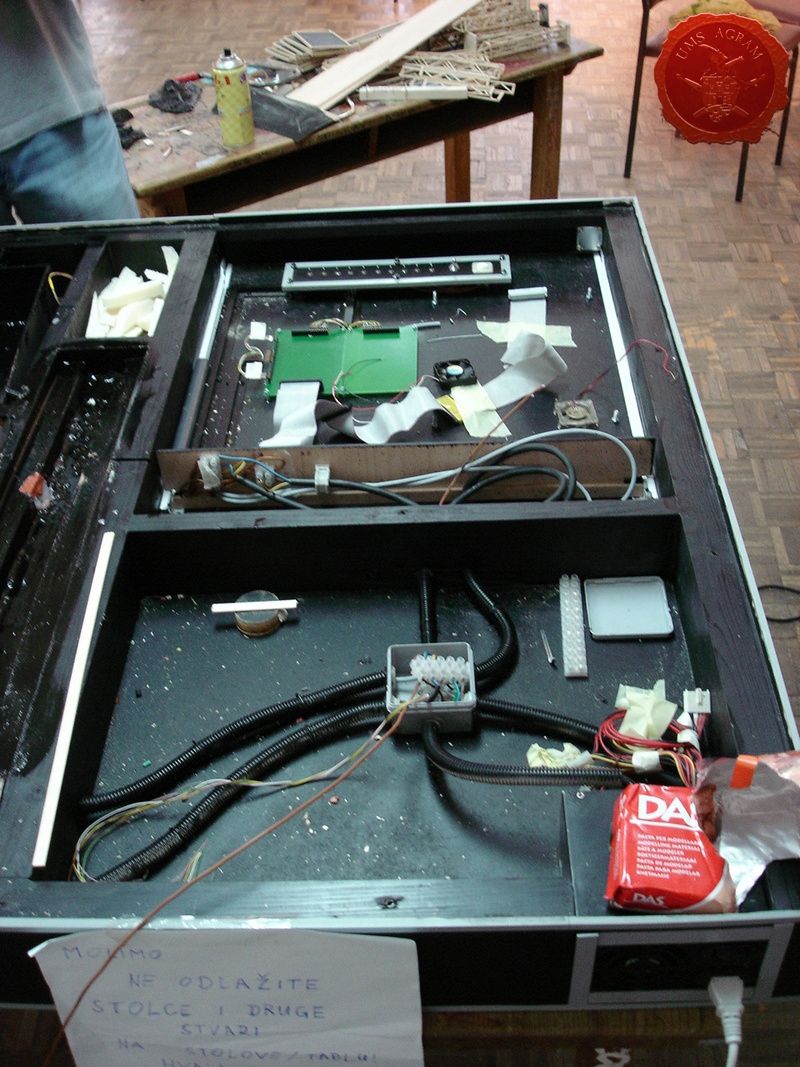
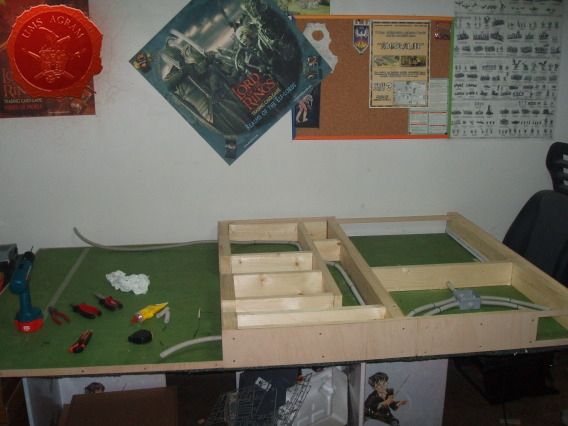
Because of all the extra features on our table we had to make at least one part of the table higher to store all the SF mumbo-jumbo inside (like the power source, electronic circuits, water pump and fogger along with two separate water tanks). To build this higher part of the frame we used 40 x 95 mm wooden planks for sturdiness and durability. The cover was made from 5 mm thick plywood that was screwed to the planks so it could be removed (if necessary). We also made a drawer where we put all the electronic circuits and switches for all of the special effects. We also left room for a canal through which the water will flow.
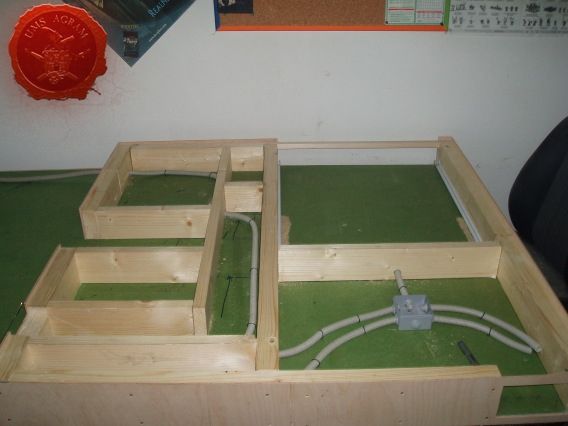
Click for enlarged picture

Click for enlarged picture

Click for enlarged picture

WATER FEATURES

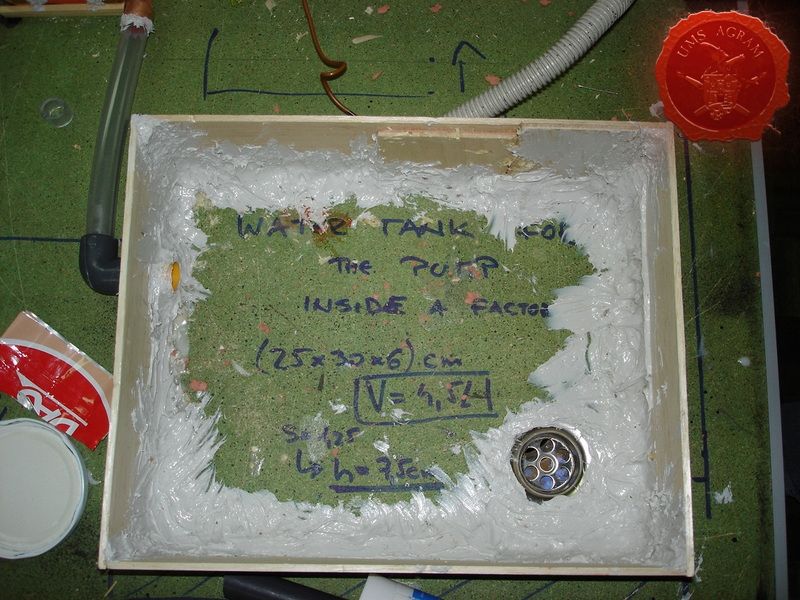
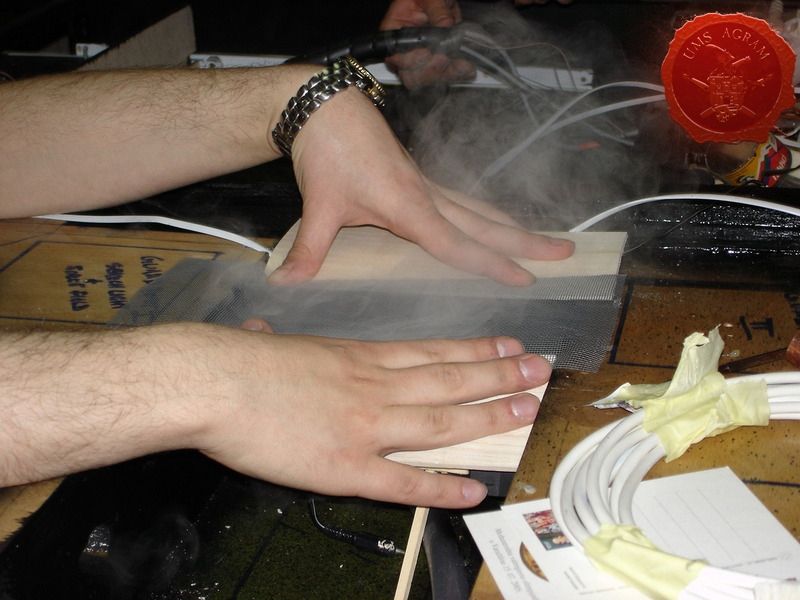
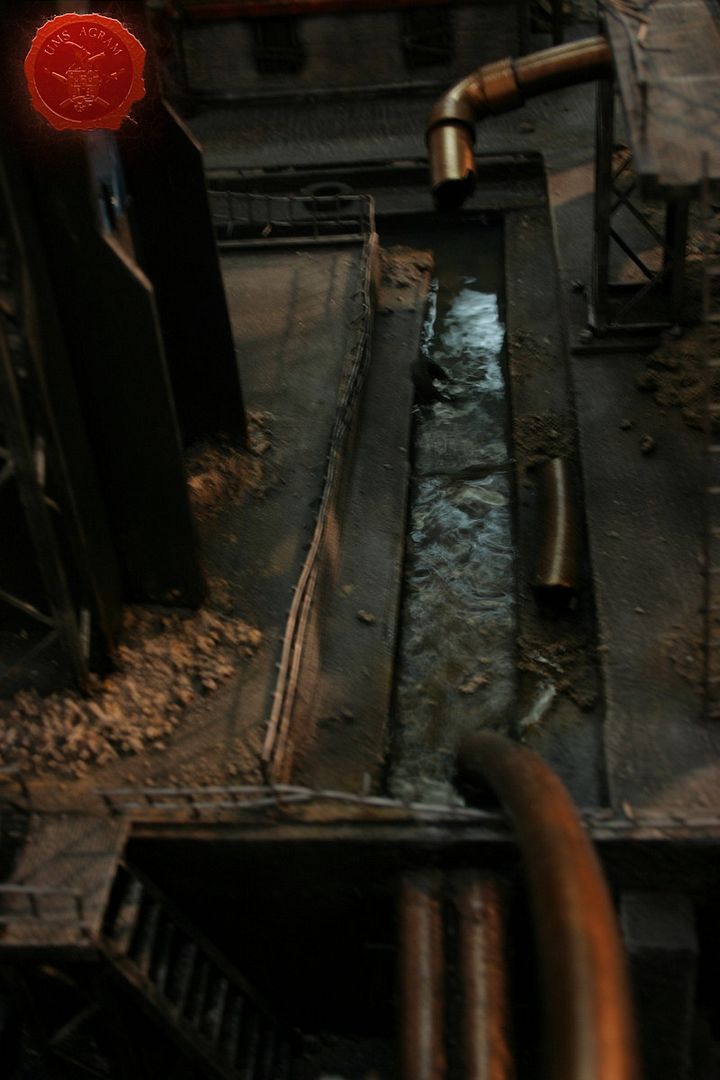
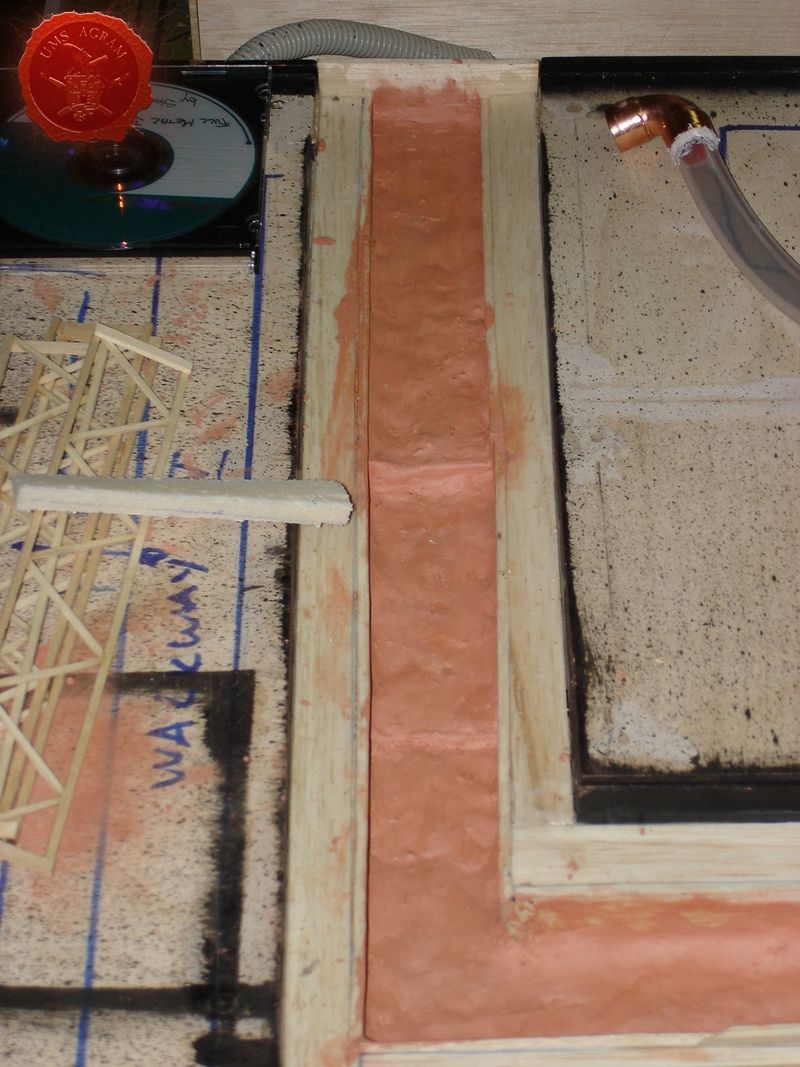
We decided to have two separate water features. One is a sewage canal coming from the factory. It consists of a water pump, hidden within the factory, a verical pipe that pumps the water into the canal. The water is dyed into green for even more repugnant effect. The other water feature is a fogger, a machine that converts water into fog and can be found in most stores dealing with lamps or garden decorations. The machine itself comes from a lamp that is made up of a bowl (that needs to be filled with water) inside which it is placed. We put the fogger underneath the city so the fog will appear to be rising from the sewers.

NOTE: When dealing with real water you must be carefull to insulate everything. Put lots of clear varnish over the terrain where the water will run. If there is even the smallest hole, water will find its way through.

IMPORTANT: It is really dangerous to put high voltage in or even near running water for obvious reasons so make sure that trained professionals do that part of the job. When you use lesser voltages (like 5V or 12V) such precautions are not necessary because of water's relatively low conductivity. This effect can be further reduced if you use distilled water whose conductivity is even lower than regular water's.

Water pump and canal
Click for enlarged picture

Click for enlarged picture

Click for enlarged picture

Fogger – Water tank and effect

Click for enlarged picture

Click for enlarged picture

ELECTRONICS

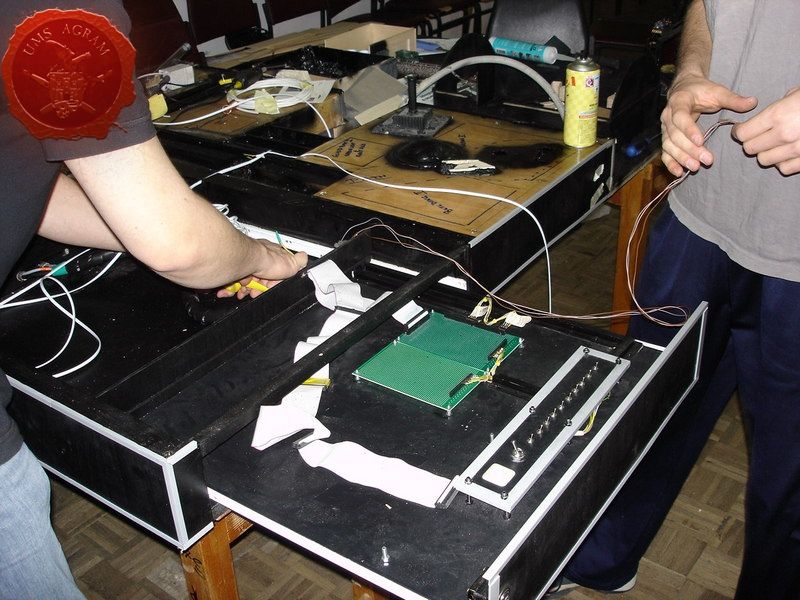
We decided to use the AT power unit from an old PC. The output voltages from the device were everything we needed, 220V AC, 24V DC, 12V DC and 5V DC. We used 220V AC to power the waterpump, 24V DC to power the fogger, 12V DC for different vents and electronic circuits with flashing and running LEDs and 5V DC for normal LEDs and servos. When we decided to use all those special effects we didn't realise how time consumig the process would be. More than half of the time spent on this project was spent on either research or engineering of these effects. So bear that in mind. However, internet helped a lot because almost all the circuits used on this project can be easily found there. Although the process was made up of a lot of trial-and-errors to make one circuit work we never wavered and it finally payed off.

IMPORTANT: Always have the device plugged out before you start working on electrical and electronic components!
Click for enlarged picture

Click for enlarged picture

Click for enlarged picture

TERRAIN FEATURES

Skyscraper

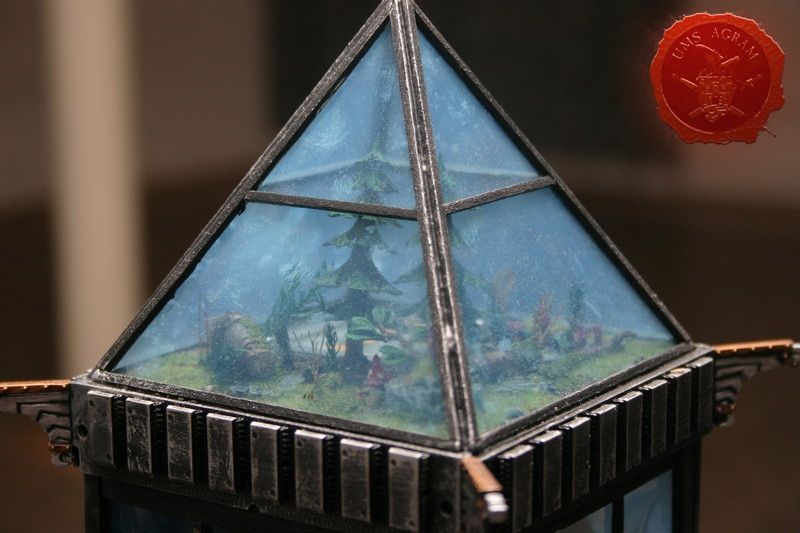
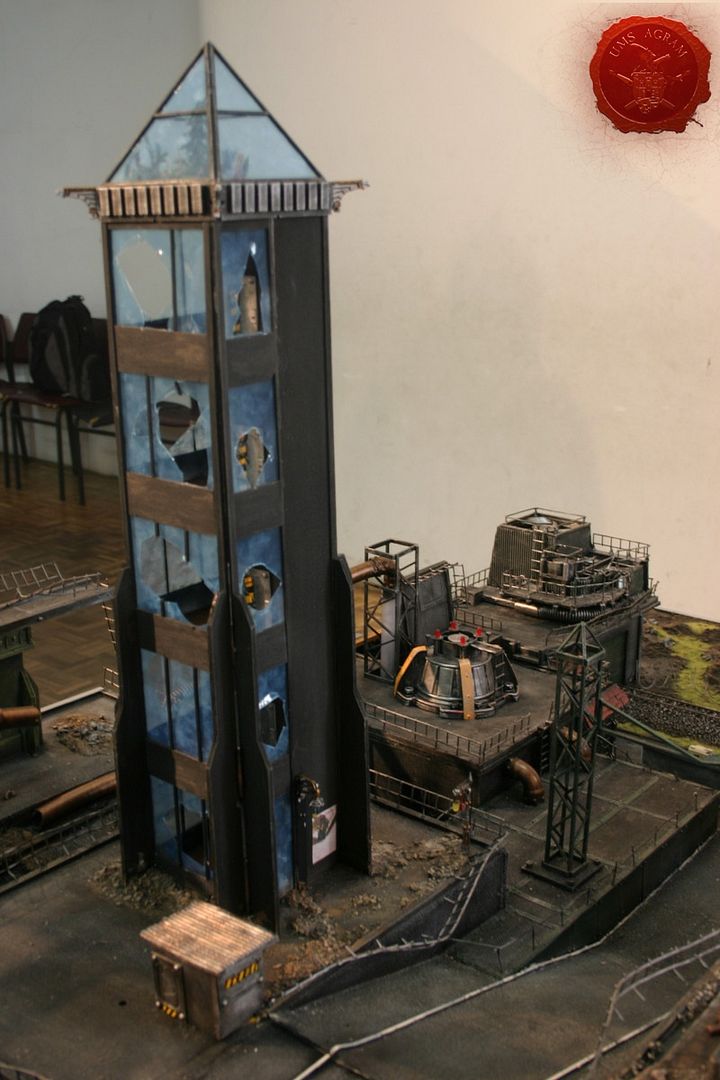
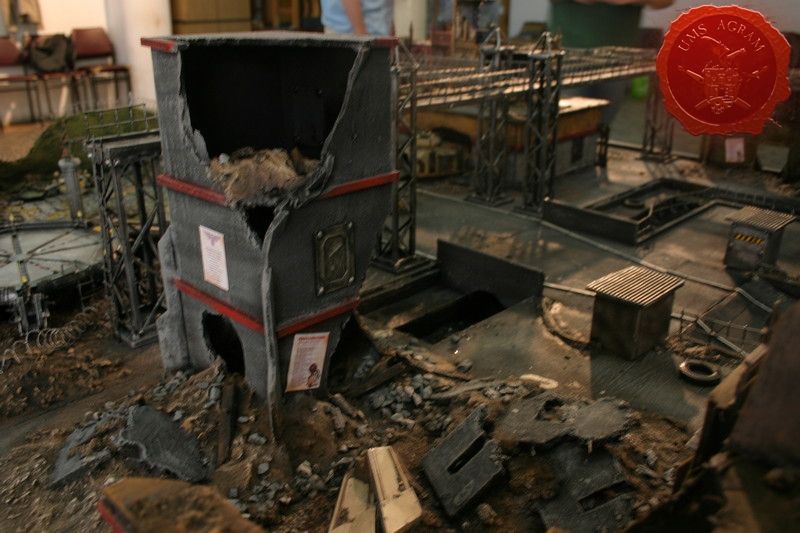
The skscraper itself is 70cm high. The base and the walls of the skyscraper were built from balsa wood while the windows were made form PVC see-through sheets cut into shape. When the inside of the tower was painted the side walls (PVC) were glued. Once everything was dry we cut holes in the windows and painted the rubble after which we added PVC bits as the broken glass. On the roof of the tower a small greenhouse was made to give a bit of life in the grim world of the City od Death...
Click for enlarged picture

Click for enlarged picture

Factory

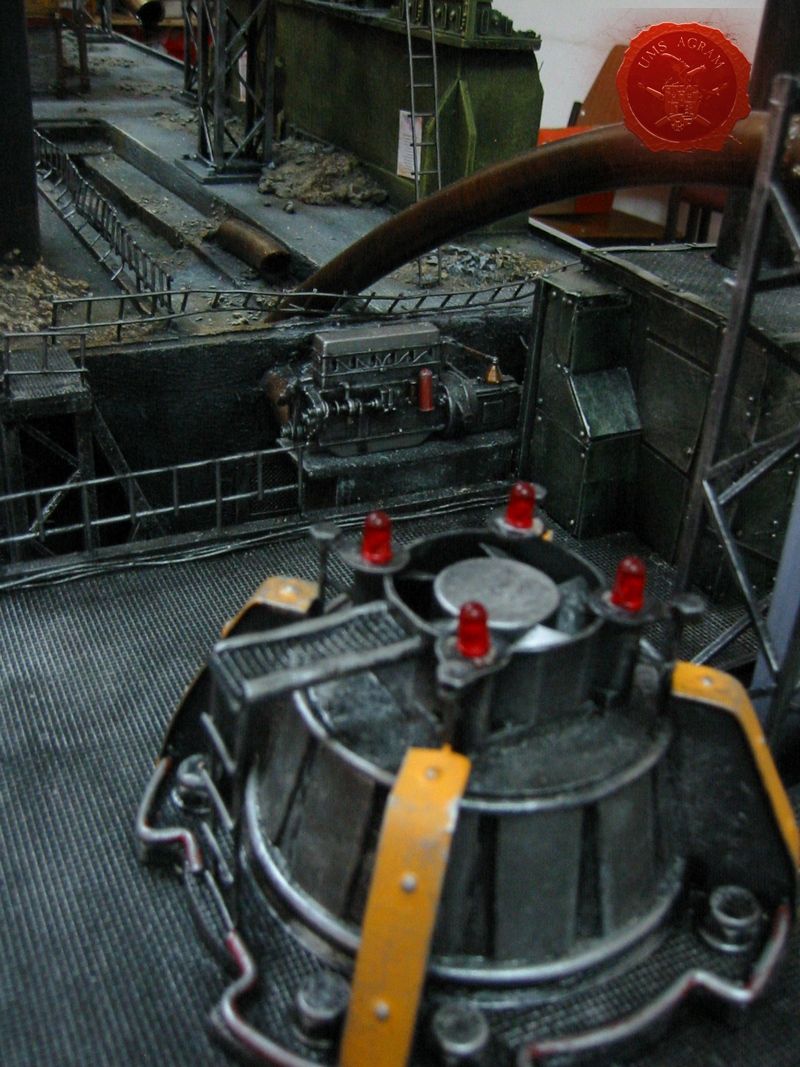
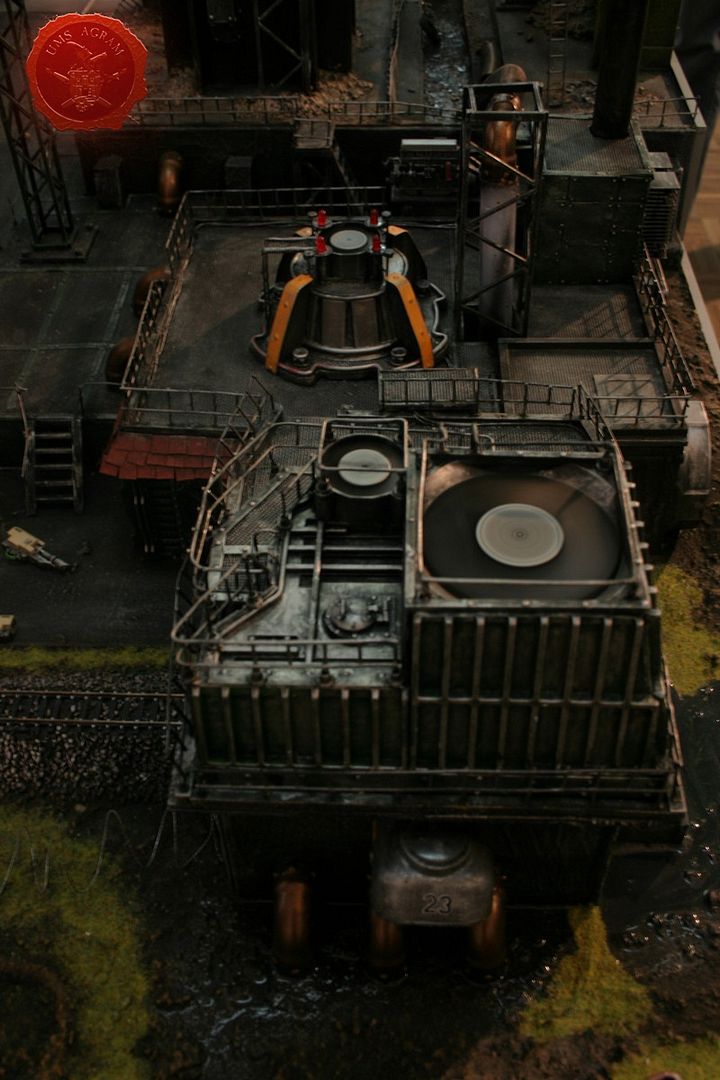
The practical purpose for factory was to house the water tank and the pump. The building itself was built around the tank with one part of the roof built in such a way so it can easily be lifted for the water to be poured inside. Note the special engine that came from an old model car in scale 1:16. After the building itself was finished, some vents (which actually rotate and the LEDs beside them light up gradually and then dim also gradually) were placed on top and around it, just to give it a more industrial feel. There is one basin filled with resin as well as a significant ''chemical'' spillage in the place where the pipelines go underground which is also made from resin.
Click for enlarged picture

Click for enlarged picture

Click for enlarged picture

Warehouse and the railroad

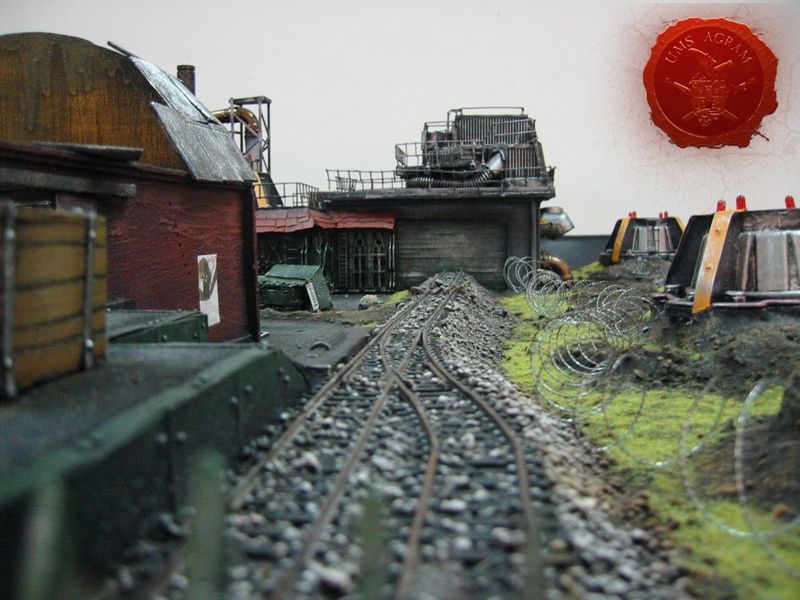
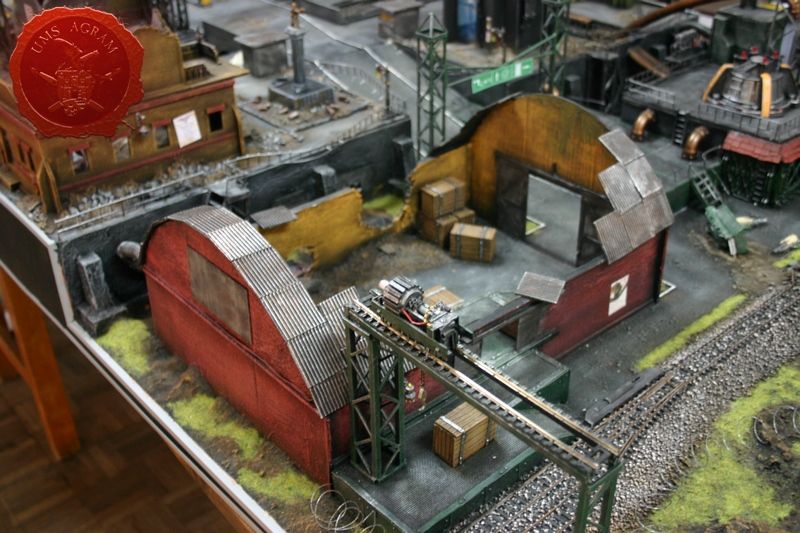
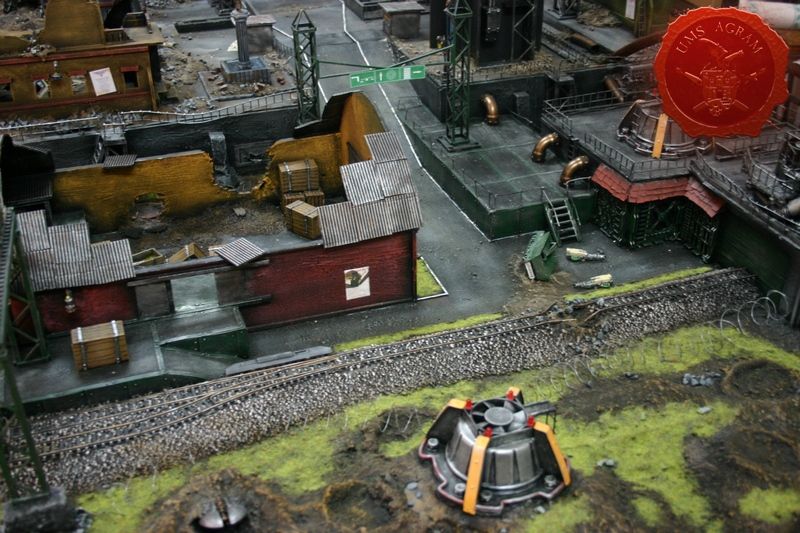
To continue with the industrial feel of that part of the table we put some HO railroad tracks coming out of the factory and running all across the table. On the other side of the railroad tracks there is a loading terminal connected to a warehouse. The loads can be lifted from the carts onto the plateau with a crane which is also moveable. There is also a couple of LEDs which serve as street lights and one LED in the foreman's cabin inside the warehouse. The roof of the cabin can be lifted so you can play inside.
Click for enlarged picture

Houses with the McCragge shuttle

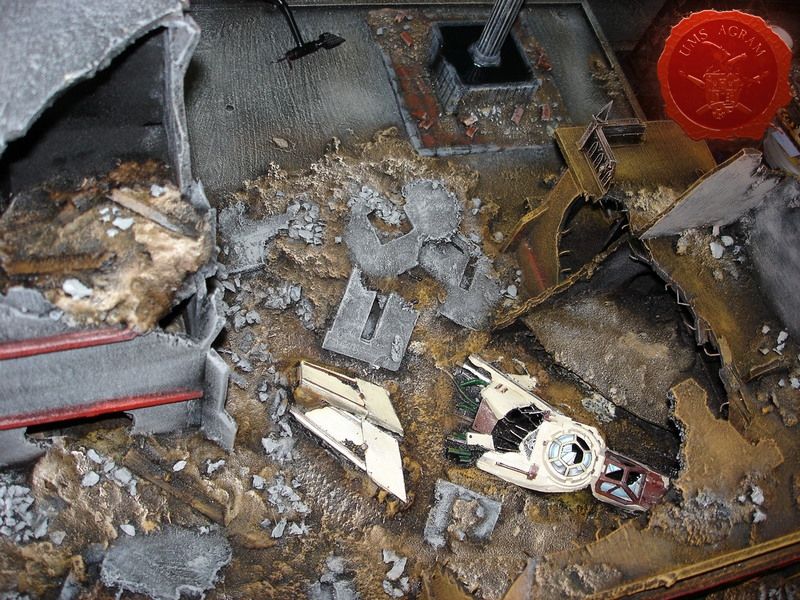
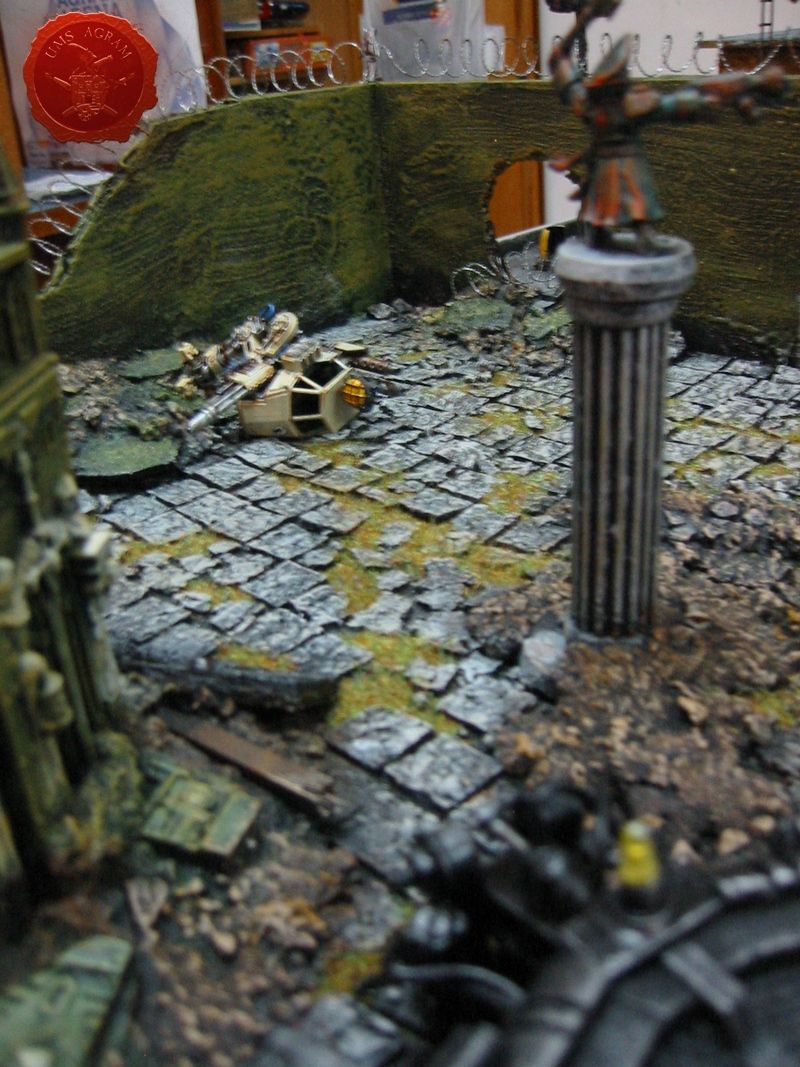
Moving along the table, we now come to the raised part of the table. On one side there are a couple of ruined houses and a statue. Houses were made from balsa wood and decorated by some bits from the Cities of Death sprues. The great thing about those bits is that they can be easily interchanged and also added to other materials used to build structures like balsa wood. Among the houses we placed the shot down shuttle from the Battle for McCragge box set. We made sure that the flight path goes through at least one building where it hits and deflects from the path to the left. Underneath those houses the before mentioned water tank with the fogger is concealed. We left holes under the shuttle for the fog to pass so it appears as if the shuttle just crashed.
Click for enlarged picture

Turrets

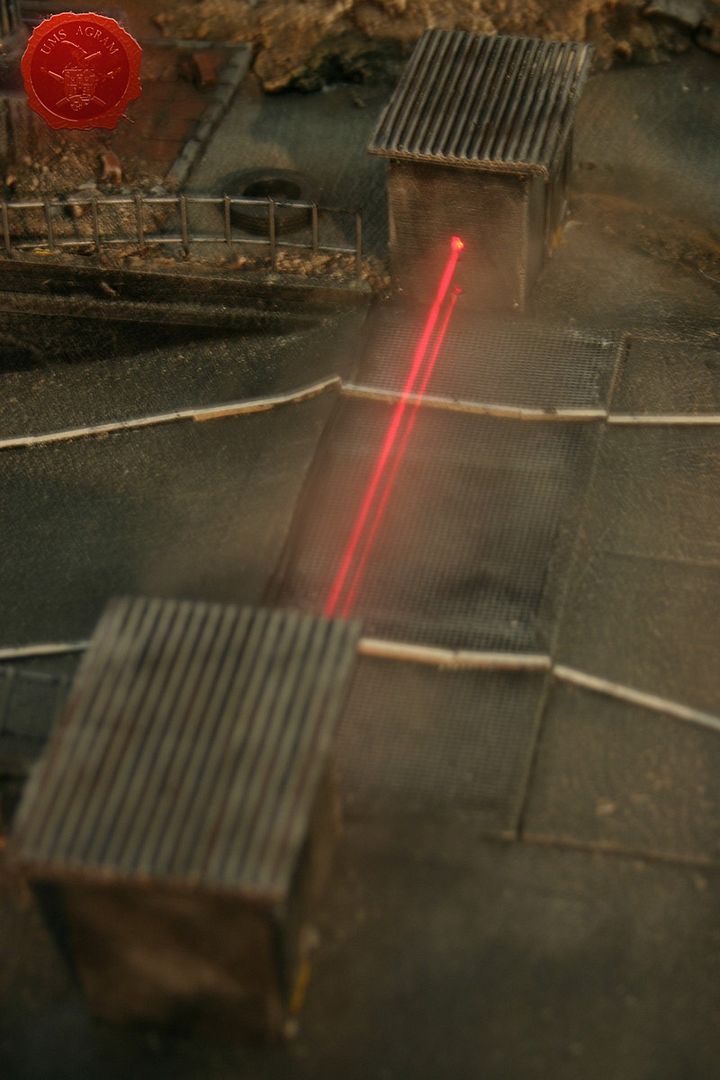
The design of the turrets was taken from Forge World. They are octagonal, two-storey concrete buildings with three firing slots per storey built exclusively from balsa wood. One of them also houses a servo motor which operates the searchlight on top of the turret. In it there are also three laser diodes which point across the street to the other turret creating a force field. Of course, untill you put your model in front of the laser beam you can not see it. And that is where the fogger comes into play! We built a small canal underneath the street where the fogger makes the fog. The fog is then lifted by a small concealed vent into the air right into the path of the laser beams, making them visible!
Click for enlarged picture

Statues and posters

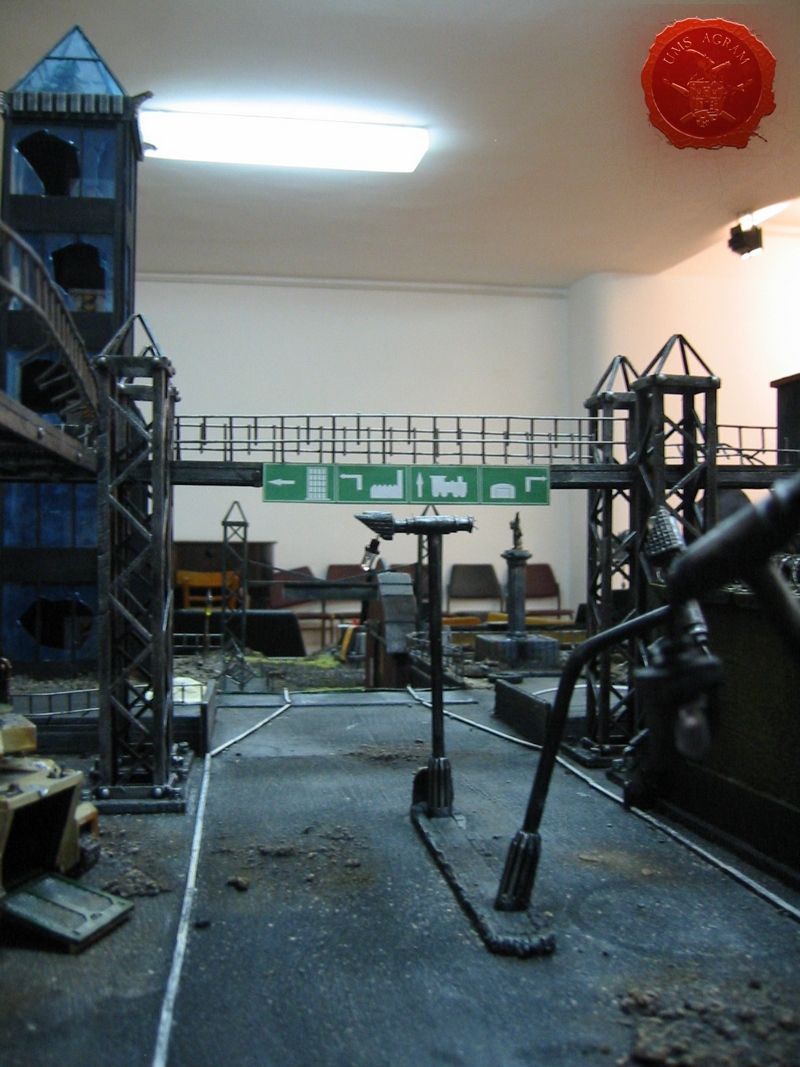
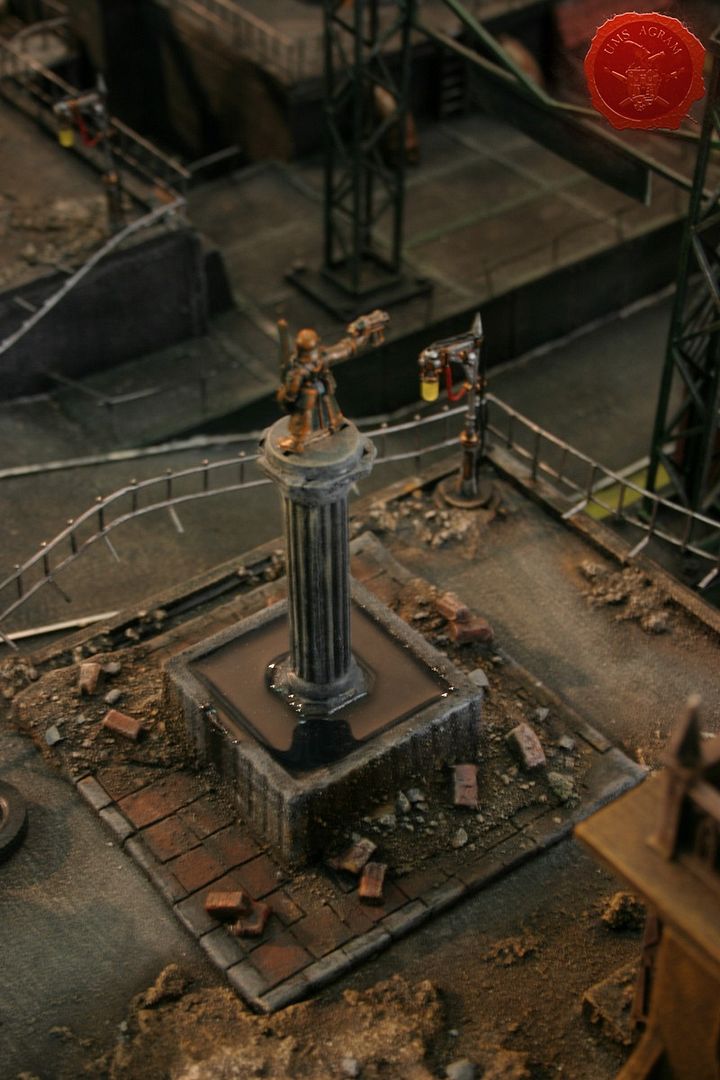
To add a bit of personal touch and to make the city seem more ''Imperial'' we added some statues, namely one of a Steel Legion Lieutenant and one of a Comissar. Those really lift the entire table. What we also added to the buildings is some posters. But that was not enough for us. We asked ourselves what else do you find in a city? The answer was so obvious that we didn't see it for quite a while... Road signs! So we drew them on a PC, printed and glued them in logical places (on a walkway above the road).
Click for enlarged picture

Click for enlarged picture

Sentinel and the Predator

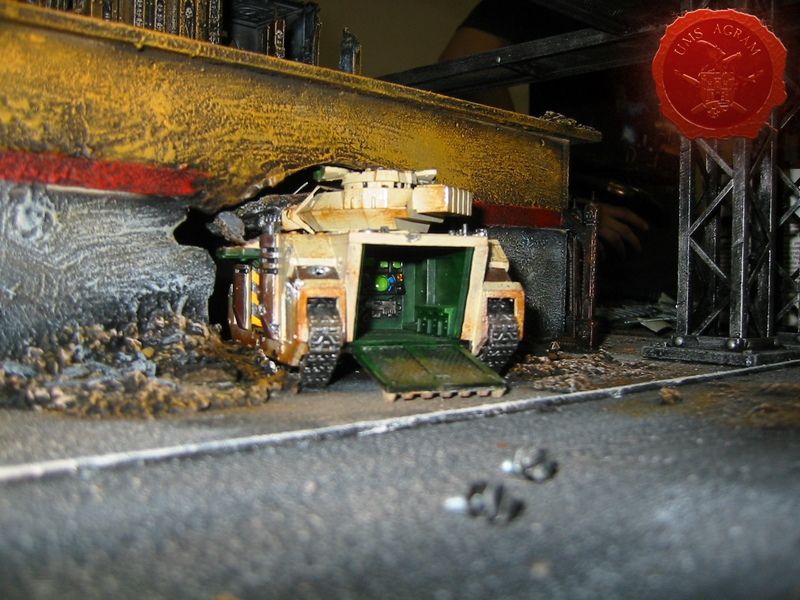
What kind of a battle torn city this would be if it didn't have any casualties? Therefore we sacrifised one Imperial Sentinel (slightly converted) and a Predator. The Predator was placed partly inside a building which collapsed around it. Extra care was taken in painting the interior of the Predator, and the back hatch is left moveable so you can actually hide your models inside!
Click for enlarged picture

Click for enlarged picture

Landing pad

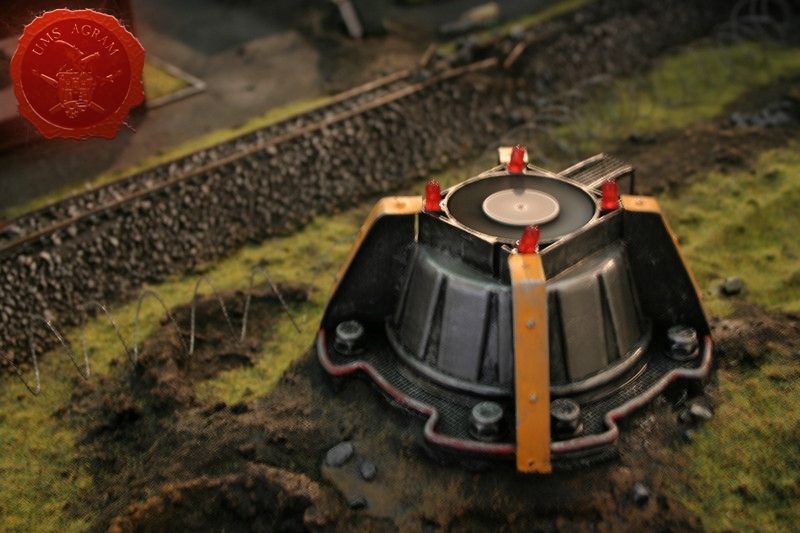
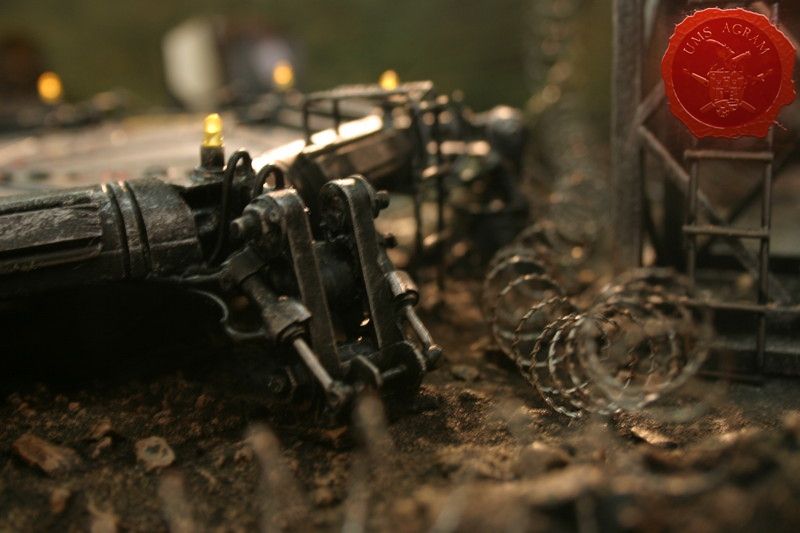
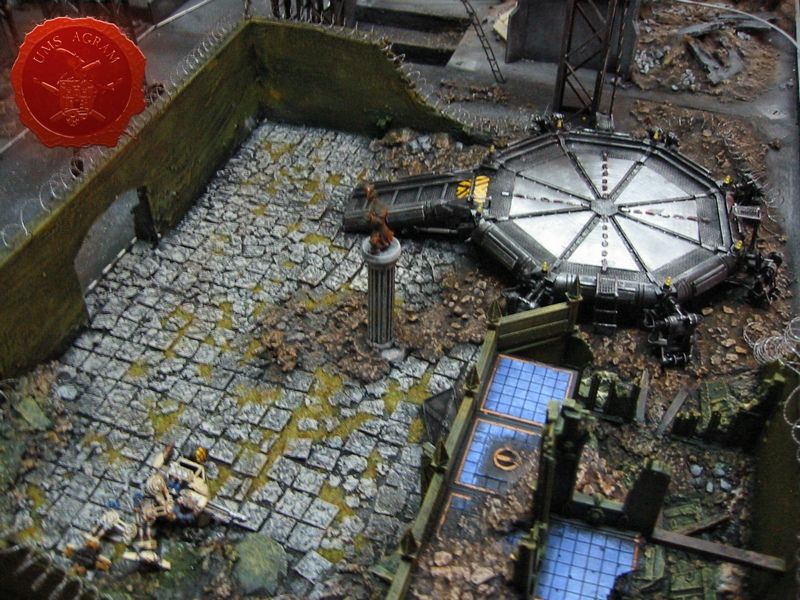
Our landing pad also draws its idea from Forge World's one with the octagonal design. It was hand-made from scratch. Each of the six legs has 51 separate parts! It has 8 yellow LEDs and 4 times 7 red LEDs that have their own circuit which makes them apear as if running to the middle of the pad.
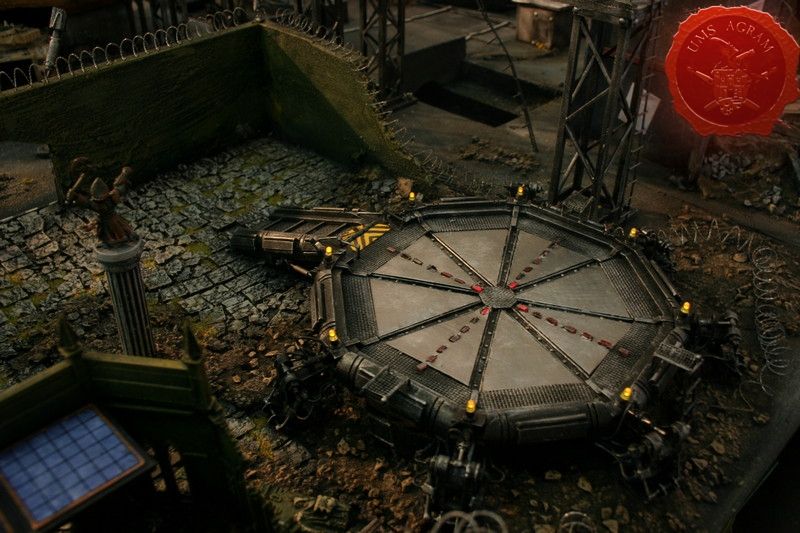
Click for enlarged picture

Click for enlarged picture

Cities of Death buildings

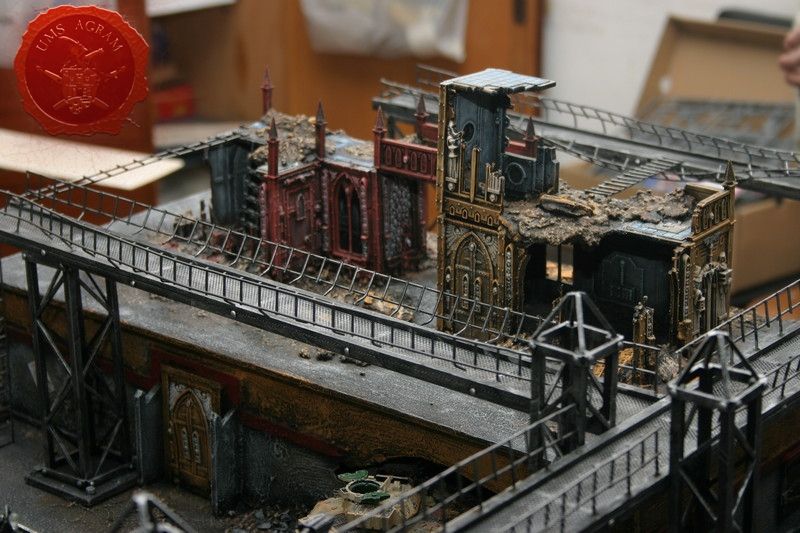
And finally we come to the Cities of Death buildings. We made three large buildings. One is a part of the factory exclusively made up of parts on the Manufactorium sprue. The other is a large complex that once served as a courthouse but is now a pile of rubble where the army moved in and made its HQ with a specially built landing pad and radar. This remnants of the courthouse were made of Sanctum Imperialis sprues. The third building was built from the Basilica Administratum sprues.

The great thing about Cities of Death sprues is its multiplicity. You can build as many different buildings as you like (or can afford). The painting is easy, even the beginners can paint it masterfully, just by using drybrush techniques in several shades. But the buildings really come alive if you add just a couple of details in another colour. Of course the parts are so intricate that you can easily spend a couple of hours painting and perfecting just one part of the building. It all depends on how much time and effort you are willing to put in.
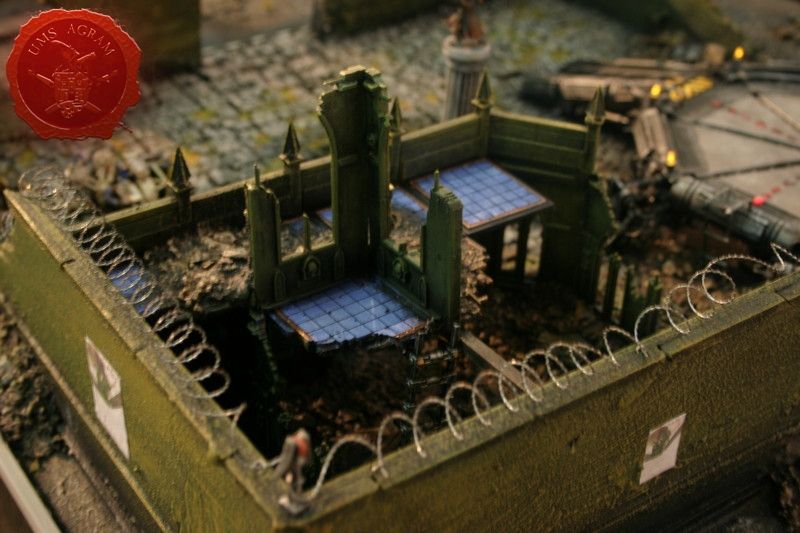
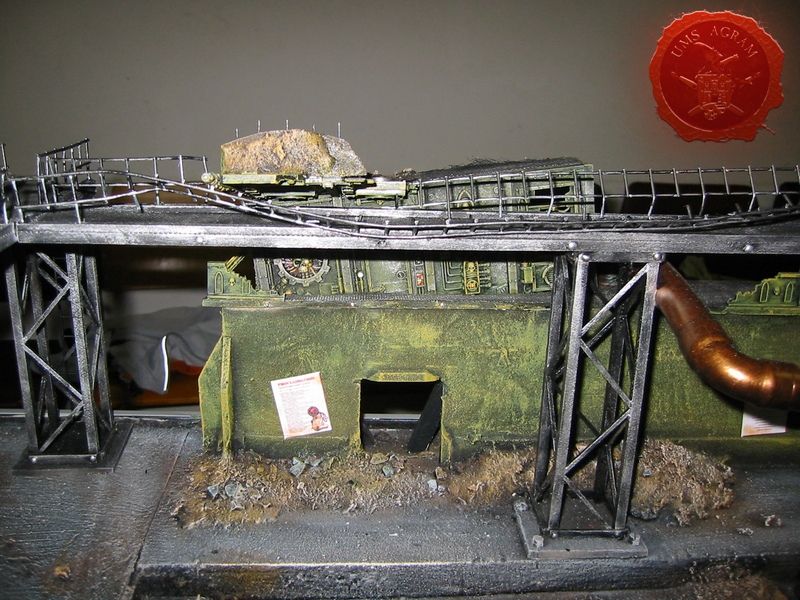
Click for enlarged picture

Click for enlarged picture

Click for enlarged picture

Click for enlarged picture

EXTRA DETAILS

Wooden Boxes

These are easily made from 2 mm thin balsa wood sheets. Just cut the sides of the boxes (ours were 2x5cm, 2x3cm and 2,5x3cm), glue them together, draw lines into the balse to represent the planks and glue thin strips of card as metal reinforcements. You may even add small dressmaker's pins as rivets.
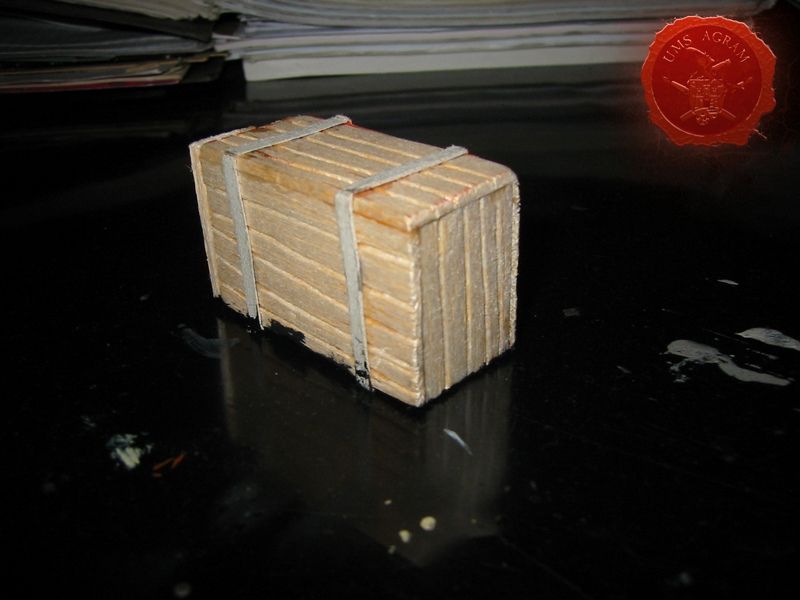
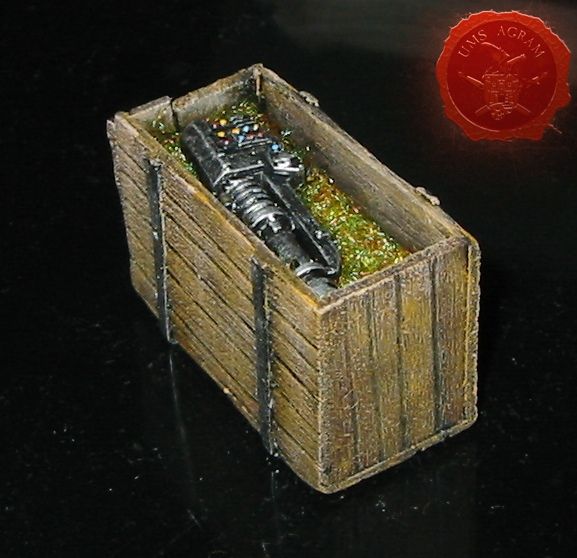
Click for enlarged picture

Click for enlarged picture

Lamp conversions

It is easy to convert the Cities of Death lamp posts with LEDs so that they actualy give light. Just remove the bottom part of the lamp, drill a hole through the lamp for the wires and attach the LEDs.

You must watch out not to connect the + and the – wires because you will short circuit the LED.
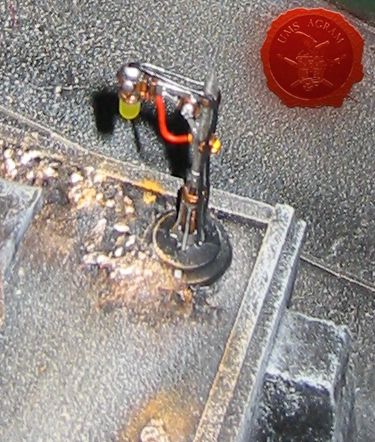
Click for enlarged picture

Metal plates, hatches and mesh

Metal plates can be easily made by using card cut into squares and glued onto the base repetively one beside another. When finished, just add dressmaker's pins as rivets. Hatches are also done with card. Just cut the hatch frame and both sides of the doors and glue together. You can also add pins as rivets. Mesh is done with plastic anti-mosquito nets found in most stores. It is easy to cut, form and glue and yet it gives excellent results.
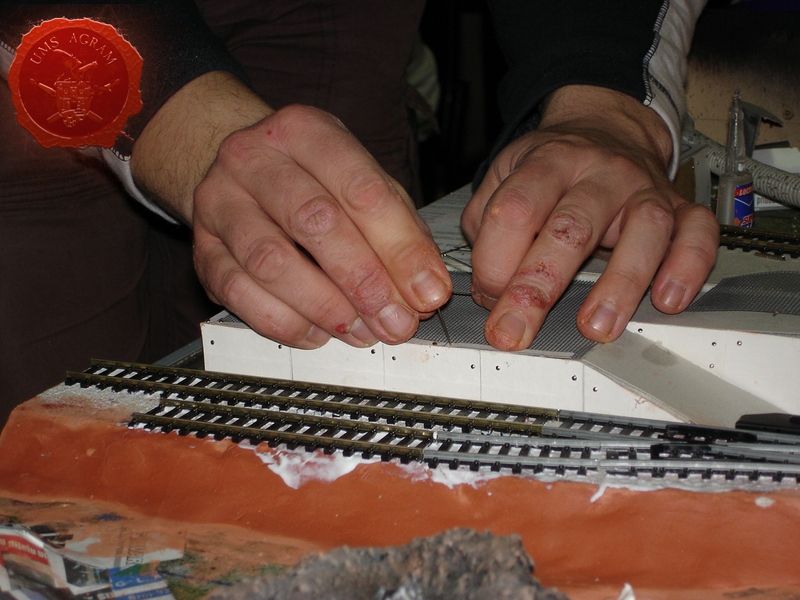
Click for enlarged picture

Trussed metal constructions

Trussed constructions are a bit fidly to make but once finished they will be worth while. They are made from two strips of wood, one 2x2mm and the other 5x5mm while the length is up to you. You use the thicker ones for the frame and you put the smaller ones in between at a 45 degree angle to the frame. The finished product not only looks great but is also very sturdy and can withstand suprisingly big loads.
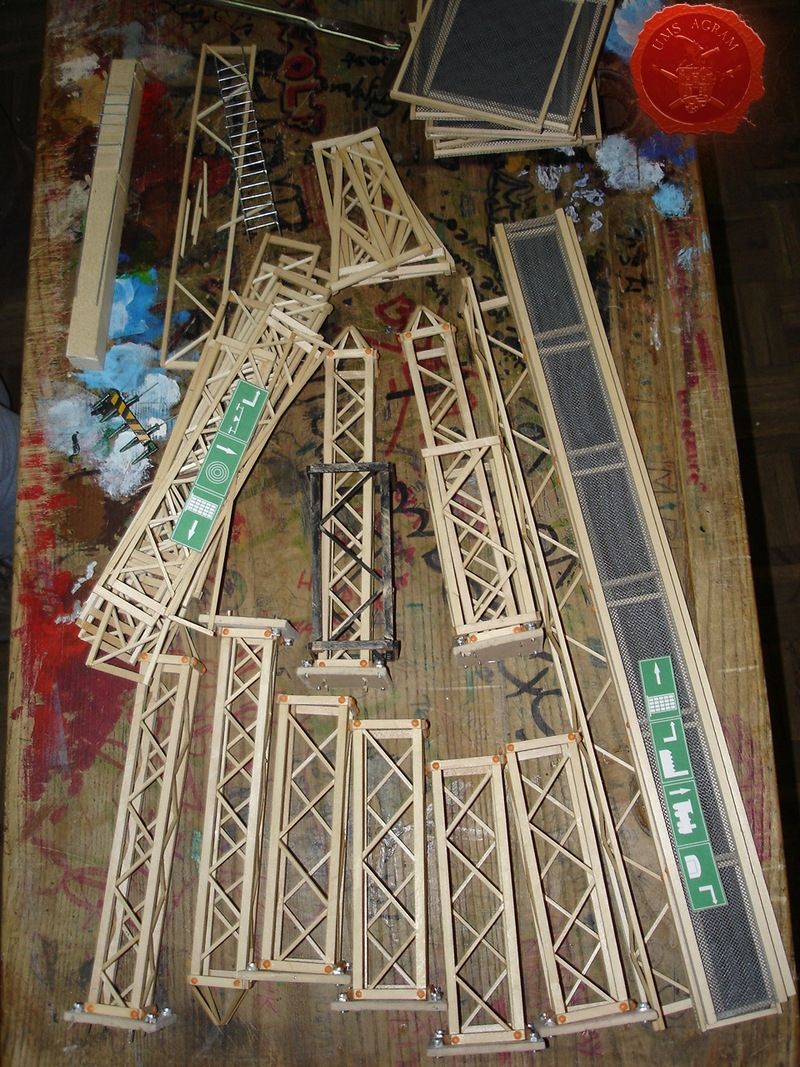
Click for enlarged picture

CONCLUSSION

To sum it all, this table contains over 15l of water, over 100m of cables and wires, weighs around 75kg (without the water), has 2,5m of walkways, over 10m of handmade trussed structures, a dozen various electronic circuits, 63 LEDs, 3 laser diodes, 6 working vents, 2 servo motors, a waterpump, a fogger, one factory, one skyscraper, one warehouse, a railroad terminal, 3 small buildings, 2 large buildings, 2 statues, 3 wrecks (tenk, sentinel and a shuttle), 2 turrets...
Click for enlarged picture

Click for enlarged picture

Click for enlarged picture

Click for enlarged picture

Click for enlarged picture

Click for enlarged picture

As you can see it is much more than the mere sum of its parts because over 1000 working hours after the initial sketches, the final product was before us.

Latest articles

  • Agram Group Build #7 – Amon Hen, pt.8
              array(2) {
      ["Article"]=>
      array(10) {
        ["id"]=>
        string(3) "535"
        ["member_id"]=>
        string(2) "35"
        ["title_eng"]=>
        string(39) "Agram Group Build #7 – Amon Hen, pt.8"
        ["title_hrv"]=>
        string(40) "Agram Group Build #7 – Amon Hen, dio 8"
        ["mask_eng"]=>
        string(32) "agram_group_build_7_amon_hen_pt8"
        ["mask_hrv"]=>
        string(34) "agram_group_build_7_amon_hen_dio_8"
        ["content_eng"]=>
        string(3235) "

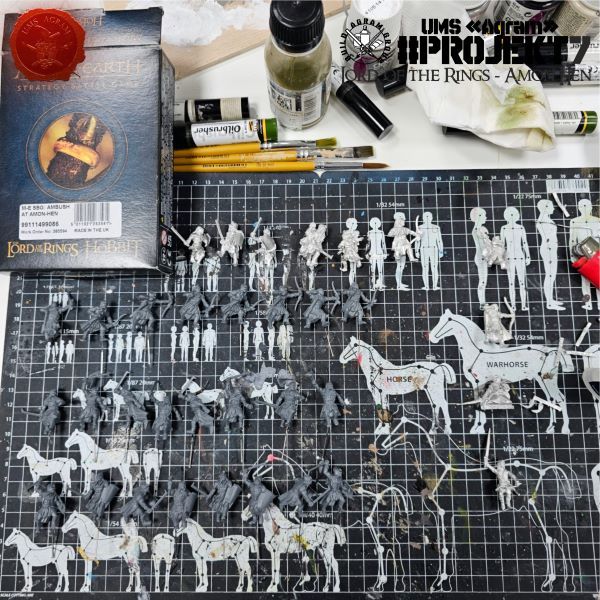
    Agram Group Build is back. For this seventh installment, the team decided to create a gaming board/diorama for Amon Hen. To that end, we fulfilled a childhood dream and acquired the original Forge World Amon Hen terrain (released around 2000) along with the accompanying set of miniatures. This series of articles will document the entire project—from crafting the terrain to assembling and painting the miniatures.

    Click for enlarged picture

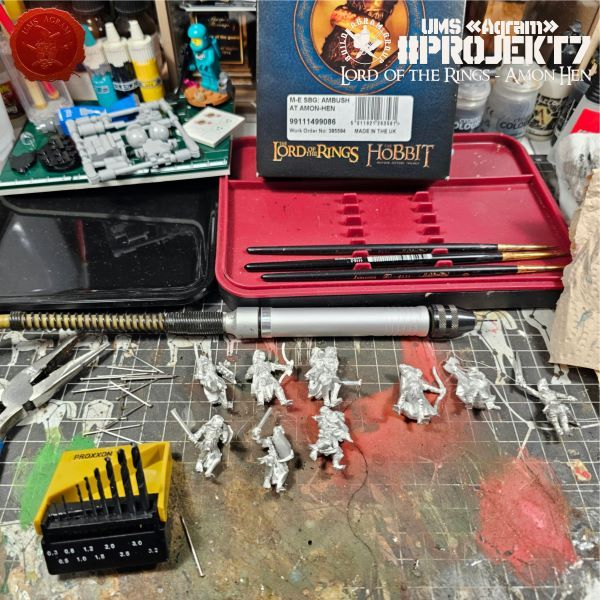
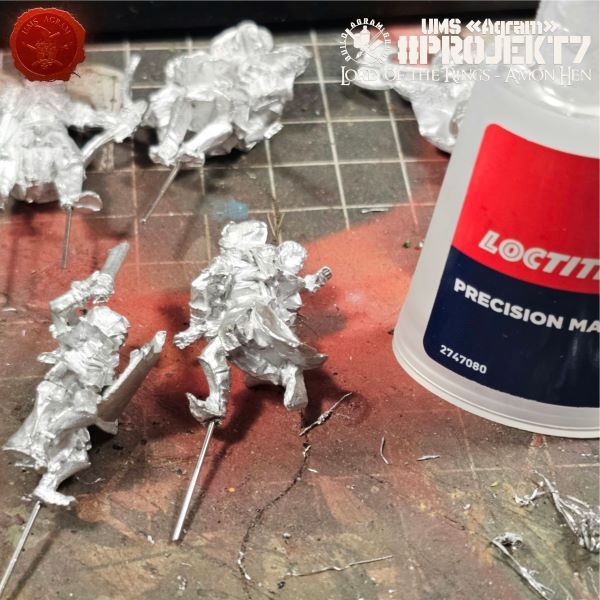
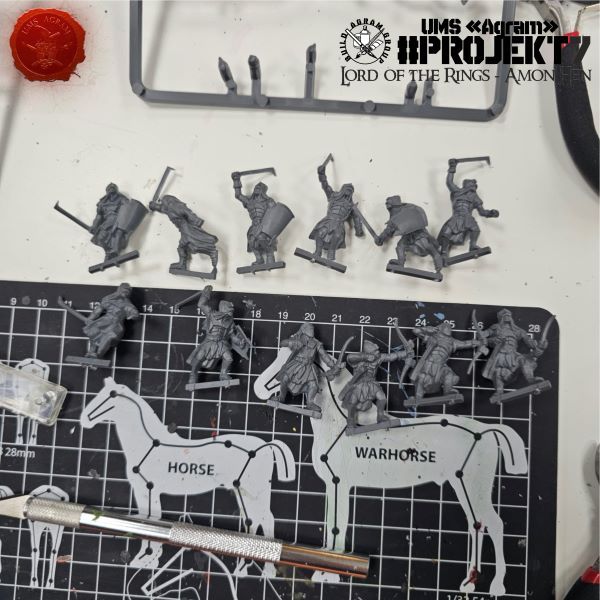
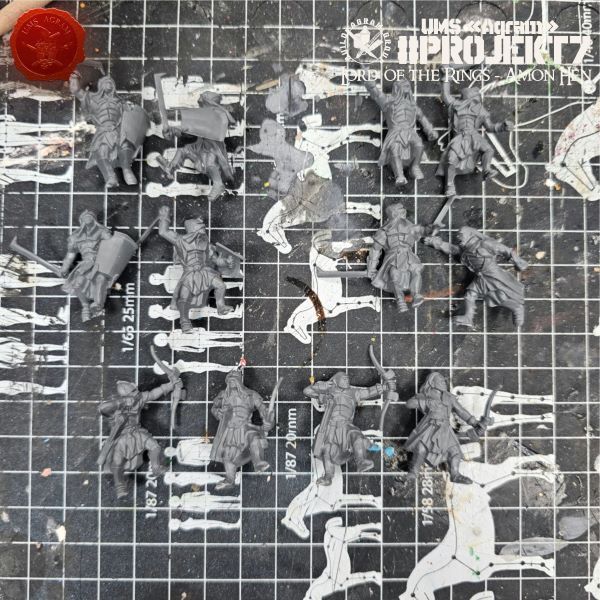
    In this article, we continue our work on the figures. Last time, we prepared the plastic components; now, it is time to pin the metal ones. For this, we need a mini electric drill and some paperclips or pins. Additionally, you will need superglue.

    Click for enlarged picture

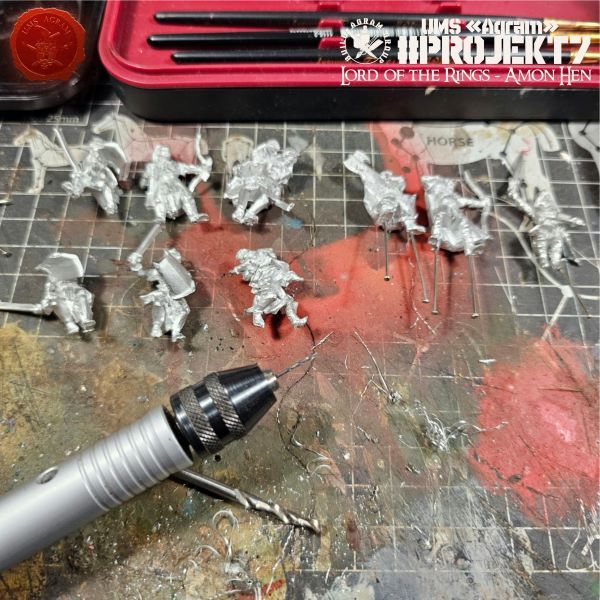
    Select a drill bit about the size of a pin—in our case, 0.8 mm in diameter. Carefully drill holes approximately 2–3 mm deep into the feet, using at least one pin per figure.

    Click for enlarged picture

    Apply a drop or two of superglue to the pin and push it as deep as possible into the hole. Let it dry, then reattach the head.

    Click for enlarged picture

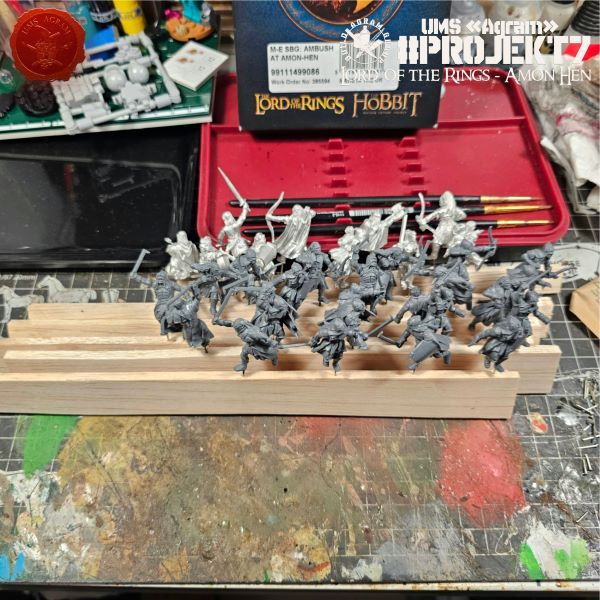
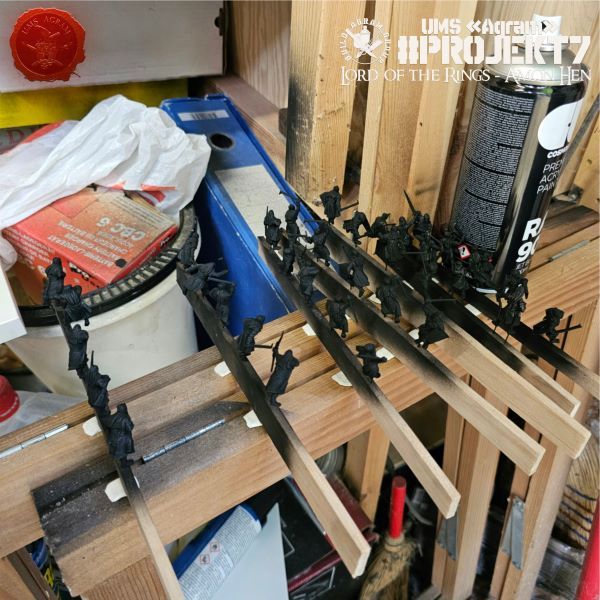
    Once we had prepared all the figures in this way, we mounted them onto balsa wood strips. We pushed pins into the balsa, and the figures were ready to be spray-painted black.

    Click for enlarged picture

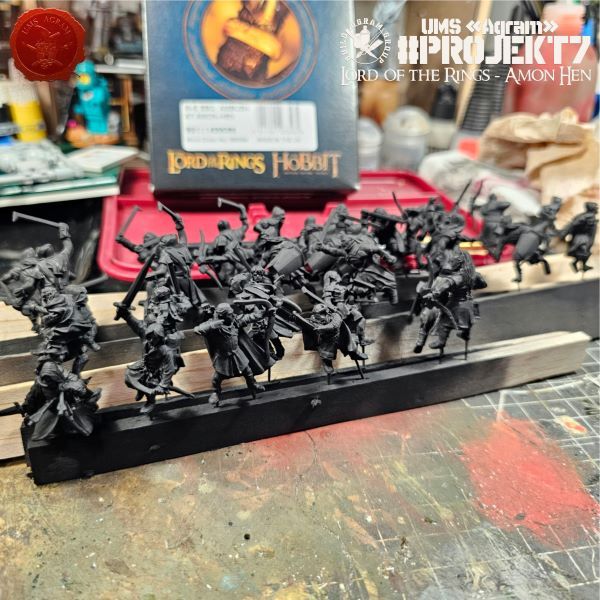
    After spraying, the figures are ready for painting.

    Click for enlarged picture

    " ["content_hrv"]=> string(3194) "

    Agram Group Build se vraća. U svojoj sedmoj instalaciji, ekipa je odlučila izraditi igraću tablu / dioramu za Amon Hen. Za tu potrebu, ispunili smo si dječačke sne i nabavili originalni Forge World teren Amon Hena (izašao negdje cca 2000.) sa setom pripadajućih figura. Ova serija članaka pratit će izradu cijelog projekta – kako izrade terena, tako i sastavljanja i bojanja figura.

    Click for enlarged picture

    Nastavak rada na figurama pratimo u ovom članku. Prošli put smo pripremili plastični dio figura, a sada je na redu piniranje metalnih. Za to nam je potrebna mini električna bušilica i spajalice/špenadle. Osim toga, bit će potrebno i superljepilo.

    Click for enlarged picture

    Izaberemo svrdlo veličine špenadle. U našem slučaju to je promjer 0,8mm. Pažljivo izbušimo rupe dubine cca 2-3 mm u stopala. Barem jedan pin po figuri.

    Click for enlarged picture

    Kapnemo kap dvije superljepila na pin i nabijemo ga što dublje u rupu. Pustimo da se osuši i održemo glavu.

    Click for enlarged picture

    Kada smo tako pripremili sve figure, postavili smo ih na letvice od balze. Pinove smo zabili u balzu i figure su bile spremne za sprejanje u crno.

    Click for enlarged picture

    Nakon sprejanja, figure su spremne za bojanje.

    Click for enlarged picture

    " ["created"]=> string(19) "2026-11-03 13:24:18" ["modified"]=> string(19) "2026-11-03 13:24:18" } ["Member"]=> array(10) { ["id"]=> string(2) "35" ["group_id"]=> string(1) "1" ["first_name"]=> string(5) "Marko" ["last_name"]=> string(9) "Paunović" ["first_name_mask"]=> string(5) "marko" ["last_name_mask"]=> string(8) "paunovic" ["username"]=> string(5) "marko" ["password"]=> string(40) "3bd37b326d19d1880d3b93a4b32e8fb3a90fa122" ["born"]=> string(19) "2033-03-07 20:35:00" ["created"]=> string(19) "2009-06-02 20:37:03" } }
    Marko Paunović, 3th November 2026
  • Back to Basics Workshops for kids in Medveščak Library - Autumn 2026
              array(2) {
      ["Article"]=>
      array(10) {
        ["id"]=>
        string(3) "534"
        ["member_id"]=>
        string(2) "64"
        ["title_eng"]=>
        string(70) "Back to Basics Workshops for kids in Medveščak Library - Autumn 2026"
        ["title_hrv"]=>
        string(81) "Back to Basics radionice bojanja minijatura u Knjižnici Medveščak - jesen 2026"
        ["mask_eng"]=>
        string(68) "back_to_basics_workshops_for_kids_in_medvescak_library_-_autumn_2026"
        ["mask_hrv"]=>
        string(78) "back_to_basics_radionice_bojanja_minijatura_u_knjiznici_medvescak_-_jesen_2026"
        ["content_eng"]=>
        string(5920) "

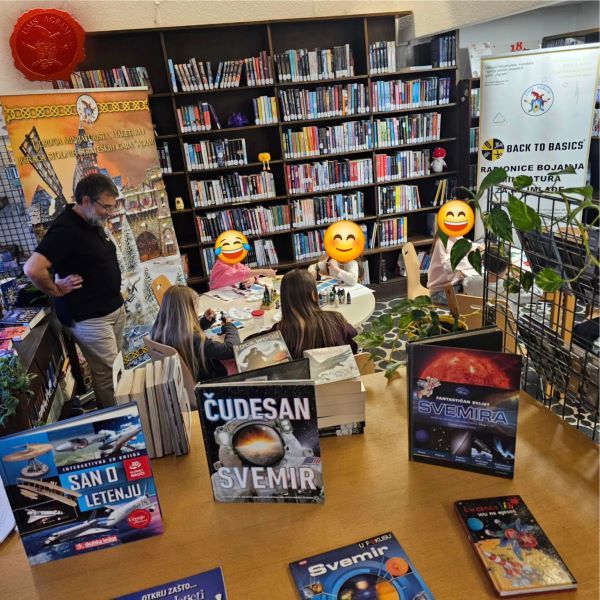
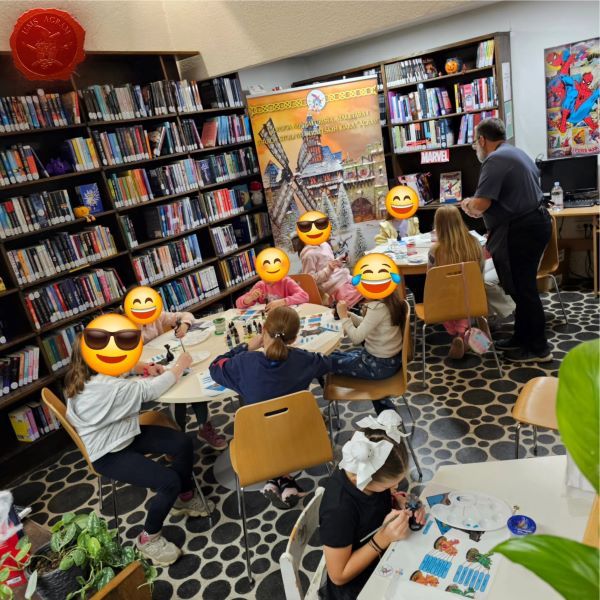
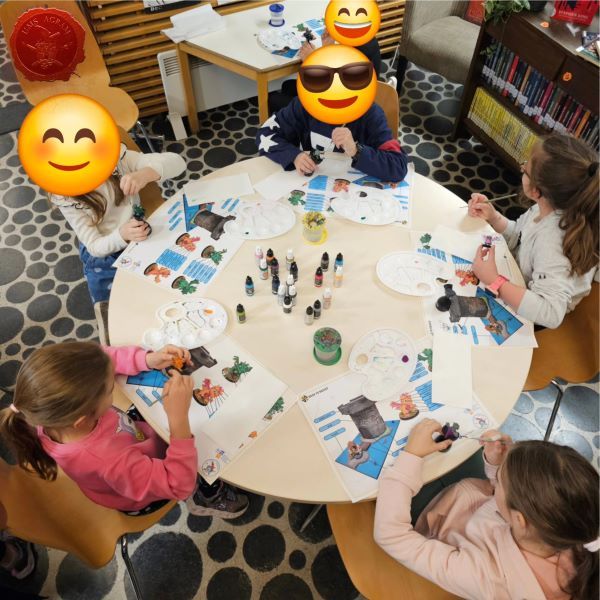
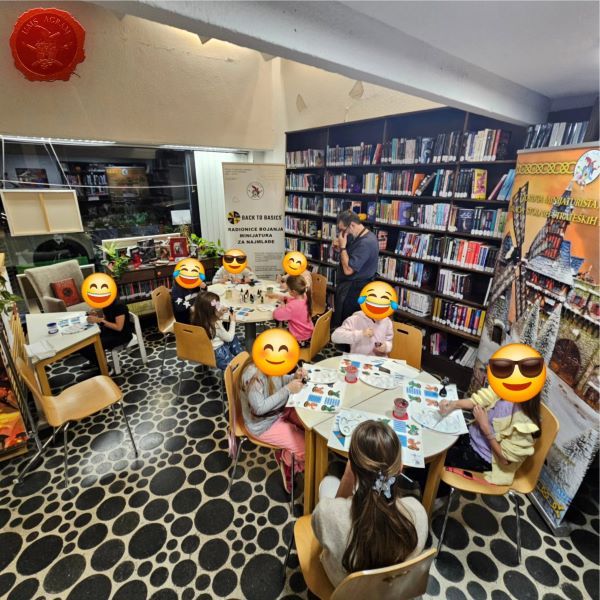
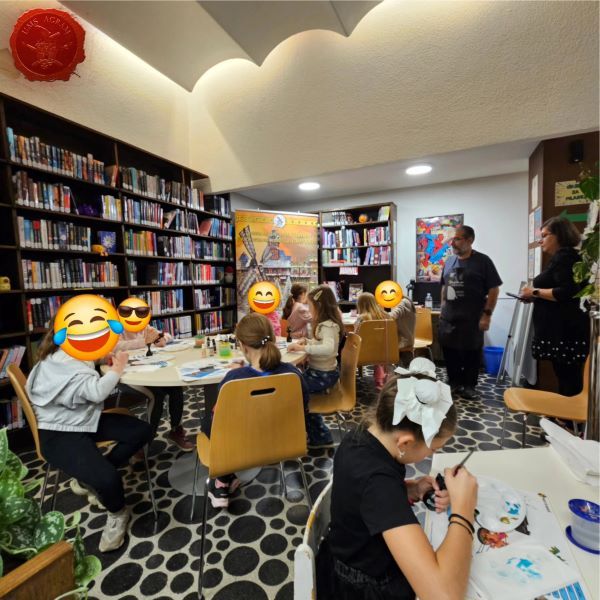
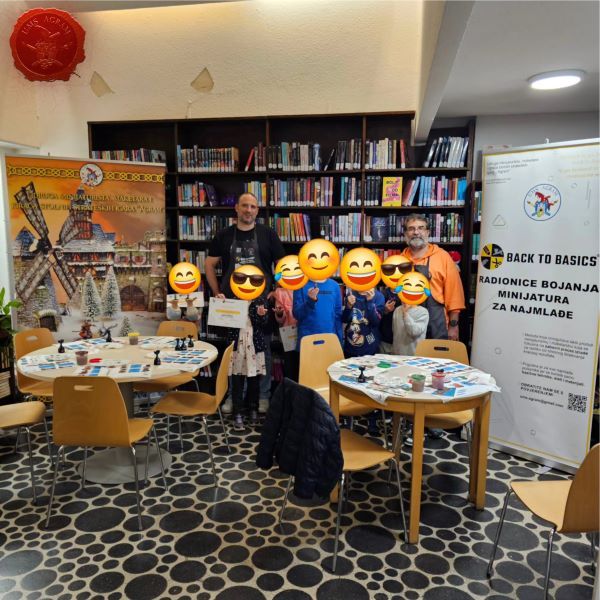
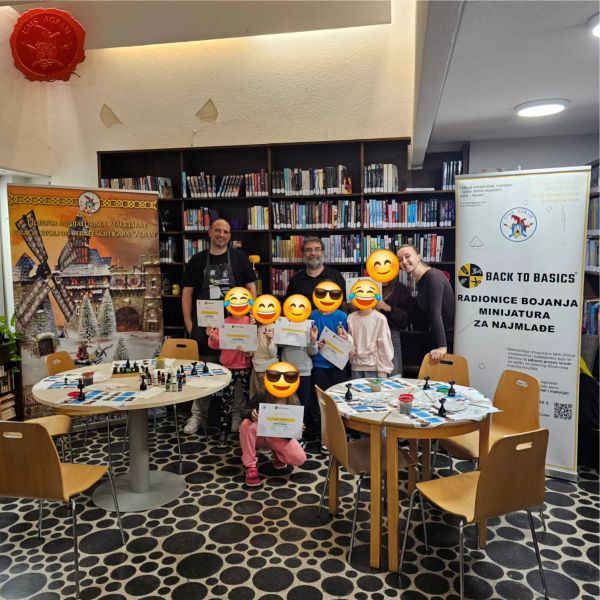
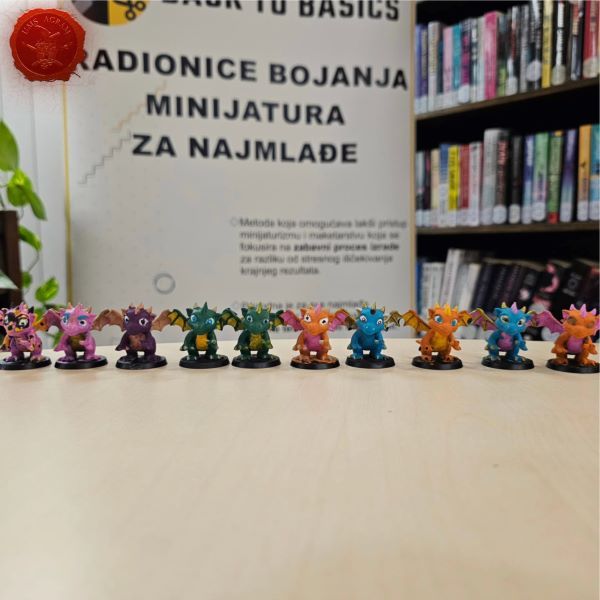
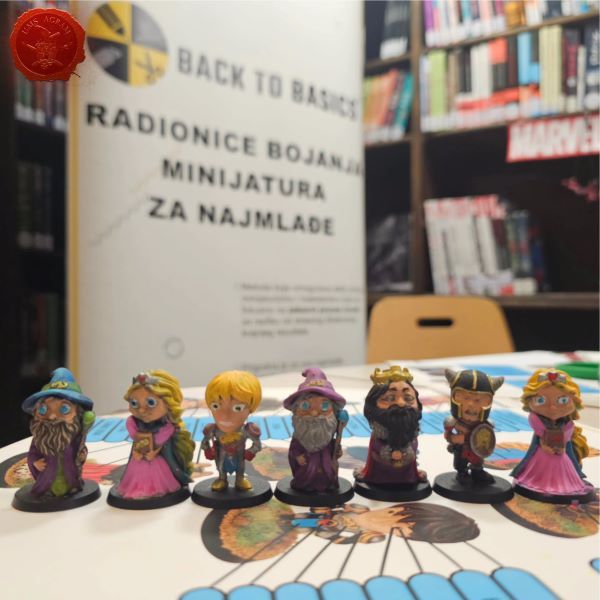
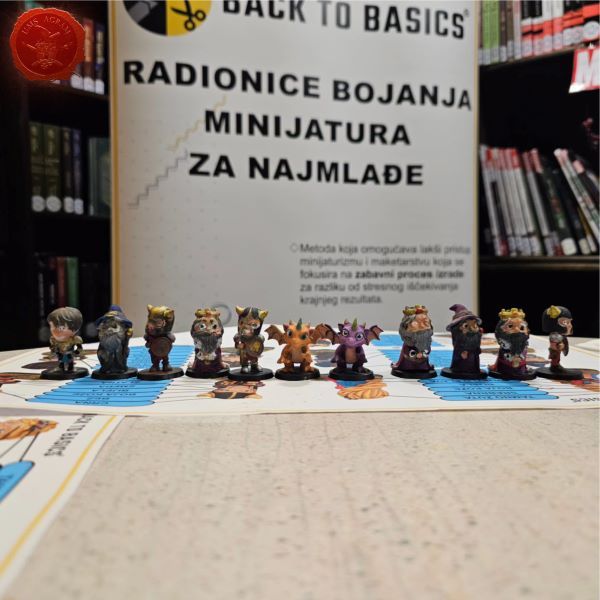
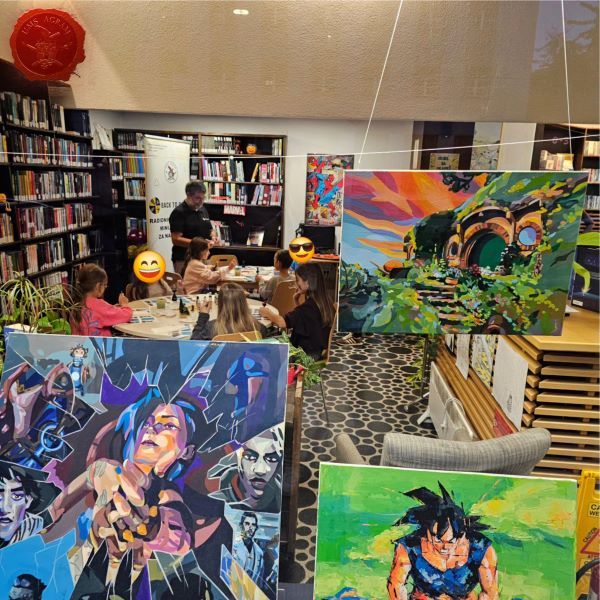
    This autumn, we once again held our "Back to Basics" miniature painting workshops for children at the Medveščak Library.

    Over the course of three weeks, our youngest participants painted our "Agramers" and learned the ropes of miniature painting.

    A big thank you to the parents for their trust, and to the Children and Youth Department of the Medveščak Library for their support!

    See you next spring!

    Click for enlarged picture

    Click for enlarged picture

    Click for enlarged picture

    Click for enlarged picture

    Click for enlarged picture

    Click for enlarged picture

    Click for enlarged picture

    Click for enlarged picture

    Click for enlarged picture

    Click for enlarged picture

    Click for enlarged picture

    Click for enlarged picture

    Click for enlarged picture

    Click for enlarged picture

    Click for enlarged picture

    Click for enlarged picture

    You can find more photos on our social networks!

    " ["content_hrv"]=> string(5773) "

    I ove jeseni održali smo Back to Basics radionice bojenja minijatura za najmlađe u Knjižnica Medveščak.

    Kroz tri tjedna naši najmlađi polaznici su bojali naše Agramere i upoznali se sa bojanjem minijatura.

    Veliko hvala roditeljima na povjerenju i Odjelu za djecu i mlade Knjižnice Medveščak na podršci !

    Vidimo se sljedeće godine na proljeće

    Click for enlarged picture

    Click for enlarged picture

    Click for enlarged picture

    Click for enlarged picture

    Click for enlarged picture

    Click for enlarged picture

    Click for enlarged picture

    Click for enlarged picture

    Click for enlarged picture

    Click for enlarged picture

    Click for enlarged picture

    Click for enlarged picture

    Click for enlarged picture

    Click for enlarged picture

    Click for enlarged picture

    Click for enlarged picture

    Više fotografija možete pronaći na našim društvenim mrežama!

    " ["created"]=> string(19) "2026-10-30 09:12:21" ["modified"]=> string(19) "2026-10-30 09:12:21" } ["Member"]=> array(10) { ["id"]=> string(2) "64" ["group_id"]=> string(1) "1" ["first_name"]=> string(9) "Krunoslav" ["last_name"]=> string(8) "Belinić" ["first_name_mask"]=> string(9) "krunoslav" ["last_name_mask"]=> string(7) "belinic" ["username"]=> string(5) "Kruno" ["password"]=> string(40) "eb3fda45fbec0258e90d809803b10491c548b22f" ["born"]=> string(19) "2015-01-18 09:19:00" ["created"]=> string(19) "2015-01-18 09:20:39" } }
    Krunoslav Belinić, 30th October 2026
  • Agram Group Build #7 – Amon Hen, pt.7
              array(2) {
      ["Article"]=>
      array(10) {
        ["id"]=>
        string(3) "533"
        ["member_id"]=>
        string(2) "64"
        ["title_eng"]=>
        string(39) "Agram Group Build #7 – Amon Hen, pt.7"
        ["title_hrv"]=>
        string(40) "Agram Group Build #7 – Amon Hen, dio 7"
        ["mask_eng"]=>
        string(32) "agram_group_build_7_amon_hen_pt7"
        ["mask_hrv"]=>
        string(34) "agram_group_build_7_amon_hen_dio_7"
        ["content_eng"]=>
        string(6275) "

    Agram Group Build is back. For this seventh installment, the team decided to create a gaming board/diorama for Amon Hen. To that end, we fulfilled a childhood dream and acquired the original Forge World Amon Hen terrain (released around 2000) along with the accompanying set of miniatures. This series of articles will document the entire project—from crafting the terrain to assembling and painting the miniatures.

    Click for enlarged picture

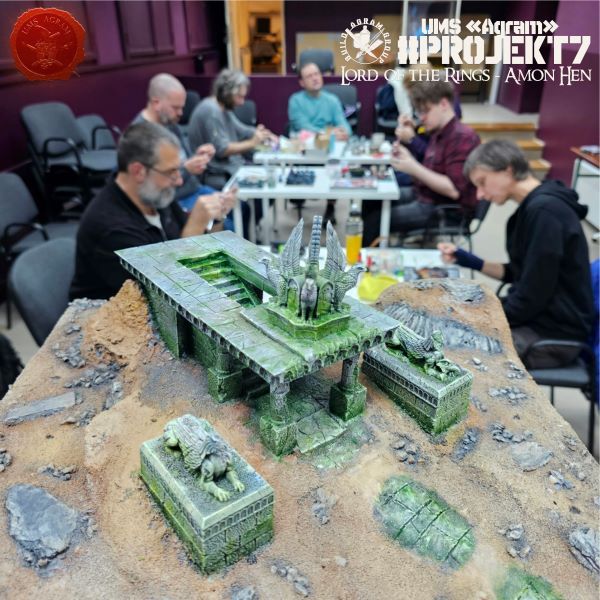
    The first thing we did this week was finish painting the terrain. All that remained were the stone statues and the temple. A light drybrush of grey and white paint was all that was needed, following the layers of washes we had applied the week before.

    Click for enlarged picture

    Click for enlarged picture

    Next came the aging process using oil paints. We used several shades of green, as well as black and a beige/white tone. First, we coated the surfaces with Odourless Thinner, then applied a few small dots of each shade, and finally used a dry brush to blend them and remove any excess pigment.

    Click for enlarged picture

    Click for enlarged picture

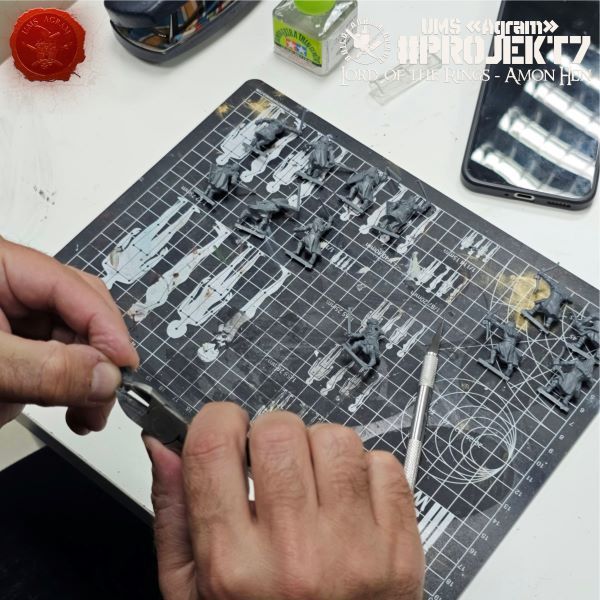
    Meanwhile, the other part of the team continued the work of cleaning the plastic Uruk-hai.

    Click for enlarged picture

    Click for enlarged picture

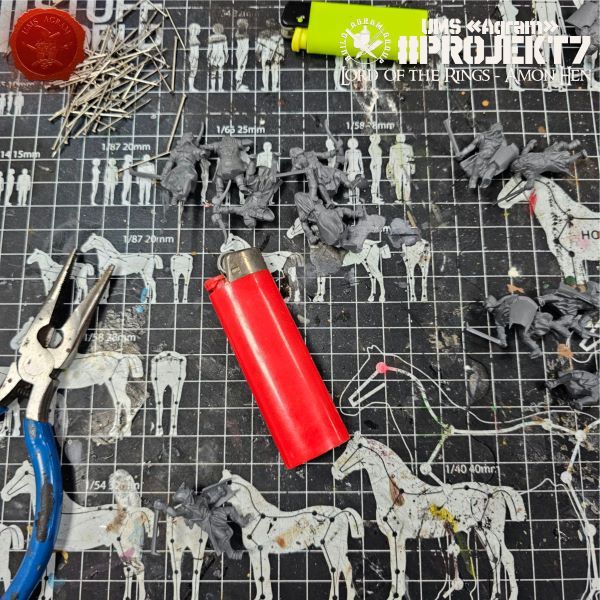
    Next came the pinning of the plastic miniatures. For the quickest results, you will need: pliers, sewing pins, and a lighter.

    Click for enlarged picture

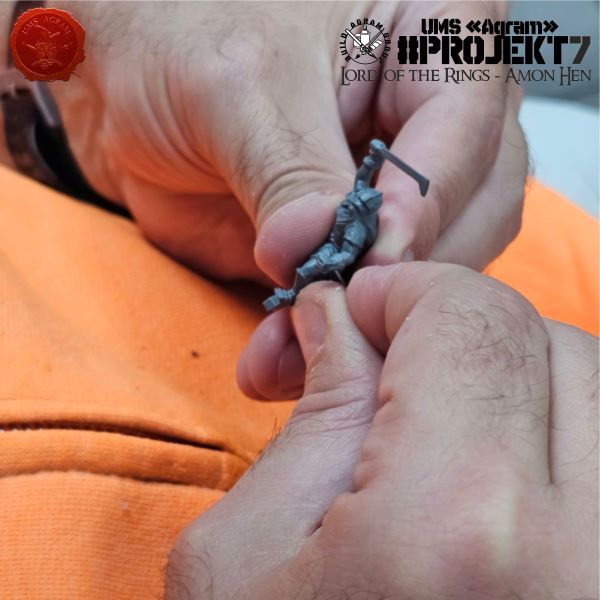
    First, use a lighter to heat a sewing pin until it is red-hot, then press it into the Uruk-hai's leg. As the metal enters the plastic, the heat causes the plastic to expand, allowing the pin to slide in easily. However, as it enters, it also cools down; the plastic then contracts, holding the pin firmly in place. You do not need any glue. Once you have inserted the pins, use pliers to snip off the ends—the parts with the heads.

    Click for enlarged picture

    Click for enlarged picture

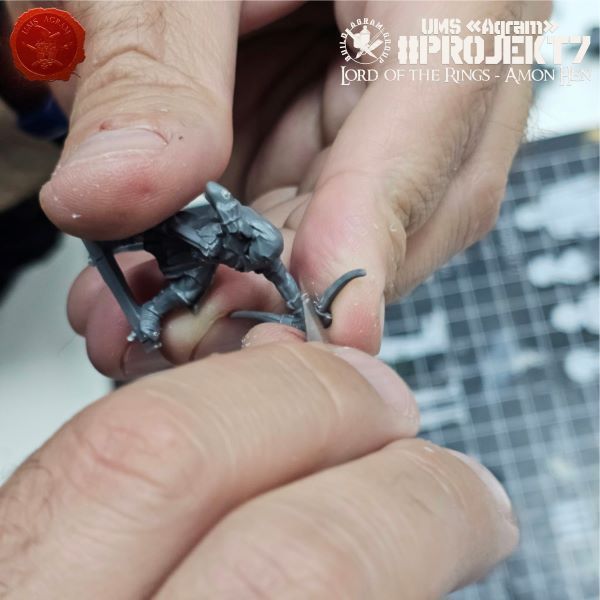
    The final task for this week was to remove the tabs from the metal figures and prepare them for pinning. Unfortunately, the previous method cannot be applied to metal figures, so we will have to use an electric drill—but more on that next time.

    Click for enlarged picture

    In the end, we arranged the trees on the painted base so we could admire them a bit.

    Click for enlarged picture

    Click for enlarged picture

    " ["content_hrv"]=> string(6205) "

    Agram Group Build se vraća. U svojoj sedmoj instalaciji, ekipa je odlučila izraditi igraću tablu / dioramu za Amon Hen. Za tu potrebu, ispunili smo si dječačke sne i nabavili originalni Forge World teren Amon Hena (izašao negdje cca 2000.) sa setom pripadajućih figura. Ova serija članaka pratit će izradu cijelog projekta – kako izrade terena, tako i sastavljanja i bojanja figura.

    Click for enlarged picture

    Prvu stvar koju smo ovaj tjedan napravili je dovršavanje bojanja terena. Ono što je ostalo jest kameni kipovi i hram. Lagani drybrush sive i bijele boje je bilo sve što je bilo potrebno nakon slojeva washeva koje smo odradili tjedan ranije.

    Click for enlarged picture

    Click for enlarged picture

    Zatim je uslijedilo dodavanje starenja uljnim bojama. Koristili smo nekoliko zelenih, crnu i bež/bijelu nijansu. Prvo smo površine prekrili Odourless Thinnerom, zatim nanijeli po nekoliko točkica svih nijansi, i onda suhim kistom pomiješali i maknuli višak pigmenta.

    Click for enlarged picture

    Click for enlarged picture

    Za to vrijeme, drugi dio ekipe je nastavio posao na čišćenju plastičnih Uruk Haia.

    Click for enlarged picture

    Click for enlarged picture

    Zatim je uslijedilo piniranje plastičnih minijatura. Za najbrže rezultate potrebni su vam: kliješta, špenadle i upaljač.

    Click for enlarged picture

    Prvo upaljačem zagrijete špenadlu do usijanja, zatim ju utisnete Uruk Haiju u nogu. Kako metal ulazi u plastiku, toplina širi plastiku tako da pin može lagano ući. Međutim, kako ulazi tako se i hladi pa se plastika skuplja i drži pin na mjestu. Nikakvo ljepilo vam nije potrebno. Kad ste utisnuli špenadle, vrhove s glavom odrežite kliještima.

    Click for enlarged picture

    Click for enlarged picture

    Zadnji zadatak za ovaj tjedan bio je maknuti tabove sa metalnih figura i pripremiti ih za piniranje. Prethodna metoda na žalost nije primjenjiva na metalnim figurama pa ćemo morati koristiti električnu bušilicu, ali o tome više sljedeći put.

    Click for enlarged picture

    Na kraju smo posložili drveće na obojanu bazu da se malo divimo.

    Click for enlarged picture

    Click for enlarged picture

    " ["created"]=> string(19) "2026-10-30 08:03:11" ["modified"]=> string(19) "2026-10-30 08:55:41" } ["Member"]=> array(10) { ["id"]=> string(2) "64" ["group_id"]=> string(1) "1" ["first_name"]=> string(9) "Krunoslav" ["last_name"]=> string(8) "Belinić" ["first_name_mask"]=> string(9) "krunoslav" ["last_name_mask"]=> string(7) "belinic" ["username"]=> string(5) "Kruno" ["password"]=> string(40) "eb3fda45fbec0258e90d809803b10491c548b22f" ["born"]=> string(19) "2015-01-18 09:19:00" ["created"]=> string(19) "2015-01-18 09:20:39" } }
    Krunoslav Belinić, 30th October 2026
  • Agram Group Build #7 – Amon Hen, pt.6
              array(2) {
      ["Article"]=>
      array(10) {
        ["id"]=>
        string(3) "532"
        ["member_id"]=>
        string(2) "35"
        ["title_eng"]=>
        string(39) "Agram Group Build #7 – Amon Hen, pt.6"
        ["title_hrv"]=>
        string(40) "Agram Group Build #7 – Amon Hen, dio 6"
        ["mask_eng"]=>
        string(32) "agram_group_build_7_amon_hen_pt6"
        ["mask_hrv"]=>
        string(34) "agram_group_build_7_amon_hen_dio_6"
        ["content_eng"]=>
        string(7024) "

    Agram Group Build is back. For this seventh installment, the team decided to create a gaming board/diorama for Amon Hen. To that end, we fulfilled a childhood dream and acquired the original Forge World Amon Hen terrain (released around 2000) along with the accompanying set of miniatures. This series of articles will document the entire project—from crafting the terrain to assembling and painting the miniatures.

    Click for enlarged picture

    As we announced, this time we are starting with the painting process. The first step was applying a black primer (via spray), followed by white to highlight the details.

    Click for enlarged picture

    Click for enlarged picture

    Next came the painting of the terrain. As always, we used a palette of brown and gray paints from the Pebeo Deco brand. These are acrylic paints—relatively affordable and quite thick—which allow for easy coverage or a quick drybrush, should the need arise. We started with the brown tones, beginning with the darker shades and finishing with the lighter ones.

    Click for enlarged picture

    Click for enlarged picture

    Click for enlarged picture

    Next, we highlighted the stone surfaces with black paint, then lightened them using shades of gray, ranging from darker to lighter tones. We left the temple and the statues covered only with the spray paints applied in the first step.

    Click for enlarged picture

    Click for enlarged picture

    Once the base was finished, we turned our attention to the temple and the statues. The first layer of paint we applied over the black-and-white undercoat consisted of washes. We took 5 or 6 different shades and randomly dabbed them across all the surfaces.

    Click for enlarged picture

    Click for enlarged picture

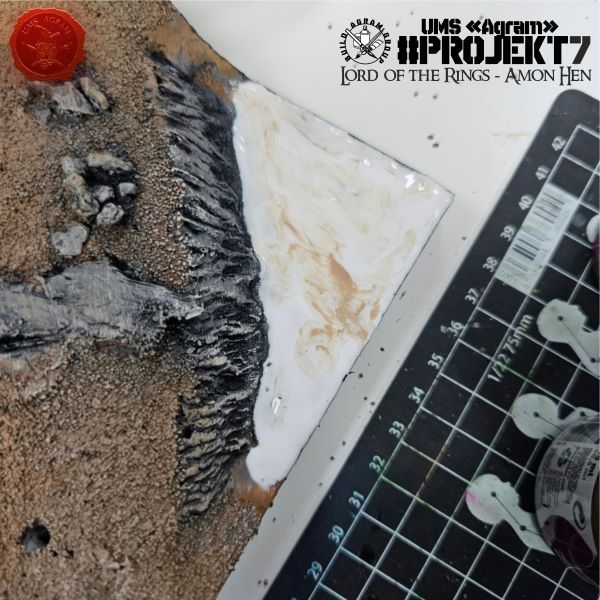
    Since our time was running out, we decided to stop painting there and give the washes a chance to dry thoroughly. The final step for the board was applying a thick layer of PVA glue to the corner where the river would be. We did this to smooth out the surface, as we had decided to simply paint the river rather than adding any "depth."

    Click for enlarged picture

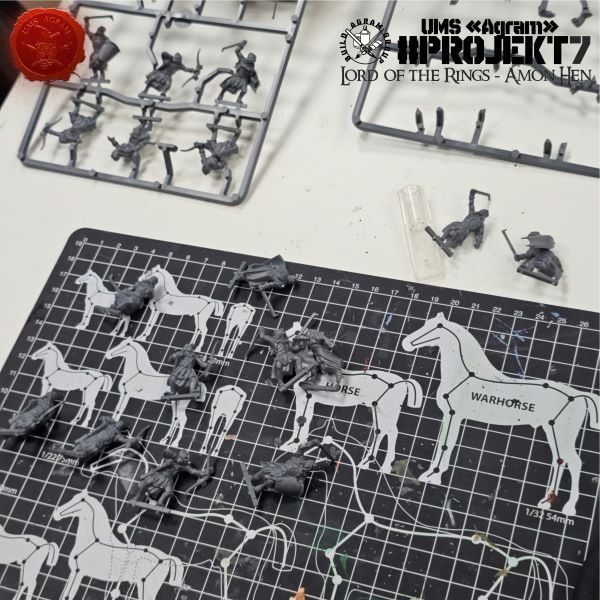
    Meanwhile, Kruno set to work preparing the newly arrived Uruk-hai figures. He removed the first half of the figures from the sprue and cleaned off the flash.

    Click for enlarged picture

    Click for enlarged picture

    He organized them and removed the tabs for the bases. Next time, he will continue with the second half.

    Click for enlarged picture

    Click for enlarged picture

    " ["content_hrv"]=> string(6871) "

    Agram Group Build se vraća. U svojoj sedmoj instalaciji, ekipa je odlučila izraditi igraću tablu / dioramu za Amon Hen. Za tu potrebu, ispunili smo si dječačke sne i nabavili originalni Forge World teren Amon Hena (izašao negdje cca 2000.) sa setom pripadajućih figura. Ova serija članaka pratit će izradu cijelog projekta – kako izrade terena, tako i sastavljanja i bojanja figura.

    Click for enlarged picture

    Kao što smo najavili, ovaj put započinjemo sa bojanjem. Prvi korak bio je nanošenje crne temeljne boje (sprejem) i onda bijele da istakne detalje.

    Click for enlarged picture

    Click for enlarged picture

    Zatim je uslijedilo bojanje terena. Kao i uvijek, koristimo paletu smeđih i sivih boja marke Pebeo Deco. To su akrilne boje, relativno pristupačne cijenom, a dosta guste tako da omogućava lagano prekrivanje ili brzi drybrush ako nam zatreba. Prvo smo odradili smeđe nijanse, krenuvši prvo od tamnijih i završivši sa svjetlijim nijansama.

    Click for enlarged picture

    Click for enlarged picture

    Click for enlarged picture

    Zatim smo kamene plohe istaknuli crnom bojom i onda posvjetljavali sivim nijansama od tamnijih do svijetlijih. Hram i kipove smo ostavili prekrivene samo sprejevima iz prvog koraka.

    Click for enlarged picture

    Click for enlarged picture

    Kad je baza bila gotova, okrenuli smo se hramu i kipovima. Prvi sloj boje koje smo stavili na crno-bijeli undercoat bili su washevi. Uzeli smo 5, 6 nijansi i nasumično tapkali po svim plohama.

    Click for enlarged picture

    Click for enlarged picture

    S obzirom da nam se termin bližio kraju, tu smo odlučili stati sa bojanjem i dati washevima priliku da se pošteno osuše. Zadnji korak na tabli bilo je dodavanje debelog sloja PVA ljepila na kut u kojem će biti rijeka. To smo napravili da izgladimo površinu s obzirom da smo odlučili da rijeku samo obojamo, bez dodavanja „dubine“.

    Click for enlarged picture

    Za to vrijeme, Kruno se bacio na pripremu novopridošlih figura Uruk Haia. Prvu polovicu figura je maknuo sa okvira (sprue) te očistio srhove.

    Click for enlarged picture

    Click for enlarged picture

    Složio ih je i maknuo tabove za baze. Sljedeći put nastavlja s drugom polovicom.

    Click for enlarged picture

    Click for enlarged picture

    " ["created"]=> string(19) "2026-10-22 09:56:04" ["modified"]=> string(19) "2026-10-22 09:56:04" } ["Member"]=> array(10) { ["id"]=> string(2) "35" ["group_id"]=> string(1) "1" ["first_name"]=> string(5) "Marko" ["last_name"]=> string(9) "Paunović" ["first_name_mask"]=> string(5) "marko" ["last_name_mask"]=> string(8) "paunovic" ["username"]=> string(5) "marko" ["password"]=> string(40) "3bd37b326d19d1880d3b93a4b32e8fb3a90fa122" ["born"]=> string(19) "2033-03-07 20:35:00" ["created"]=> string(19) "2009-06-02 20:37:03" } }
    Marko Paunović, 22nd October 2026
  • Lizardmen Sauropod – part 1
              array(2) {
      ["Article"]=>
      array(10) {
        ["id"]=>
        string(3) "531"
        ["member_id"]=>
        string(3) "100"
        ["title_eng"]=>
        string(29) "Lizardmen Sauropod – part 1"
        ["title_hrv"]=>
        string(27) "LIZARDMEN SAUROPOD - dio 1."
        ["mask_eng"]=>
        string(25) "lizardmen_sauropod_part_1"
        ["mask_hrv"]=>
        string(26) "lizardmen_sauropod_-_dio_1"
        ["content_eng"]=>
        string(3455) "

    While printing a sauropod model—which I intended to use for a kitbash of a Lizardmen Bastiladon—one of the printed torsos ended up with defects in the legs. Around the same time, I was playing Pokémon Crystal; having fallen in love with some of the concepts in that game, I decided to merge the two worlds into one.

    Click for enlarged picture

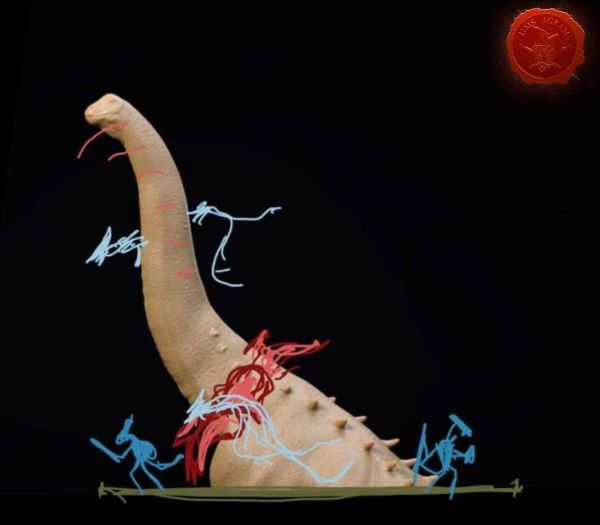
    Taking the Pokémon Meganium as a starting concept, I wanted to create a dinosaur on a large base emerging from a lake, surrounded by skinks that are grooming it.

    Click for enlarged picture

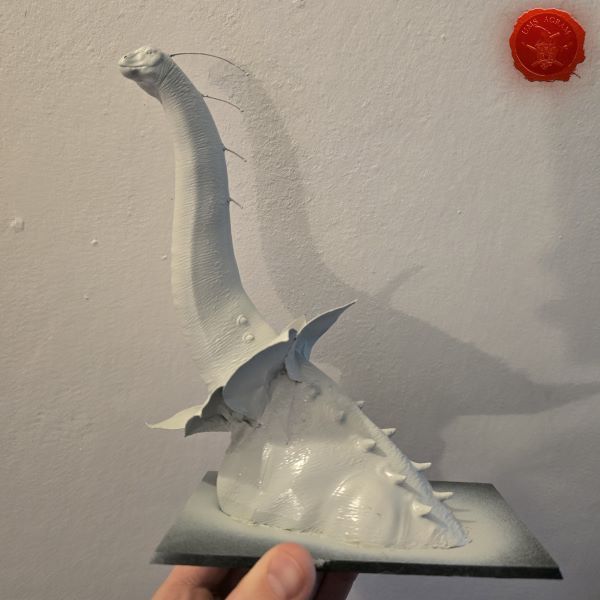
    To achieve this, I decided to cut off the lower part of the torso—excluding the legs—position the model so it "lies" on the base, place a couple of Skinks around it, and pour resin over the base to create the effect of lake water.

    Click for enlarged picture

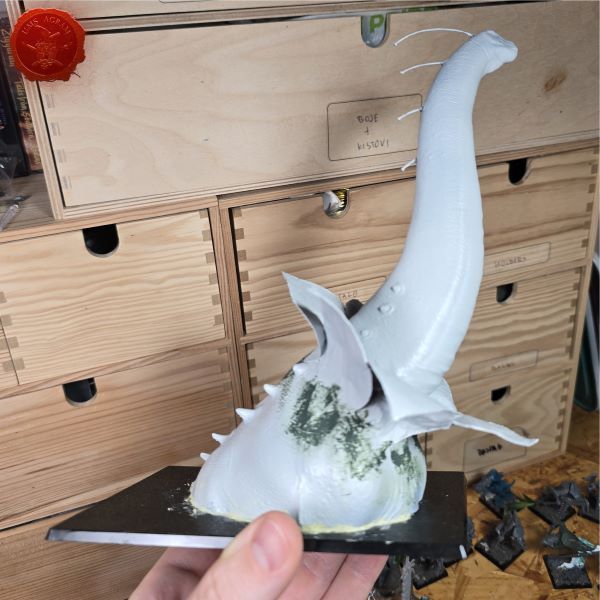
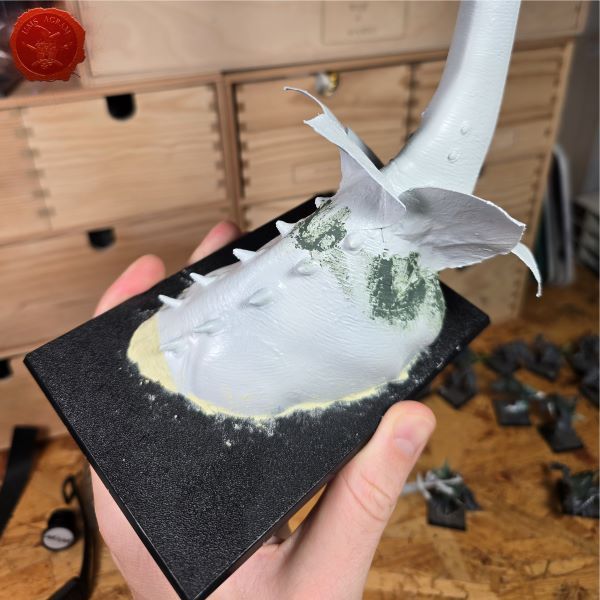
    The first step was to create flower petals around the dinosaur's neck. I used slightly thicker paper, cut into the shape of petals. Afterward, I glued them together with super glue to form a flower shape. I coated each petal with wood glue—applying about 6 layers—to set them into a form that would be both flexible and sturdy enough for painting. I applied each coat using a small brush, with outward strokes, to create texture on the surfaces of the petals.

    I glued the dinosaur's torso to the base using superglue and filled the gaps.

    Click for enlarged picture

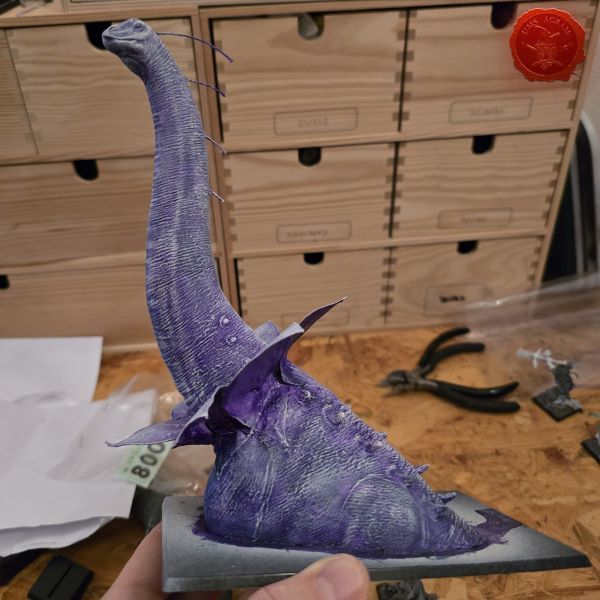
    Preparation for painting was the easier part of the job; the primer used was a light-grey spray, followed by a single coat of a purple 'contrast' paint. After that, I dry-brushed the entire model with white. This created a strange, sickly base for the subsequent layers of green. This concludes the first part of the tutorial; in the second part, I will continue with painting, casting resin, and adding the final details to the model.

    Click for enlarged picture

    " ["content_hrv"]=> string(3240) "

    Prilikom printa modela sauropoda kojeg sam mislio koristiti za kitbash Lizardmen modela bastiladona, ostao je jedan printani model trupa sa greškama u nogama. U slično vrijeme sam igrao Pokemon Crystal i obožavajući neke od koncepata u toj igri, odlučio sam spojiti dva svijeta u jedan.

    Click for enlarged picture

    Uzevši pokemona Meganium-a kao početni koncept, želio sam napraviti dinosaura na velikoj bazi koji izranja iz jezera, okruženog skinkovima koji ga timare.

    Click for enlarged picture

    Da bih to izveo, odlučio sam odrezati donji dio trupa bez nogu, postaviti model da "leži" na bazi, postaviti par skinkova oko njega i preliti bazu sa rezinom kako bih stvorio efekt jezerske vode.

    Click for enlarged picture

    Prvi korak je bio napraviti latice cvijeta oko vrata dinosura. Koristio sam malo deblji papir, izrezan u oblik latice. Nakon toga sam ih zalijepio super ljepilom u oblik cvijeta. Premazao sam svaki list drvofixom u cca 6 slojeva, kako bih učvrstio listove u formu u kojoj će biti elastični i čvrsti za bojanje. Sve premaze sam radio s manjim kistom potezima prema van, kako bih stvorio teksturu na stranicama latica.

    Trup dinosaura sam zalijepio na bazu sa superljepilom i zapunio rupe.

    Click for enlarged picture

    Priprema za bojanje je bila lakši dio posla, primer je bio svijetlosivi sprej, sa jednim slojem ljubičaste contrast boje. Nakon toga sam drybrushem bijele prekrio cijrli model. Ovime sam dobio čudnu bolesnjikavu bazu za slojeve zelene. Ovime završavam prvi dio tutoriala, nastavljam u drugom sa bojanjem i lijevanjem rezinske mase, uz završne detalje modela.

    Click for enlarged picture

    " ["created"]=> string(19) "2026-10-19 07:14:35" ["modified"]=> string(19) "2026-10-19 07:14:35" } ["Member"]=> array(10) { ["id"]=> string(3) "100" ["group_id"]=> string(1) "2" ["first_name"]=> string(5) "Mario" ["last_name"]=> string(7) "Grgurev" ["first_name_mask"]=> string(5) "mario" ["last_name_mask"]=> string(7) "grgurev" ["username"]=> string(9) "lepimario" ["password"]=> string(40) "11e0b1ecc2c467637dfa513774d2426f3b925264" ["born"]=> string(19) "2045-01-21 09:02:00" ["created"]=> string(19) "2022-01-21 09:02:32" } }
    Mario Grgurev, 19th October 2026
All articles

Latest battle-reports

All battle-reports