Building a modular river

Marko Paunović, 11th September 2020

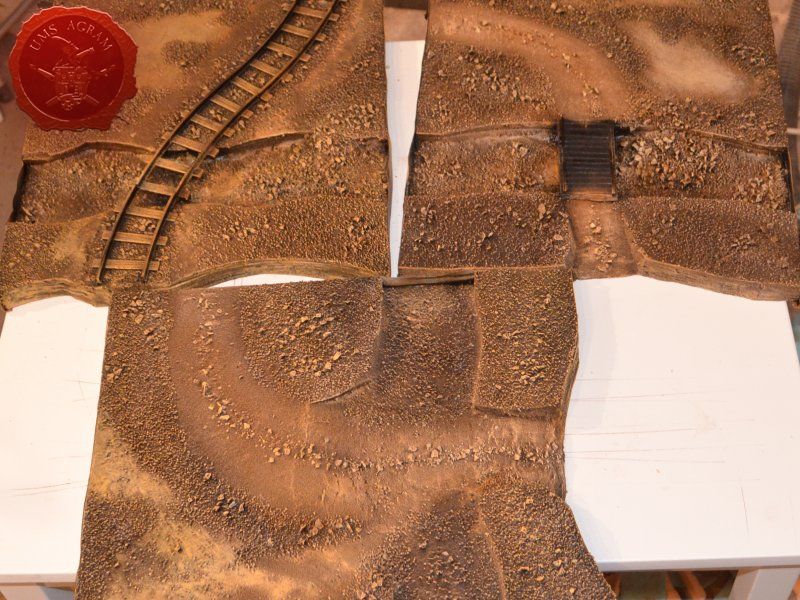
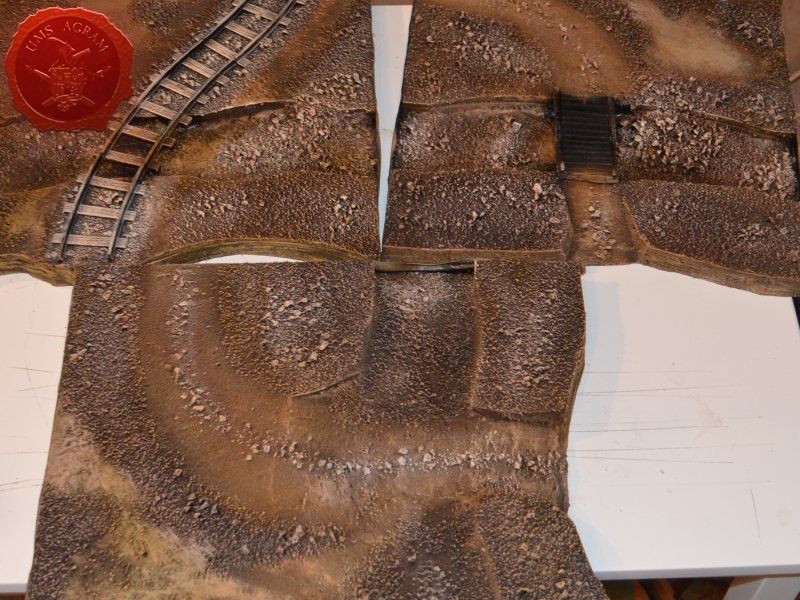
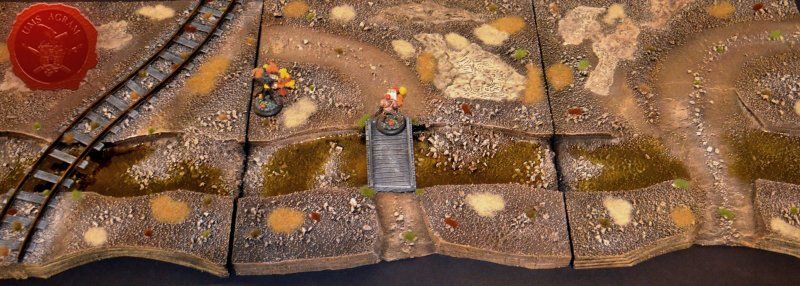
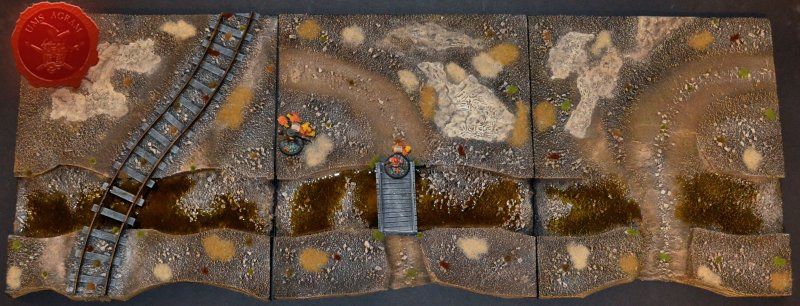
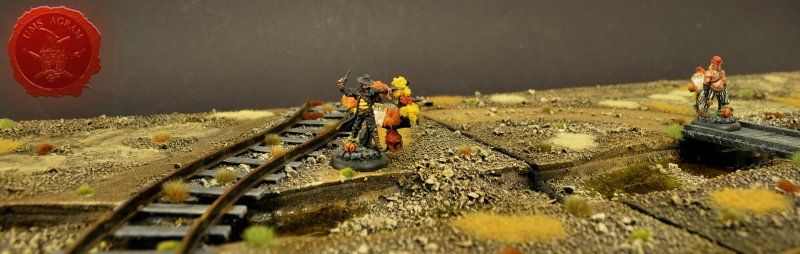
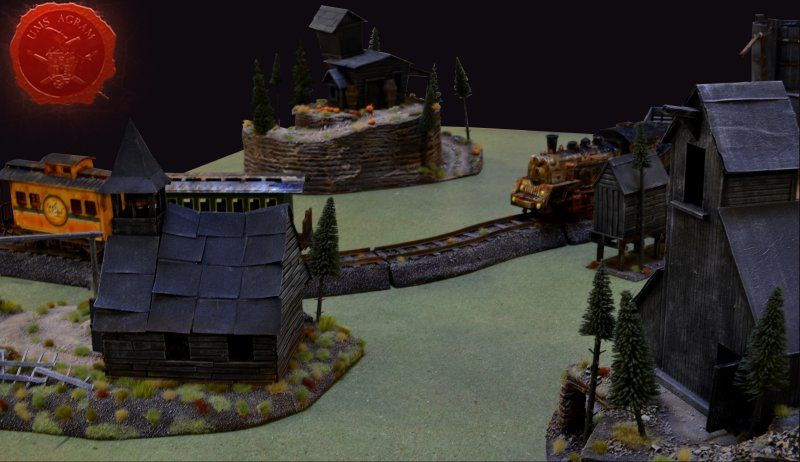
If you've been following my articles about building terrain in previous articles on this site, you'll know that I've slowly been making terrain for my Wild West table for Malifaux. I've already built a church with a graveyard, an undertaker's on a hilltop, a minehead entrance, a watertower and in the last issue I've covered the building process of modular railroad tracks. This time, I decided to do a modular river to span the length of the standard Malifaux table.
Click for enlarged picture

Idea and planning

As always, planning is important, in some cases even vital part of the design process so it's always good to prepare yourself for the build. Good preparation not only saves money, but it also saves time. As I mentioned above, in this issue I'll be discussing how to build a modular river. Most of the rivers for tabletop look fake because people tend to make two banks with the river in the middle. This in itself is not bad, however, when placed on a flat tabletop, it will look more like a man made canal than a proper river. This had me thinking and I've come up with a simple solution. I decided to make the river modules about 30 x 30 cm (12'' x 12'') out of 2 cm thick HD styrofoam. This way, I'll have a part of the table at an elevated level with enough space to place some of the already built terrain. But most importantly the river won't look so much like a man made canal placed on top of the tabletop.

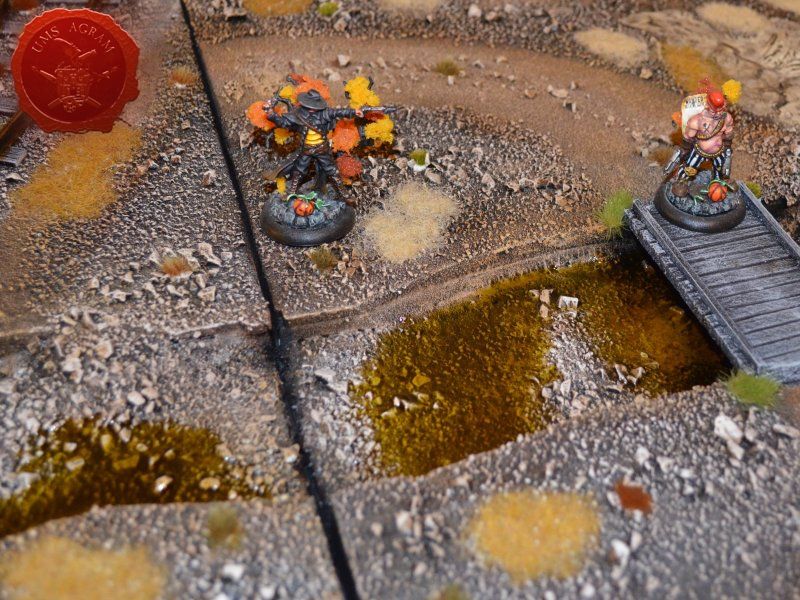
This in turn presented additional problems. Having such a river might provide some difficulties during gaming. How to get across to the other side, lots of free space with long lines of sight. Therefore, I decided that each of the three modules would have a river crossing. In order to make it as diverse as possible, I've decided to make one wooden pedestrian bridge, one railroad bridge (as I had some tracks left over) and one river crossing over shallows.

In fact, when I thought of the shallow crossing, it dawned on me that the overall setting on my table isn't what you normally see with lots of green colours and vegetation. It's almost desert like. That's the reason I decided to make the river almost dried up. (I will however, explain how to make the modules if you wish to have a full body of water inside your riverbed).

Materials and tools

After the rough sketch, I could make a definite list of materials and tools needed for this project. Those are as follows:
- roughly 10cm 2 mm balsa wood plank (they come in 10 x 100 cm planks)
- roughly 10cm of 5mm balsa wood plank (they also come in 10 x 100 cm planks)
- about half a sheet of 2cm thick HD styrofoam (50x100cm)
- about 30 x 30 cm of 5mm thick MDF
- superglue
- PVA glue
- 0,5 kg of DAS air drying clay
- gravel (four sizes)
- static grass / tufts
- AK Interactive Light and Dry Crackle Effect
- sanding paper (1 sheet)
- masking tape
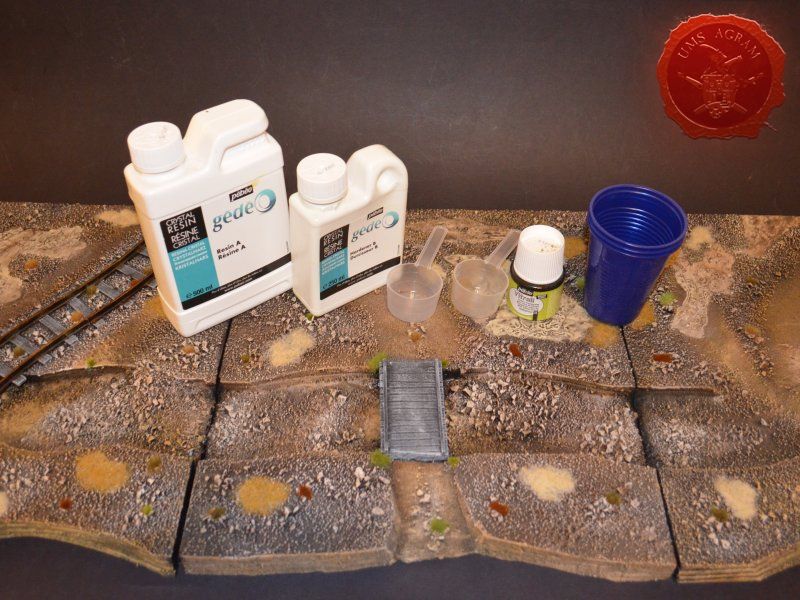
- Gedeo Crystal Resin
- Pebeo Vitrail Colour – Greengold
- railroad tracks (toy)

The tools needed are:
- scalpel blade
- marker pen
- scissors
- modelling saw
- brushes – various sizes – for painting/washing and for drybrushing
- hot wire cutter

* Like in previous issues, I used my Proxxon table mounted circular saw, jigsaw on the MDF to cut the river base and cut the tracks to size.

Building the base

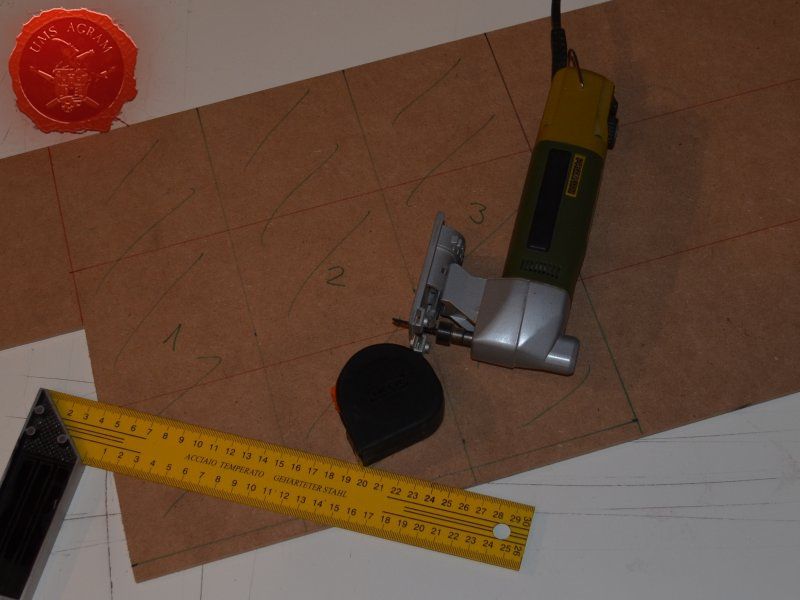
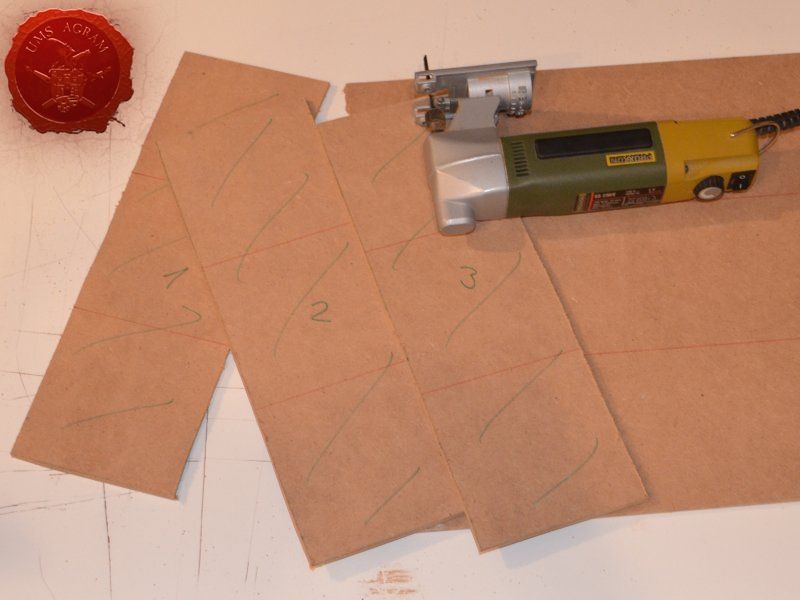
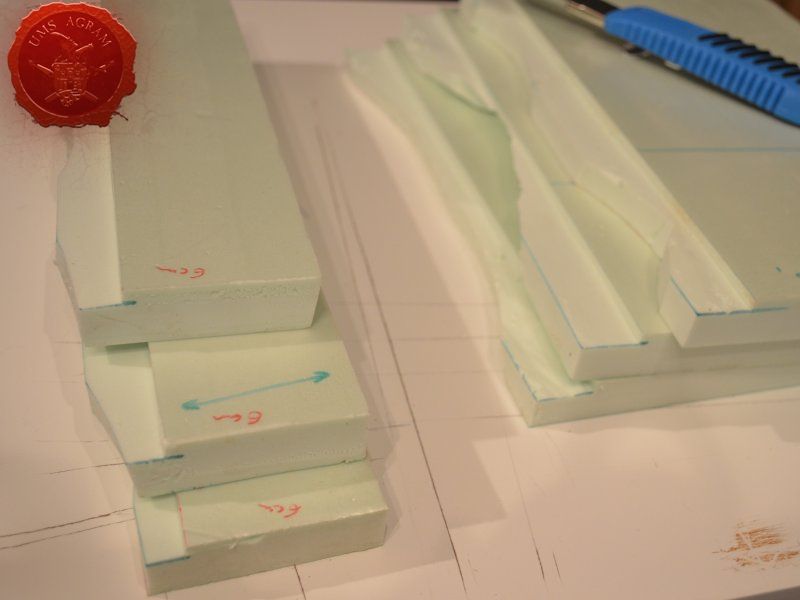
Having aquired all of the materials, using my scalpel blade, I first cut the three 30 x 30 cm modules from HD styrofoam. I then cut them in half with one side being about 20 cm wide and the other 10 cm. It was then time to draw the shape of the base of the riverbed on a piece of 5 mm thick MDF. If you have an irregularly shaped piece (like I had) it's wise to try different ways of placing your 10 x 30 cm riverbed modules to find the easiest way to cut the MDF. If you look carefull, you'll notice both red and green lines on my piece of MDF. In the end I cut the MDF along the green lines as it saved me a couple of passes with my jigsaw.
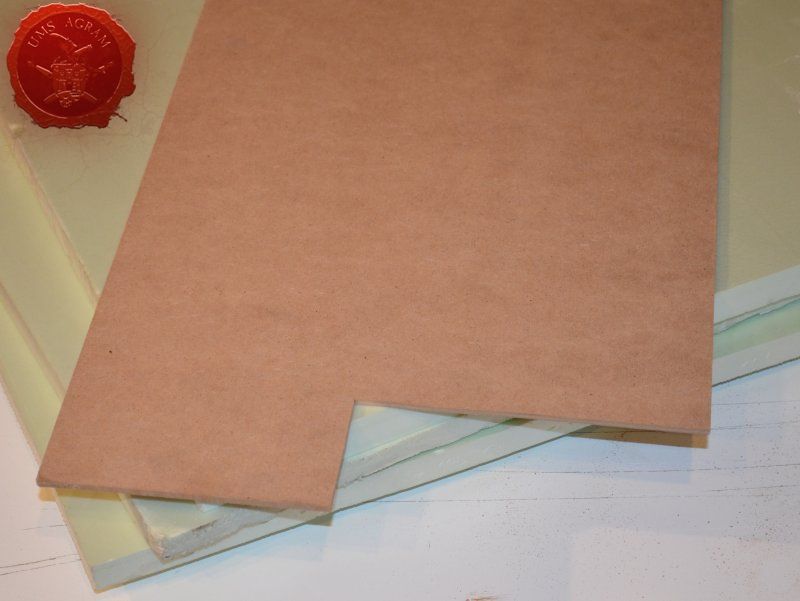
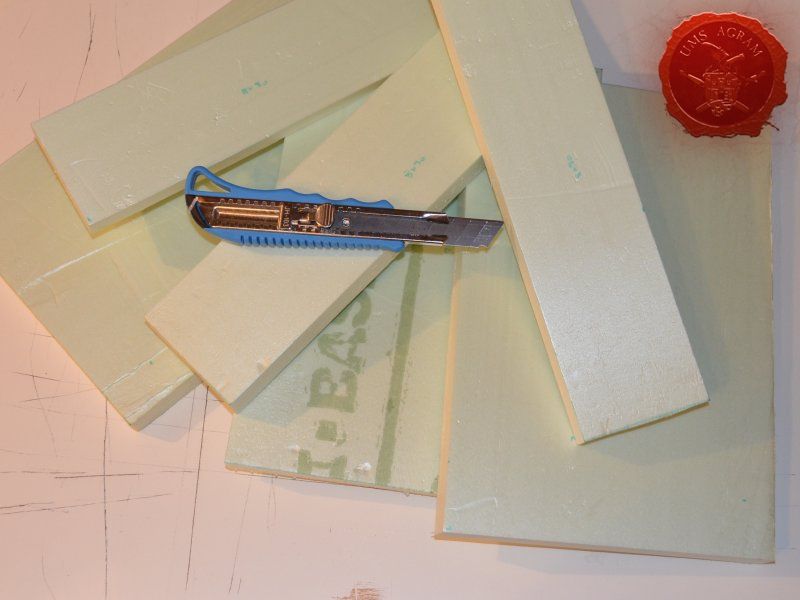
Click for enlarged picture

Click for enlarged picture

Click for enlarged picture

Click for enlarged picture

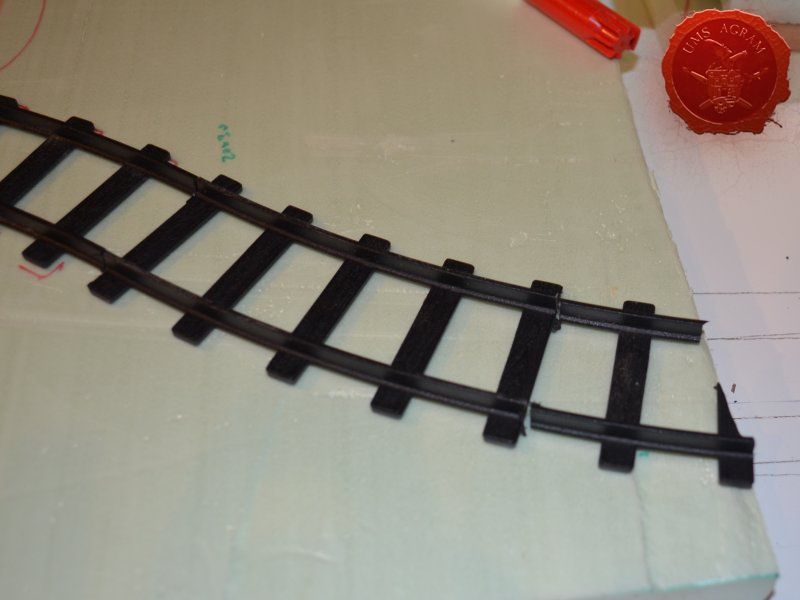
When both the HD styrofoam and MDF parts were cut, I made a mock assembly to find a suitable place to put my railroad tracks (as I had no straight lines, only curved). When I was satisfied with the layout, I cut the last piece of the track using my table mounted circular saw. If you don't own one, same can be done with either a scalpel blade or a modeller's saw.
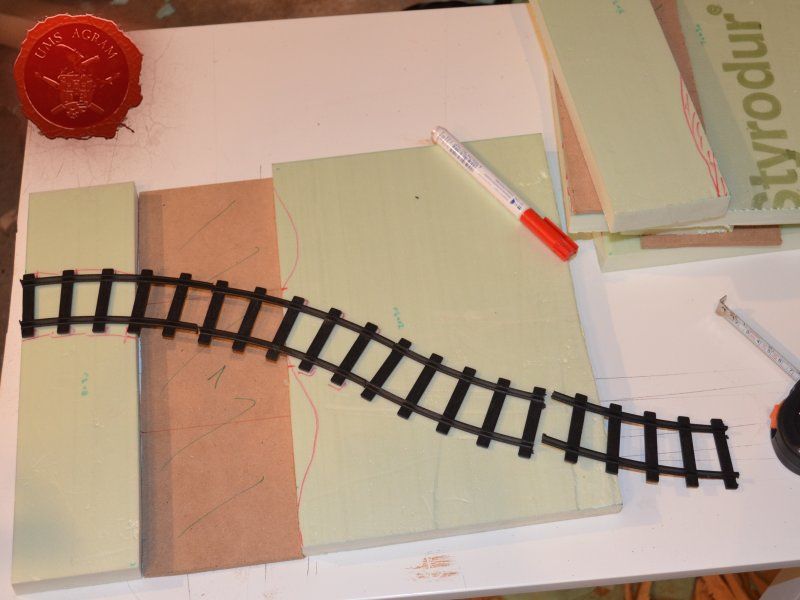
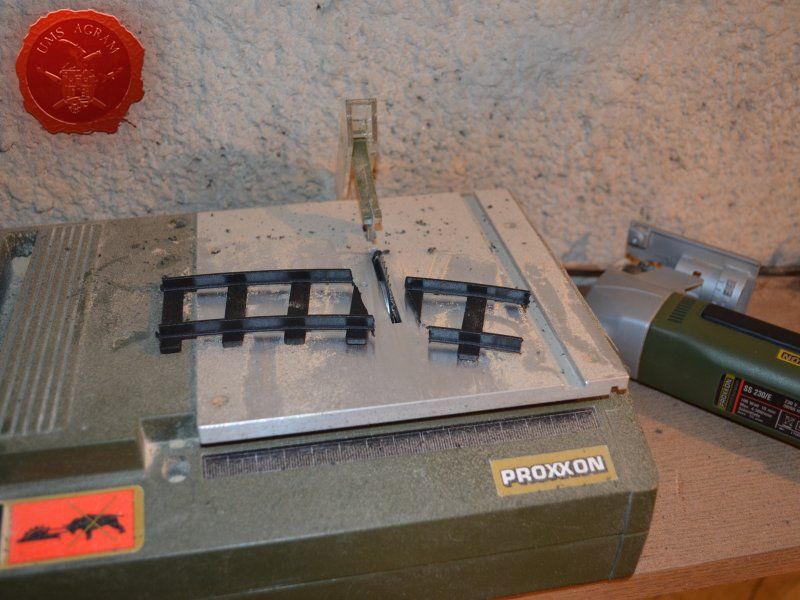
Click for enlarged picture

Click for enlarged picture

Click for enlarged picture

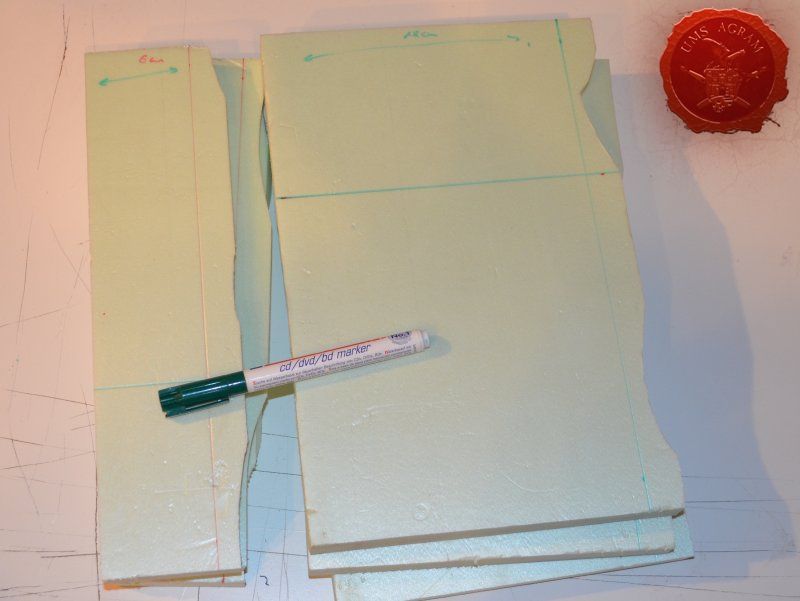
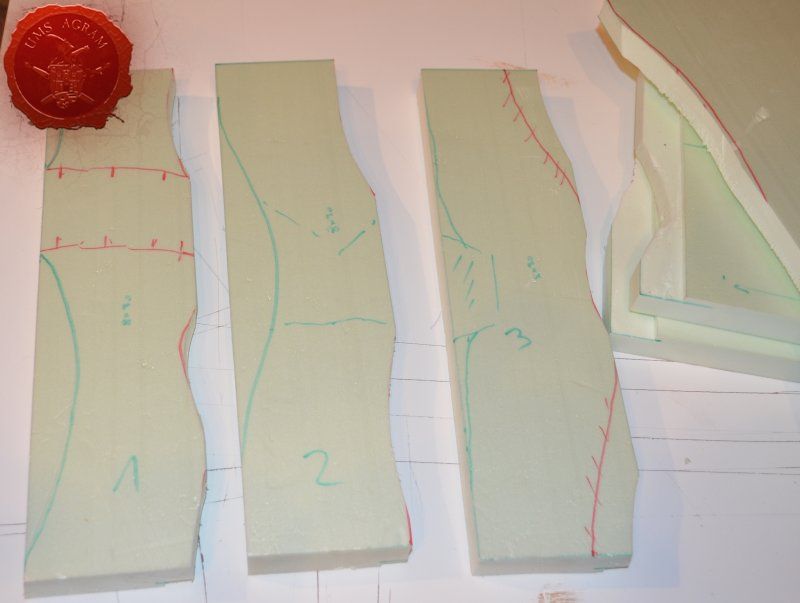
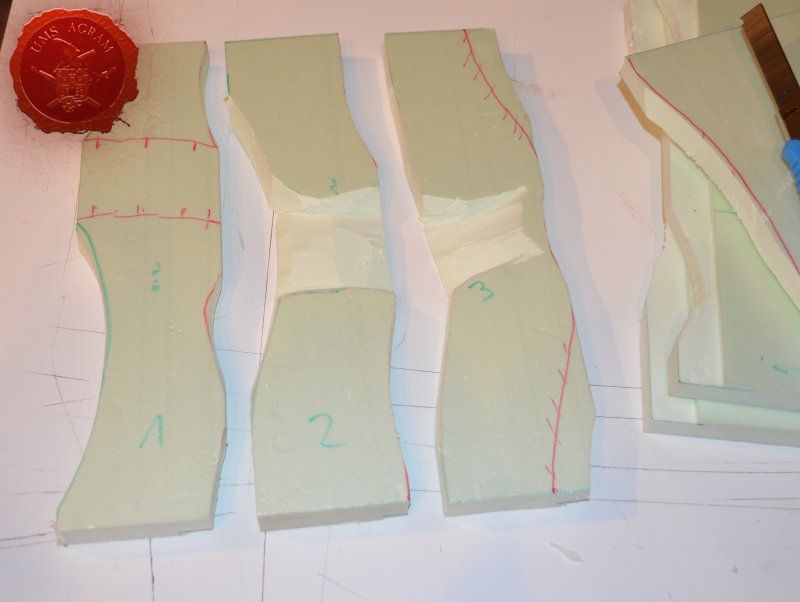
When the railroad was cut, it was time to design the river banks. Placing the three pieces that make one module (small and large HD styrofoam part with MDF river bed in the middle), I drew the outline of the river bank using my marker pen. I made sure that the edges of the modules on both sides were exactly the same dimension. This would ensure that the modules can be placed in any formation. Following the drawn lines as closely as possible with my sclapel blade, I cut the embankments. It was now time to try to fit the MDF river bed to the remaining two parts. Again, using my marker pen, I marked 5mm from the bottom side of the styrofoam board and exactly 18 cm from the back of the larger and 6 cm from the smaller styrofoam piece. I cut along the lines and removed the excess material. This would ensure that my MDF riverbed would snuggly fit the HD styrofoam parts of each module.
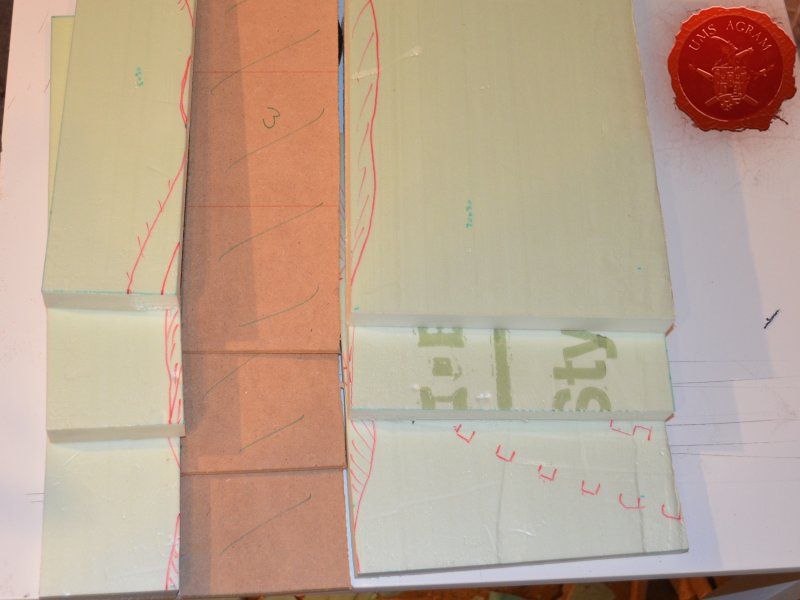
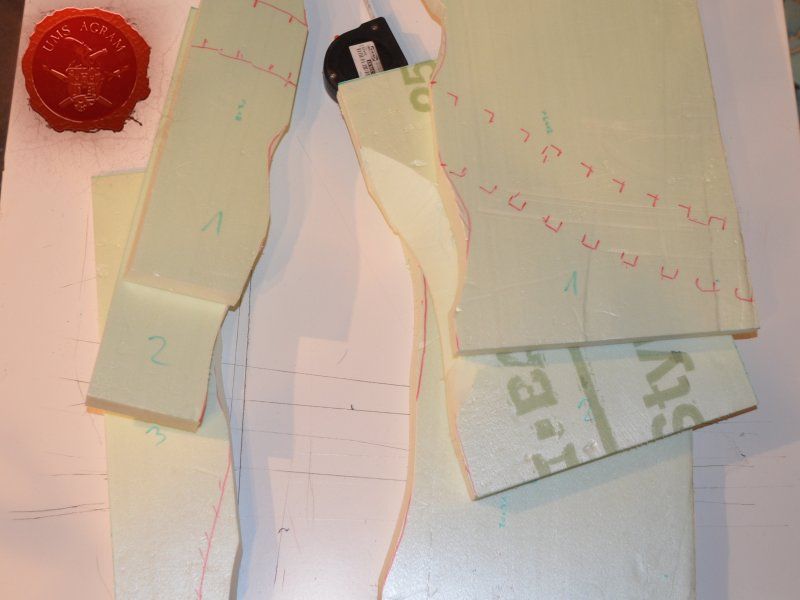
Click for enlarged picture

Click for enlarged picture

Click for enlarged picture

Click for enlarged picture

Click for enlarged picture

Click for enlarged picture

Before assembly, I had to cut the surfaces of the embankments. I used my electric hot wire cutter. Hot wire cutter can come in several forms and power outputs. The one I have is the cheapest out there, powered by two AA batteries. How it works? The electricity from the batteries heats up the wire that then melts the styrofoam performing a perfect straight cut. However, as it heats the wire elongates so you should take into account that fact when fixing the wire to the cutter. It is quite cumbersome to operate in small, confined places which is the reason I used it before assembling the river modules.
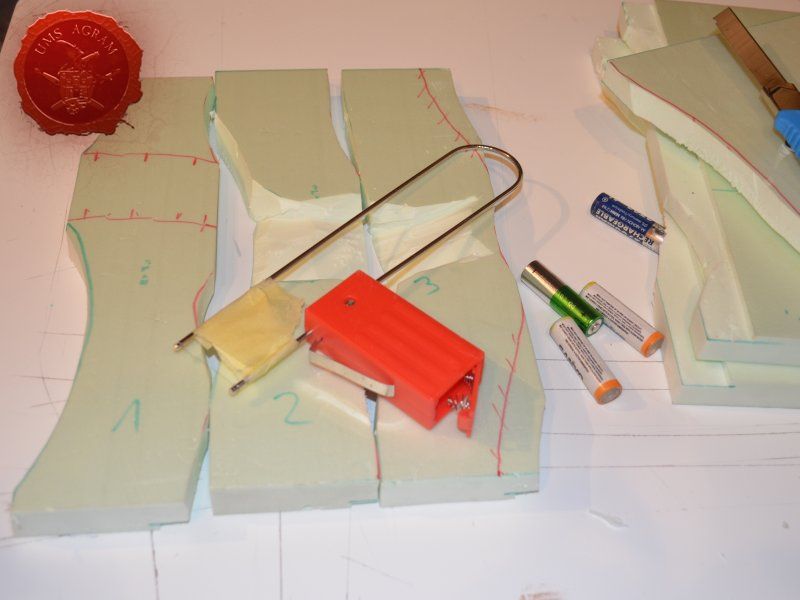
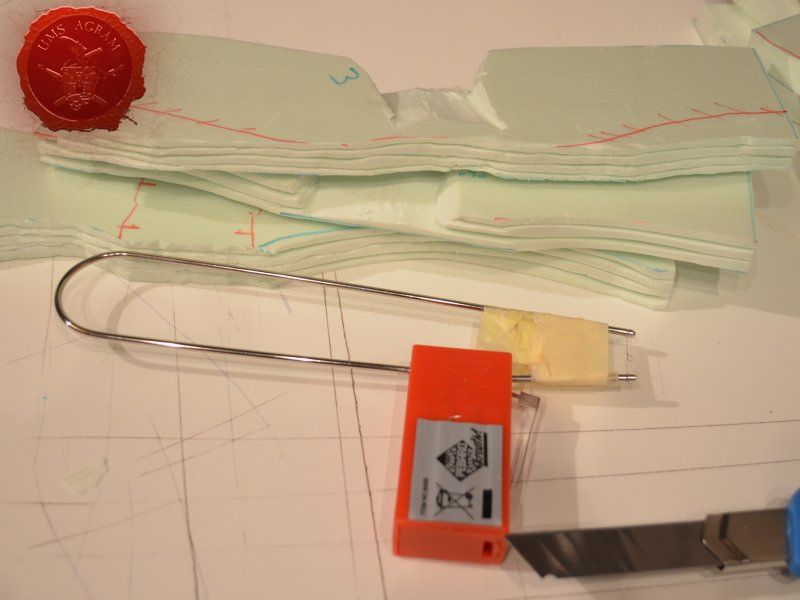
Click for enlarged picture

Click for enlarged picture

When the embankments were formed, I turned the two HD styrofoam pieced over, generously poured some PVA glue and placed the MDF river bed in its place. Using my finger, I removed the excess PVA glue and with some 2 cm thick masking tape, I covered the joints between HD styrofoam and the MDF ensuring I had a really hard bond. Also, covering the joints with tape, enables you to procede with the build as it prevents the PVA glue from leaking. PVA glue normally takes up to 6 hours to fully cure.
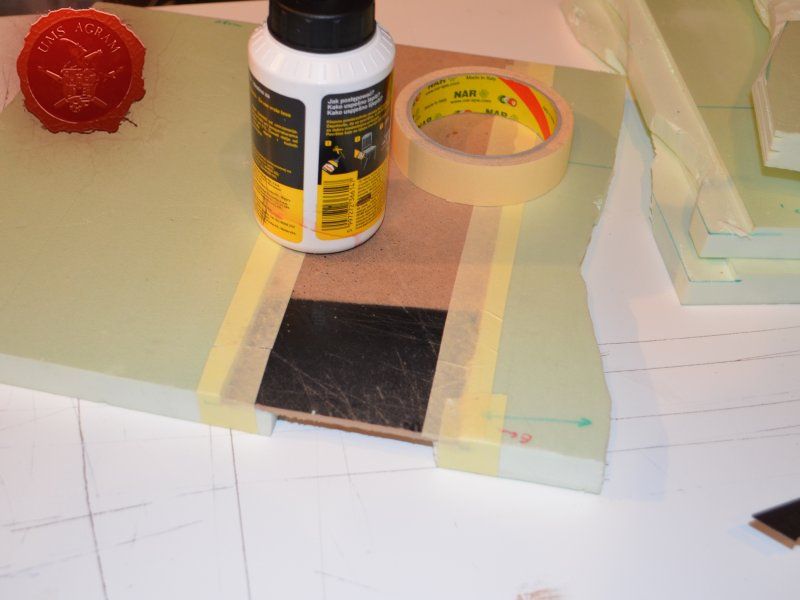
Click for enlarged picture

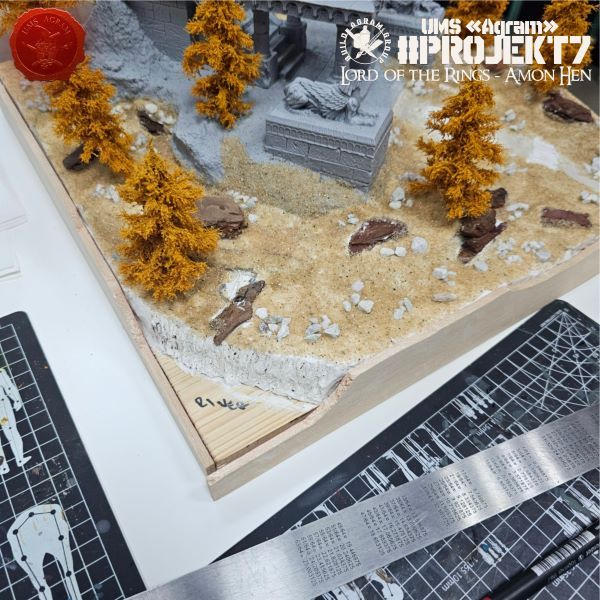
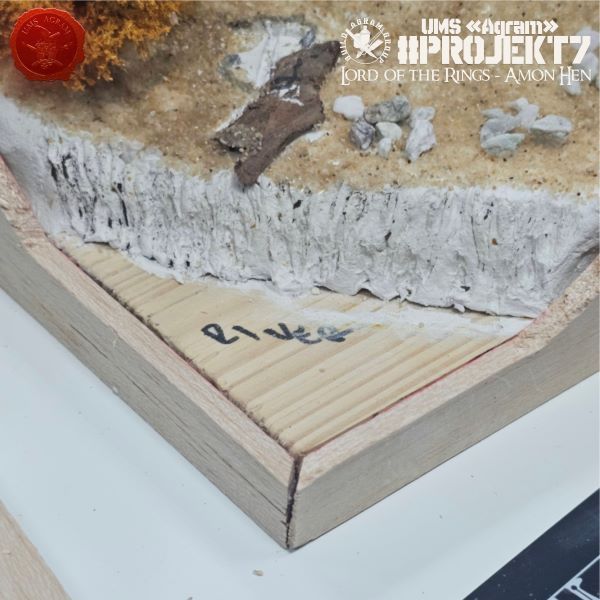
With the tape in place, I turned over the tree modules and I built up some volume using DAS air drying clay. I made sure I had some clay on every edge of the module. When I add texture, this will ensure that the resin remain inside my module. I've already mentioned that I want the river to be half dried-up so this will actually help with the build as well as look good.

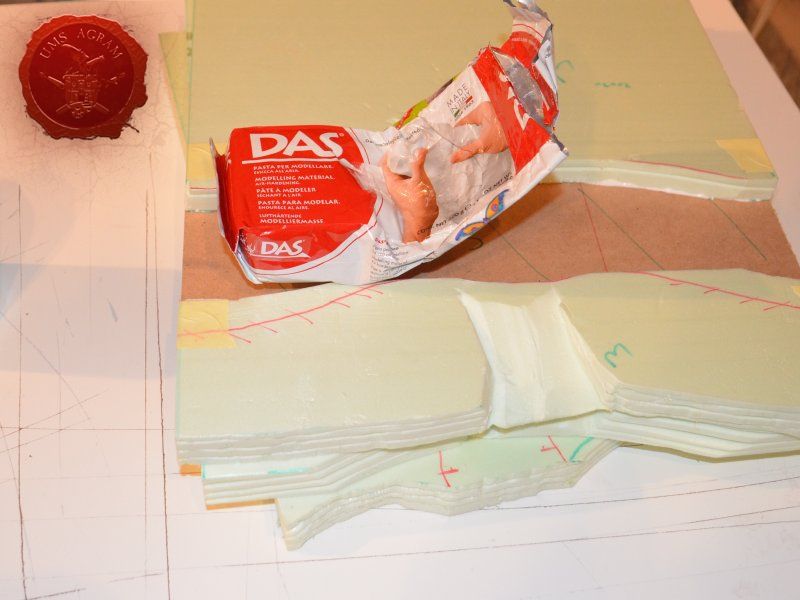
Click for enlarged picture

Click for enlarged picture

Texturing

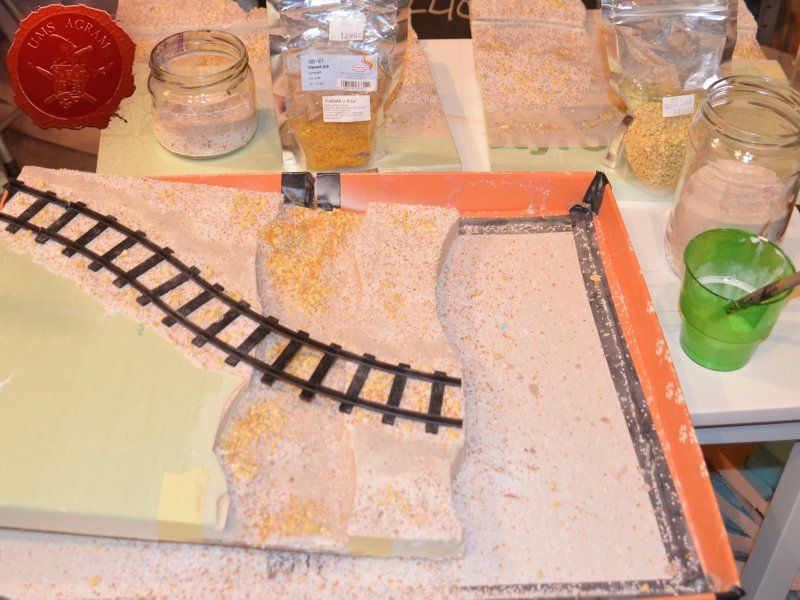
At this point, I was nearing the end of the construction and all that had to be done before the painting was to add texture to the base. In order for the grooves that were cut with the hot wire cutter remain undamaged after undercoating (undercoat sprey burns styrofoam so it needs to be protected), I decided to cover those surfaces with a cote of pure PVA first. While it was drying, I took out all the gravel I was to use on this project: - chinchilla sand – smallest grain - basing grit in two sizes - chinchilla sand – largest grain

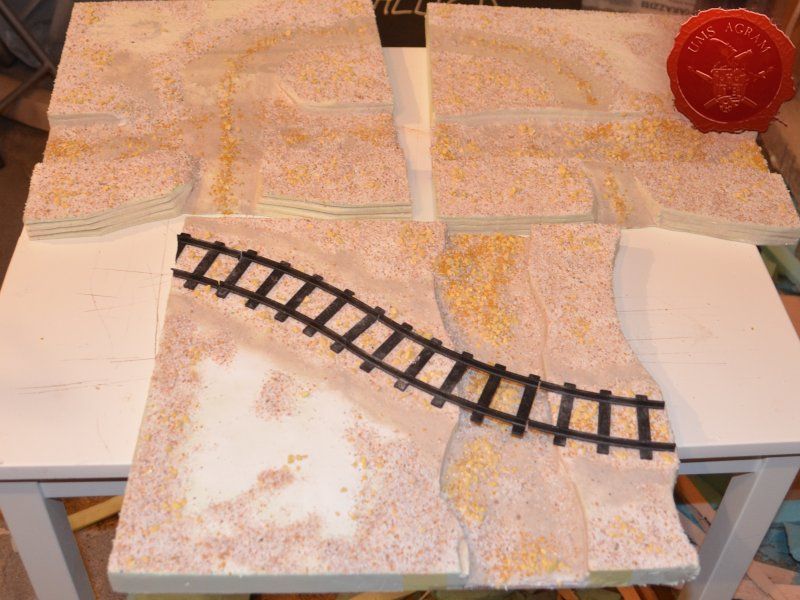
Once the PVA protection was dry, I smeared more wattered-down PVA on the vertical surfaces and sprinkled some smallest grain chinchilla sand. I then repeated the PVA smearing process on the roads and river shallows. Here, however, I first sprinkled over some largest grain gravel, next I sprinkeld some Basing Grit and to finish I poured over the smallest grain chinchilla sand. If you sprinkle gently and with care you can end up with nice variations in texture – for instance the middle of the dirt road usually has some larger stones as opposed to the sides of it. When the road was dry, I repeated the process with the rest of the base, sprinkling the two largest grains over the ground part. Inisde the riverbed, I carefully placed the largest gravel where the riverbed would be dry, and intentionally left the smaller grain where the water effect would be placed.
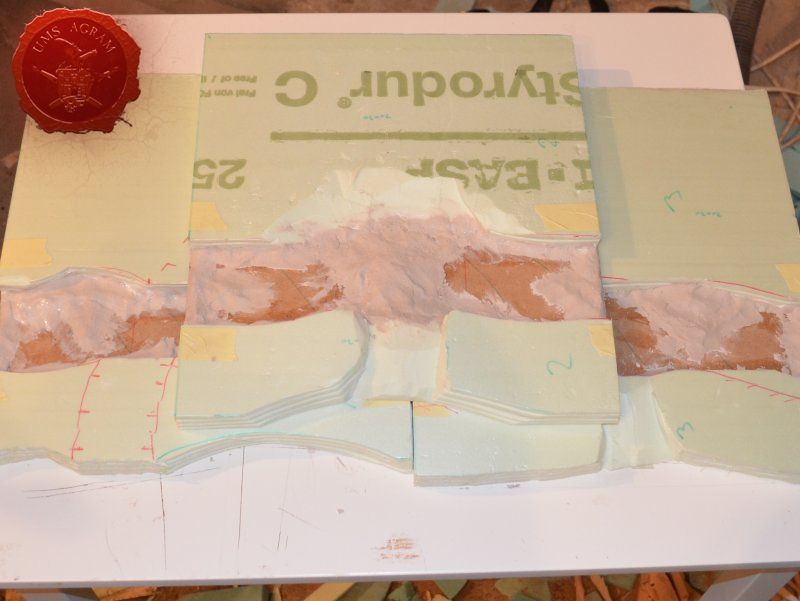
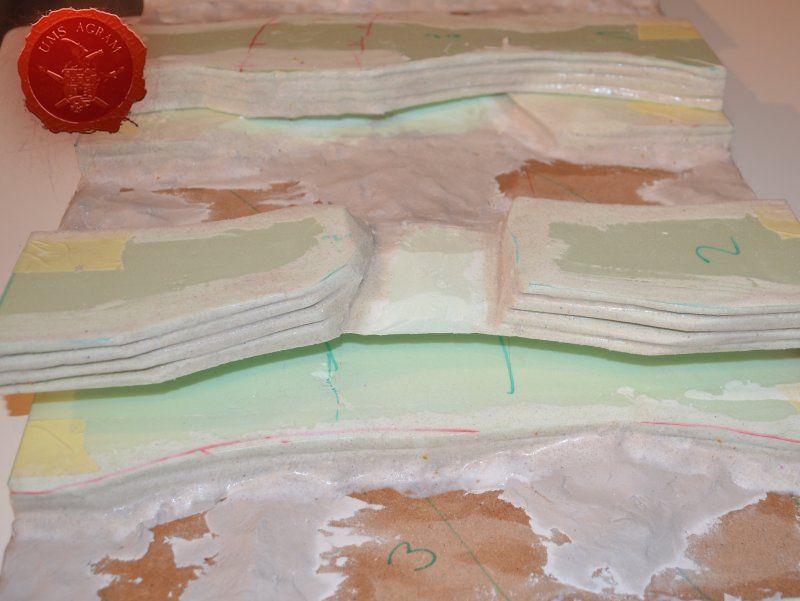
Click for enlarged picture

Click for enlarged picture

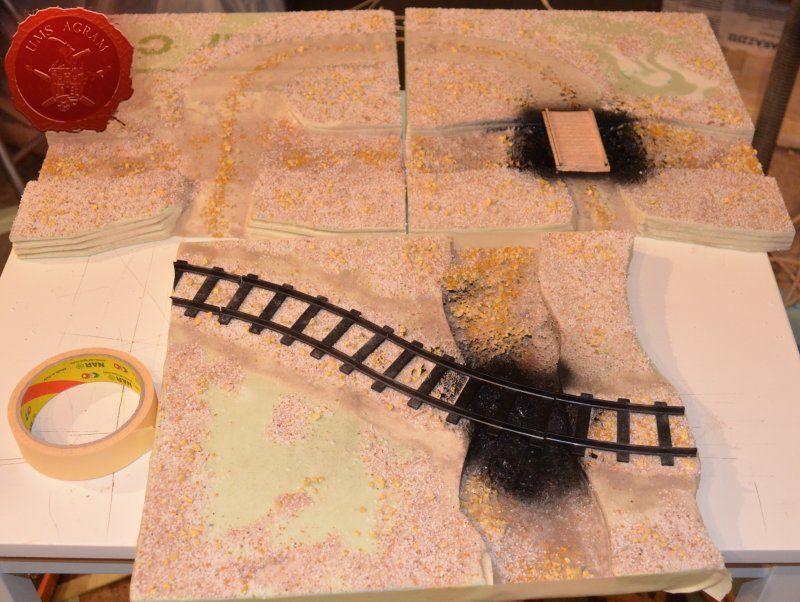
When I tackled the module with the railroad tracks, I first covered the route of the tracks with pure PVA glue to make sure the railorad tracks would stick. Then I sprinkled some roughest grain gravel along the route and in between the tracks.

Click for enlarged picture

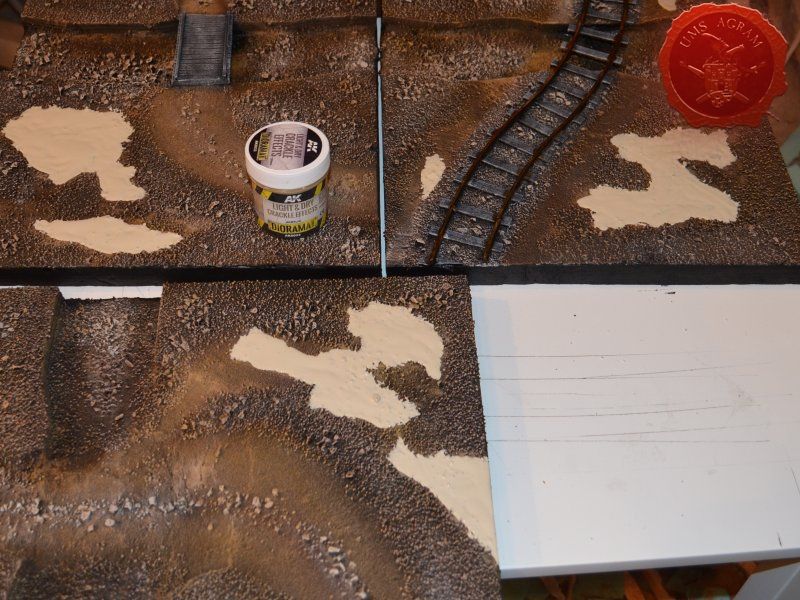
You will notice that all of the modules have some parts of the modules without sand (with only PVA over them). This part of the modules would be covered with AK Interactive Light and Dry Crackle Effect paste to create the image of a dried up desert. But more about that a bit later on in this article.
Click for enlarged picture

Click for enlarged picture

Making the bridge structure

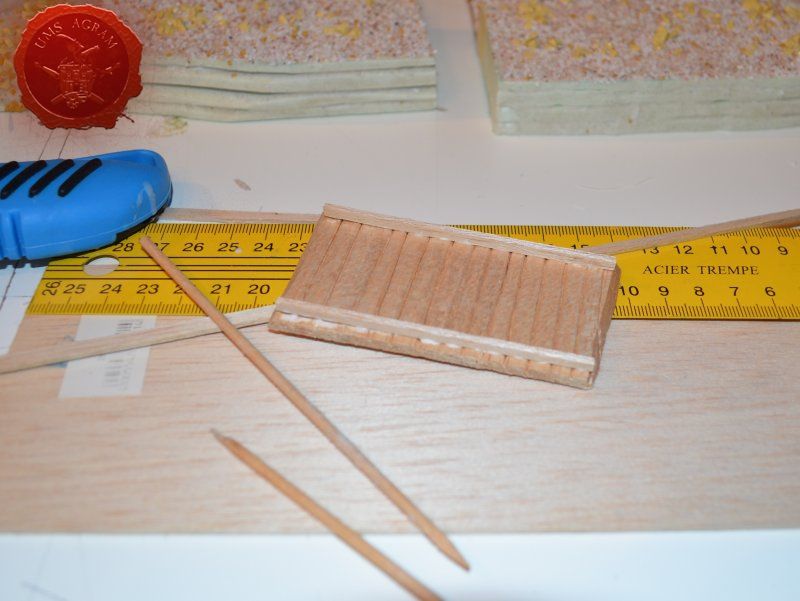
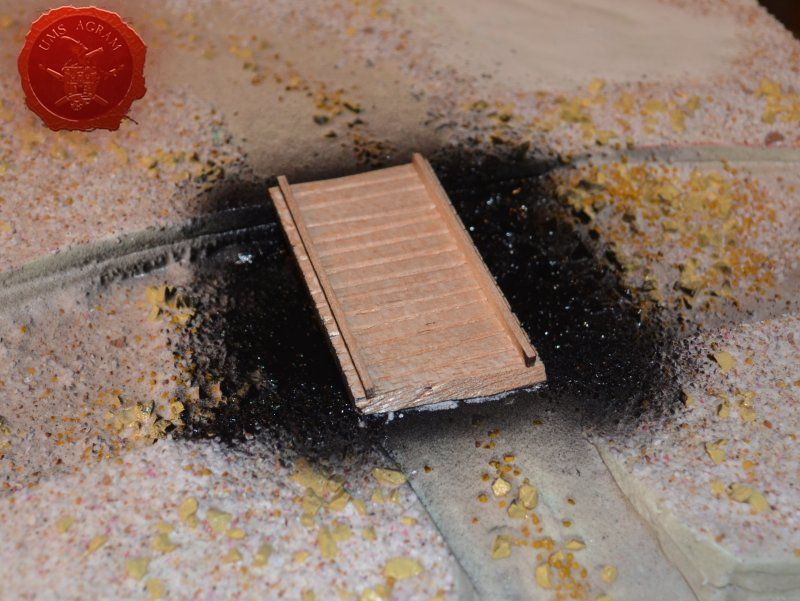
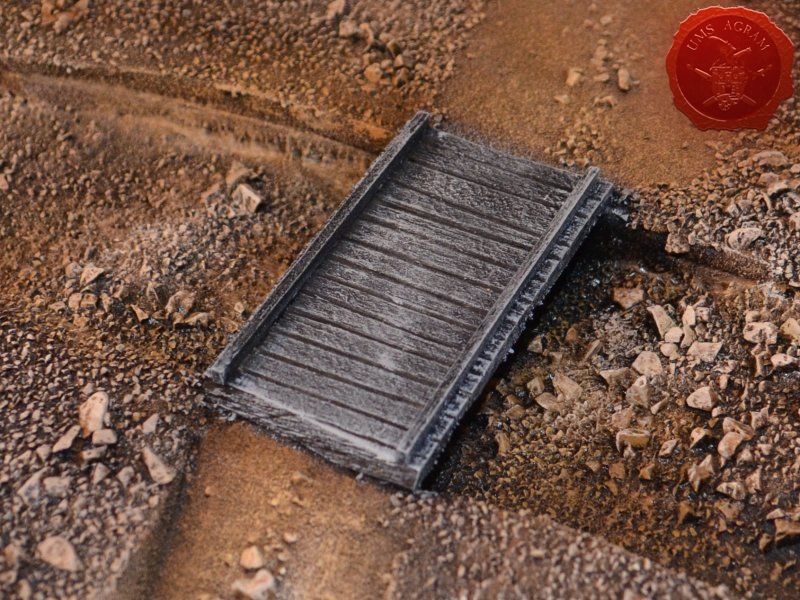
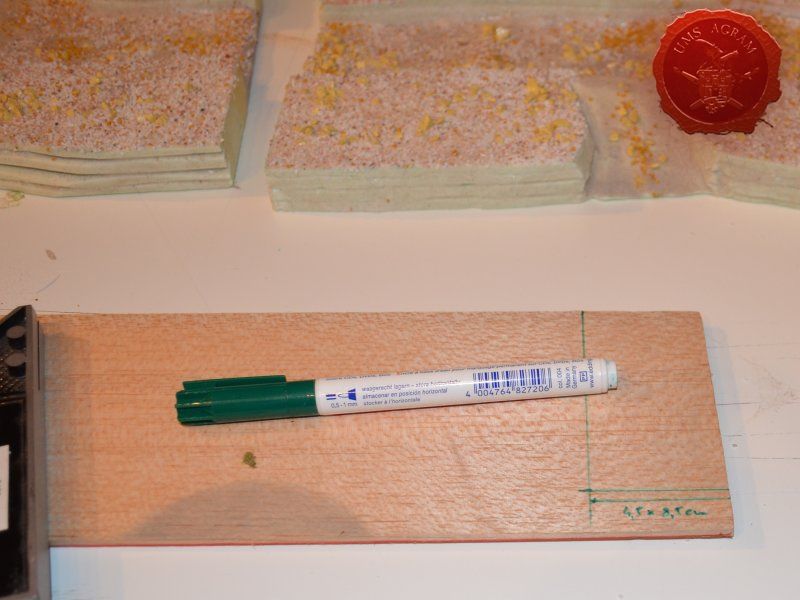
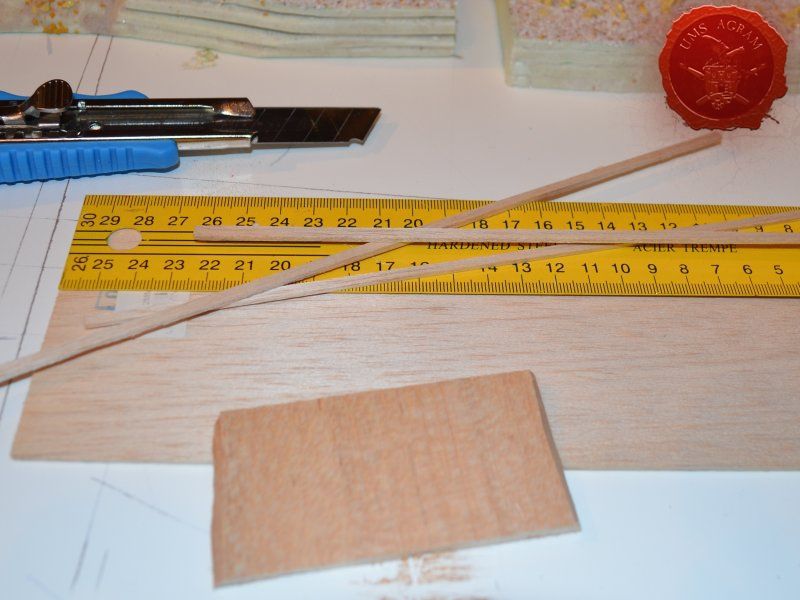
Before undercoating, there was only one more thing to do – the wooden pedestrian bridge. Using a 4,5 x 8,5 cm piece of 5mm thick balsa wood I made the body of the bridge. The dimensions I used are a bit odd, but it's only because the bridge was made to measure. I measured the width of the road and the span of the river and came up with those numbers. The 4,5 cm wide bridge would however accommodate every miniature base for Malifaux. When the body was cut, using a wooden stick, I made grooves across the bridge that would make up planking. Then, using 2 mm thick balsa wood, I made several supports for the bridge and glued them using super glue. Before gluing the bridge to the base, I undercoated the underside of the bridge as well as the river bank and river bed under the bridge to make my job easier later on.
Click for enlarged picture

Click for enlarged picture

Click for enlarged picture

Click for enlarged picture

Painting

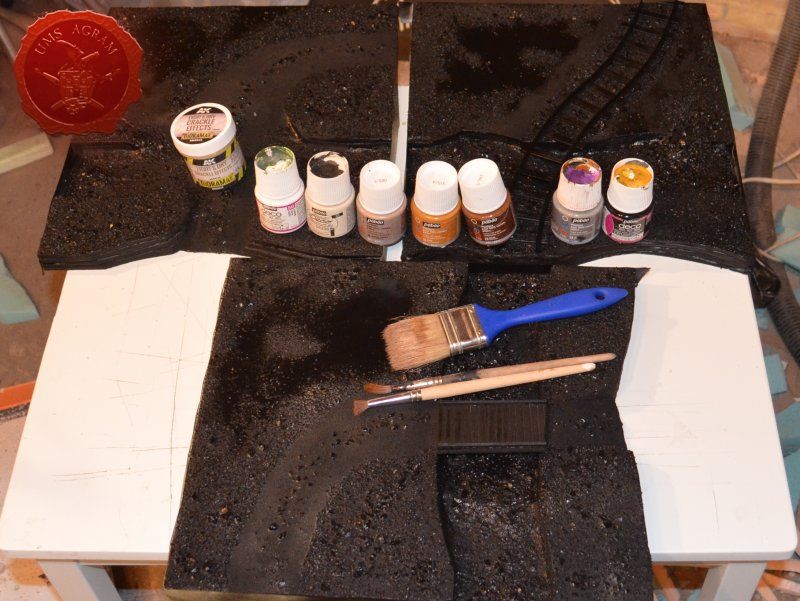
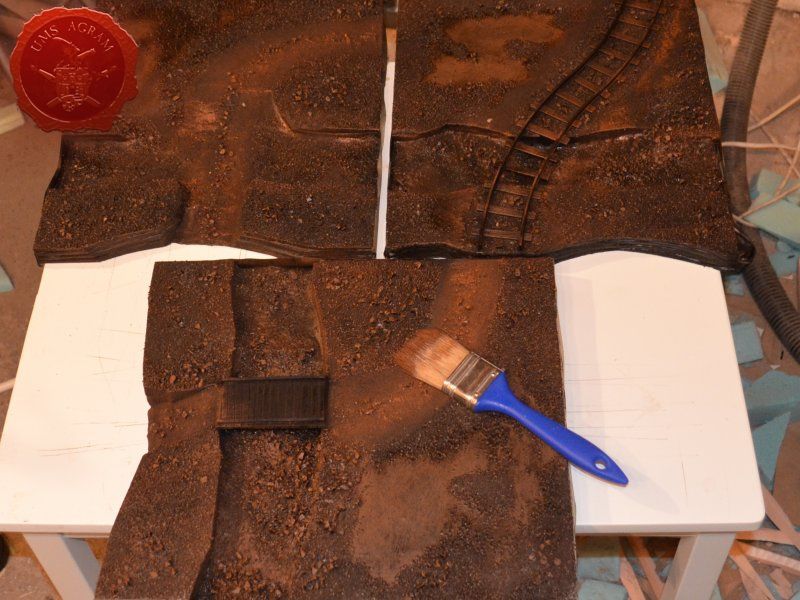
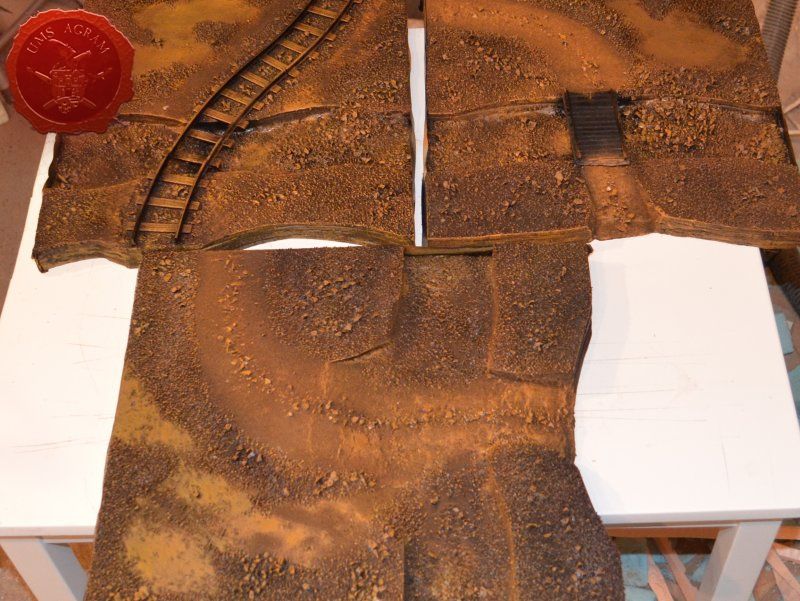
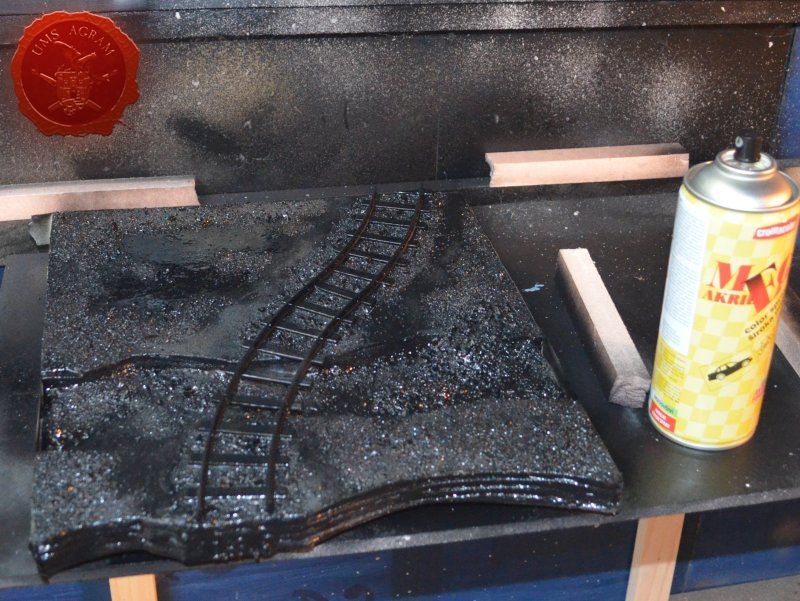
First job when painting is to undecoat everything. This will help with the shading and the overall 3D effect of the entire terrain piece. Wanting all my terrain to fit one theme (and consequently one tabletop) it was only natural I use the same colours and colour scheme as on the earlier terrain. Therefore once again I used Pebeo Deco color range. I used Brown (29) for the basecoat and continued drybrushing with Ocre (51). Lighter shades were done with a 50:50 mixture of Ocre (51) and White (41). The final highlight was done with Antique White (69). The road and the river shallows were first basecoated with Brown (29) then heavily drybrushed with Ocre (51) and a 50:50 mixture of Ocre (51) and White (41). The last two highlights were Antique White (69) and pure White (41). This way, I had a visual difference between the normal groundwork and the worn out road.
Click for enlarged picture

Click for enlarged picture

Click for enlarged picture

Click for enlarged picture

Click for enlarged picture

Click for enlarged picture

Click for enlarged picture

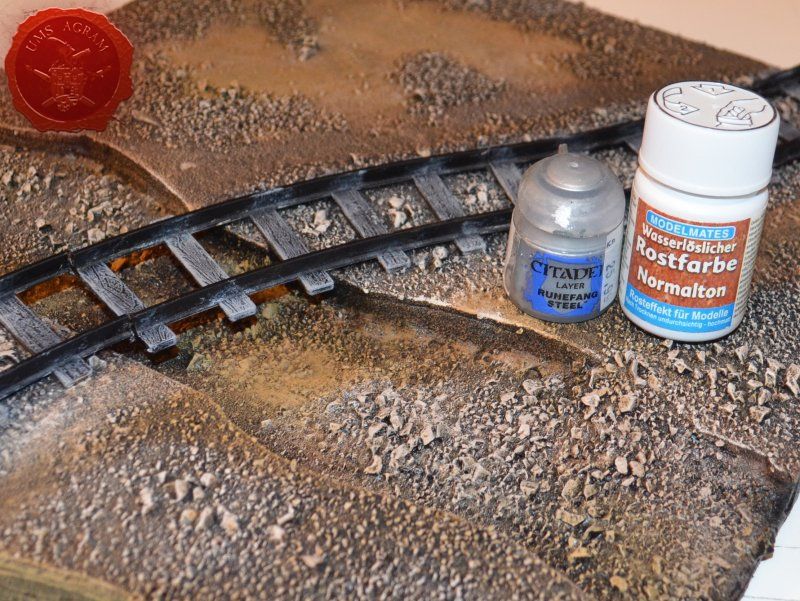
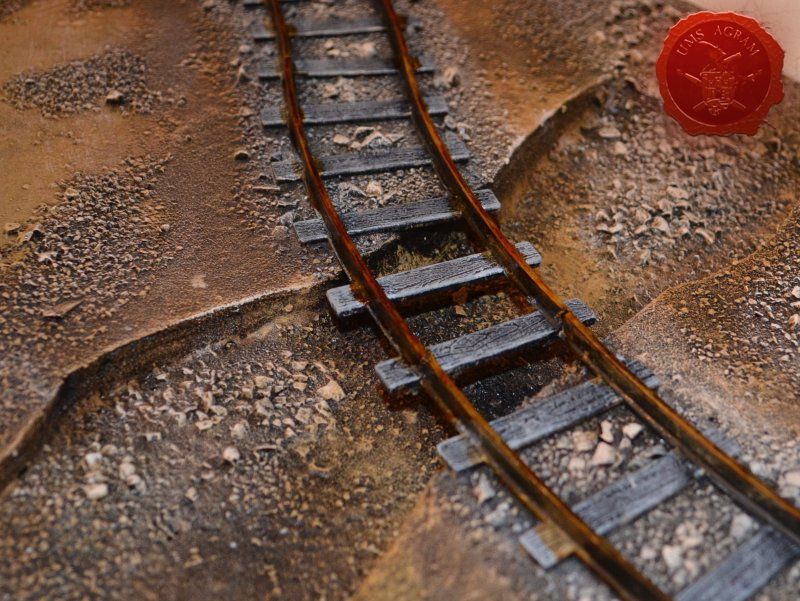
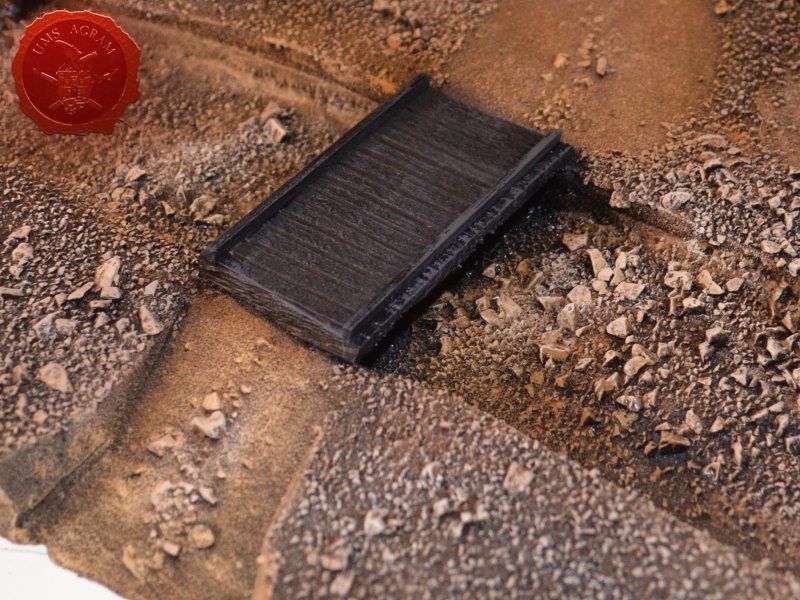
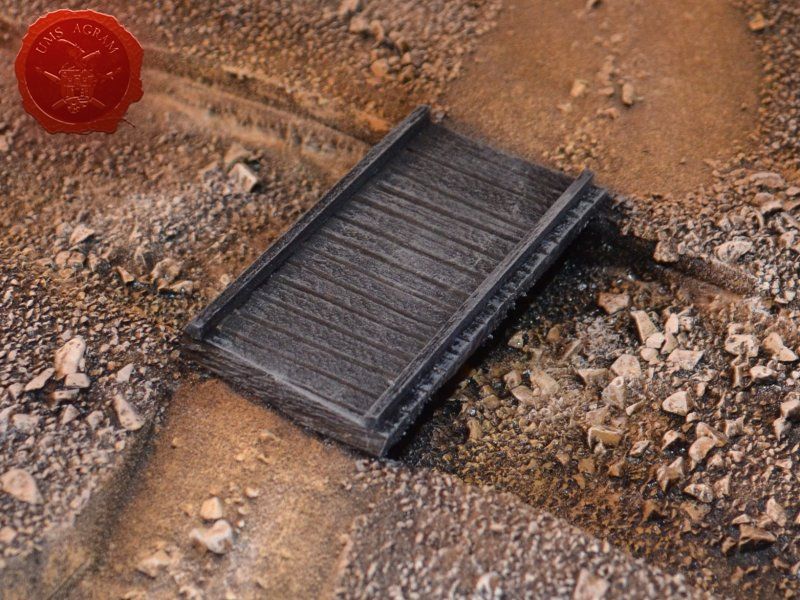
The bridge and the wooden parts of the railorad tracks were painted by drybrushing first using a 50:50 mixture of Black (55) and Grey (54). Next layer was pure Grey (54) and the finishing highlight was Ash Brown (70). I was not quite satisfied with the result, so I added another highlight of pure White (41). The metal tracks were then painted pure metal (I used Citadel's Runefang Steel). When it was dry, as was the case in the last issue, I covered the metal bits with Model Mates' Rust Effect.
Click for enlarged picture

Click for enlarged picture

Click for enlarged picture

Click for enlarged picture

Click for enlarged picture

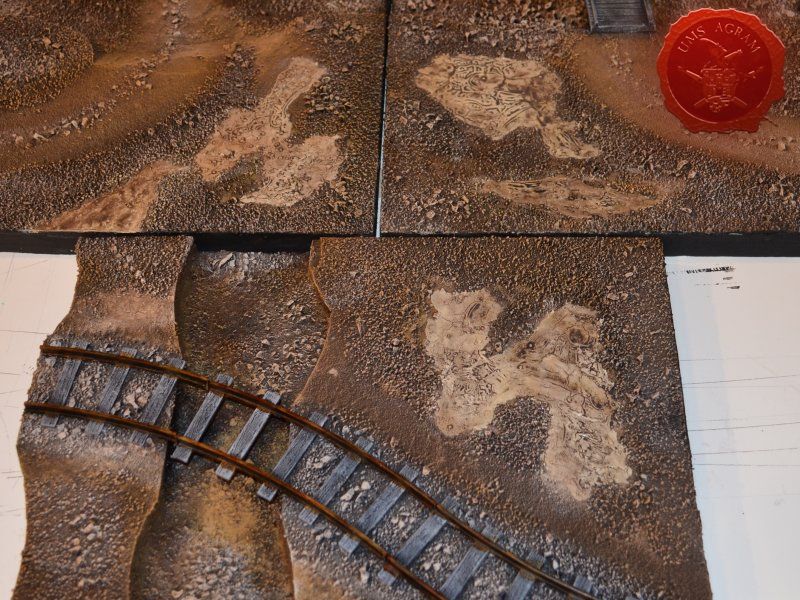
With the basic painting done, you'll have noticed the large patches without texture where pure PVA was placed in the texturing phase. As I promised before, I covered this parts using AK Interactive Light and Dry Crackle Effect. In some places I left only a thin layer, while in some I put it on generously and left it to dry. When it was dry, the effect of dried earth was created.
Click for enlarged picture

Click for enlarged picture

Vegetation

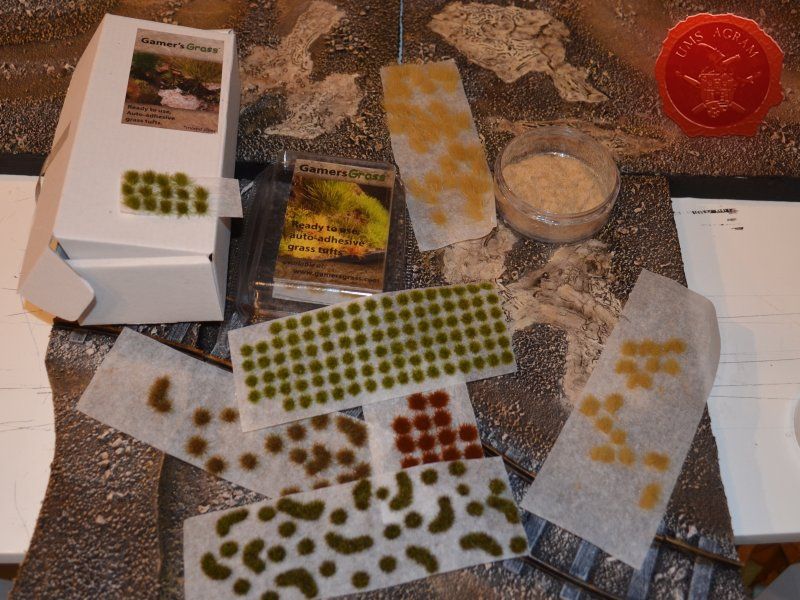
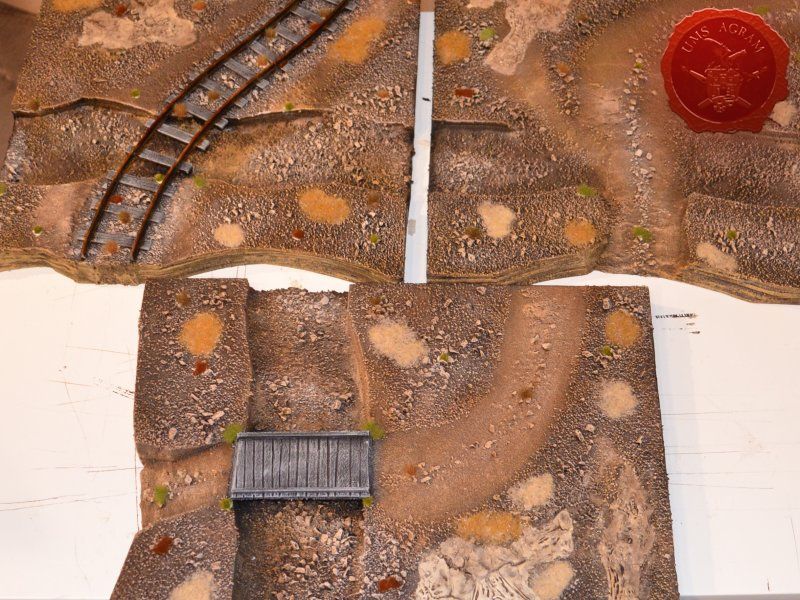
After the painting, it was time to add the vegetation to the base. Normaly, at this point, I'd add some trees (in the case of this Malifaux build, pine trees to be more exact). However, here I decided not to plant them as this way, the storage would be much, much simpler. And anyway, my intention is to make a lot of smaller terrain pieces (like small pine forest patches, some crates and other debris later on – maybe even in the next issue). With the trees out of the way, I added some static grass. I made a mixture using several green, brown, yellow and black shades of static grass and when I was satisfied with the end product, I glued it in random patches throughout the modules. One thing I made sure of is that I put static grass over any and all of the remaining holes where the black undercoat melted the HD styrofoam in order to hide the unintentional mistake. Once the static grass was in place, I applied several shades of different tufts. Again, as in the former articles, I used tufts made by a company called Gamer's Grass.
Click for enlarged picture

Click for enlarged picture

Working with resin

The water on the tabletop terrain can be simulated in many ways. Some are better and more realistic, while some are simpler but less believable. In my experience, I've come across six ways of reproducing water. In the end I'll focus on one method that in my opinion gives the most faithful reproduction of water.

First method is to texture the surface using PVA glue and sand (which is an especially good method for streams) and then paint it using long strokes of greenish brownish tint. After the paint dries coat it with a thick layer of marine varnish or some other form of gloss cote.

The most primitive method is using water itself. Leaking and not having depth in artificial light are the biggest drawbacks apart from evaporation and tendecy to grow life.

The third option is using glass. Make a riverbed like I explained earlier and put a glass surface over it. For extra effect you can tint it on the bottom. However, it is difficult to shape, so that it is not worth the effort.

The fourth method is using plexiglas. Same principles apply here as in the previous method. It is relatively easy to cut and is good for flat and calm water. I've seen it used in railroad models extensively and while both of these methods can look good on static displays such as railroad model tables and such, on smaller pieces of terrain (like used on tabletop) it is better to avoid these two methods.

The fifth method to recreate water is using marine varnish. Pouring in numerous layers means it takes a lot of time to finish. And still you will not get much depth in your river/body of water. It is therefore suitable for small wetlands or small ponds and puddles on various terrains. As with the first method, work in well-ventilated preferably open areas.

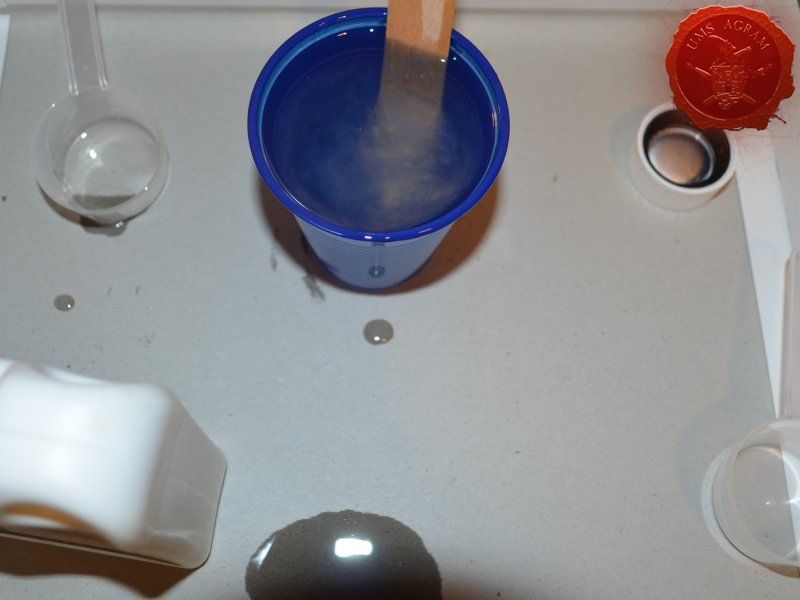
The final method, and also the most realistic, is the usage of resins. Are usually two-component mixtures (one is resin, the other a hardener). They are a really good way of creating water, both still and running. Good depth can be achieved and they can be tinted with special colors so that you can get the shade of water you need. A few tips for working with resin: - Protect your hands - wear gloves - Work in well ventilated areas - Have thinner handy to clean up if your pours outside the wanted space - Stir in plastic cups - When it is poured, drill the bottom of the glass so that Resin can slowly leak to avoid creating air bubbles

There are numerous versions of resin available at the market today but I’ll name a few products I use.

First, two part resin called Crystal Resin which is made by a company called Gedeo. It comes in two various sizes (300 ml and 750 ml), and can also be bought predyed. It’s main advantage over other products out there is that it is mixed in 2:1 ratio (resin : hardener), unlike most products who mix in 97:3 (or similar) ratio. Because of the easy way to calculate the ratio, this enables me to use quantities I need and does not force me to use the whole package at once. It has a drying time of 24 hours.

Second, Vallejo Still Water which is an awesome one part resin. It does not require mixing and can be dyed using Vallejo colours. It comes in a 200 ml bottle and is great for small ponds on your bases.

The third kind I use is Vallejo Water Effects (Extra Heavy Gel). It comes in various colours, but I use the transparent one. It is a white paste with the consistency similar to that of a tooth paste that dries clear. It is great for modeling ripple effects or waves on your water surfaces.

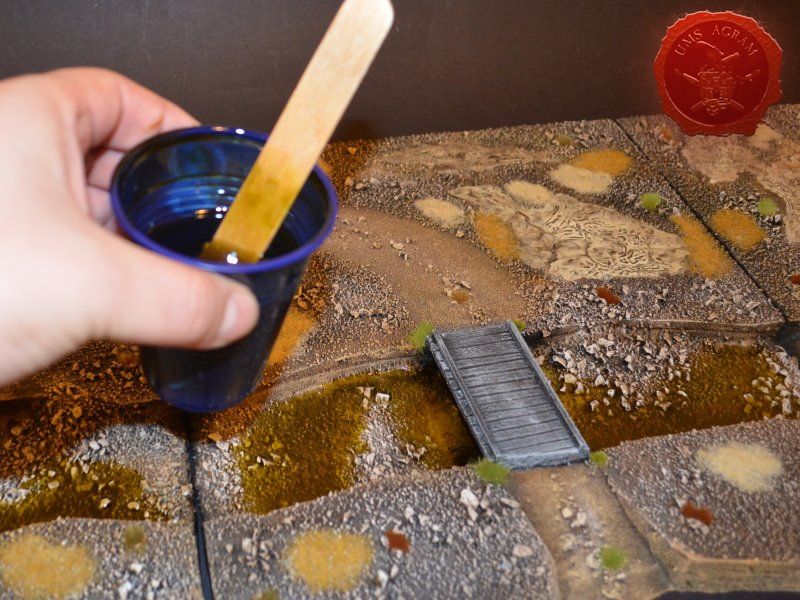
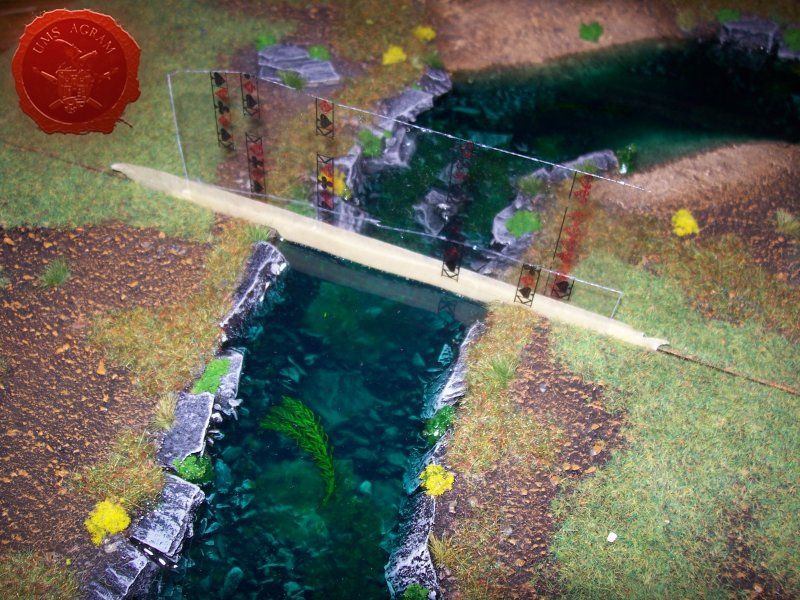
Back to the practical application. For this build, I chose Gedeo Crystal Resin. I first mixed a batch of resin and hardener (2:1 ratio as per instructions). Once I got a murky consistency, I poured in some Pebeo Vitrail Greengold Colour. Using a stirrer, I mixed it evenly throughout the resin. When I was satisfied with the colour, I carefully poured the resin inside the modules making sure I do not drip where I'm not supposed to. I left it to dry for 24 hours and my modular river was done!
Click for enlarged picture

Click for enlarged picture

Click for enlarged picture

Click for enlarged picture

Click for enlarged picture

Click for enlarged picture

Click for enlarged picture

How to make full-bodied river modules?

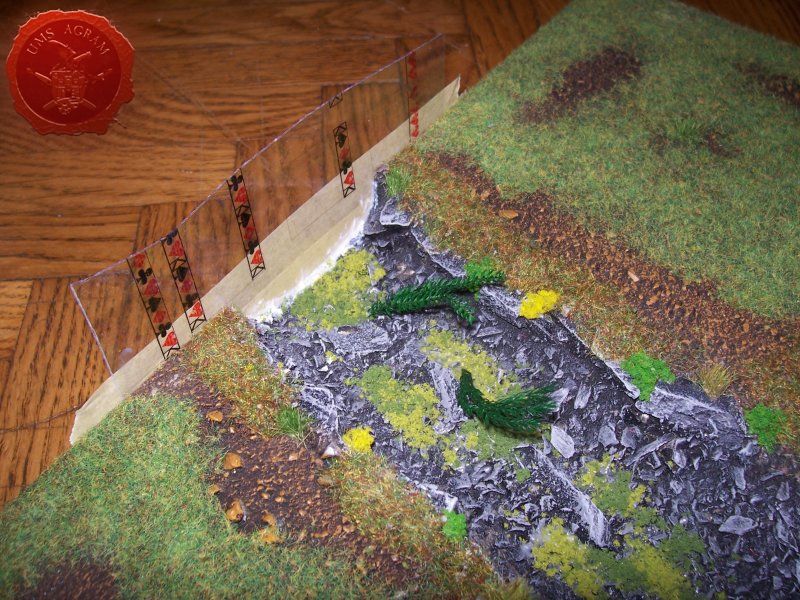
Simple. Follow the steps described earlier up to the point of pouring in the resin. Before I could add resin into the riverbed, you need to make dams to prevent the resin from leaking. Easiest way is to use strips of plastic foil gently glued to the sides of each module using superglue. Then use Vallejo Extra Heavy Gel to seal the joints between the modules and the plastic foils on the inside of the riverbed. Leave it to dry thoroughly, day or two if neccesary. Once dry, covered the plastic foil on the inside with some cooking oil to prevent it from sticking to the resin. Then place all the modules next to each other and pour in the coloured resin of your choice into each of the modules making sure that the level of the river in each module was the same. Leave it to dry for 24 hours, at least. Also, if you want to have a gradual transition of the colour in your river (pure resin on top with the darkest colour in the bottom), use several layers starting, obviously with the darkest colour allowing each layer to fully cure. Once the resin is dry, remove the plastic foil dams and there you have it – river done. To add some ripples and waves, you can use Vallejo Extra Heavy Gel when the resin is dry.
Click for enlarged picture

Click for enlarged picture

Latest articles

  • SFRJ 1986 v2 Diorama part 5
              array(2) {
      ["Article"]=>
      array(10) {
        ["id"]=>
        string(3) "492"
        ["member_id"]=>
        string(2) "35"
        ["title_eng"]=>
        string(27) "SFRJ 1986 v2 Diorama part 5"
        ["title_hrv"]=>
        string(29) "Diorama SFRJ 1986 v2– dio 5"
        ["mask_eng"]=>
        string(27) "sfrj_1986_v2_diorama_part_5"
        ["mask_hrv"]=>
        string(26) "diorama_sfrj_1986_v2_dio_5"
        ["content_eng"]=>
        string(3653) "

    In this series of articles, we will follow my work on a new diorama, another in the 1986 series. This time I have again decided to use a former country. Another version of the SFRY 1986.

    Click for enlarged picture

    So far I have finished making the base, painting the base, painting the interior of the vehicle and painting the figures. Now it's time to add the vegetation

    Click for enlarged picture

    The pines/trees were already fixed to the base before painting, so the first vegetation I added was tall shrubs that filled the volume of the base.

    Click for enlarged picture

    Then I added lower vegetation like tall grass and lower bushes.

    Click for enlarged picture

    Finally, I added some short grass, making sure when I was making the parking lot and path that there was no vegetation in the places where the wheels pass.

    Click for enlarged picture

    The paint on the base has just dried up, so next time I'll add the vegetation.

    Click for enlarged picture

    When the diorama is turned to the back, the volume of the forest is visible.

    Click for enlarged picture

    Before placing the vehicles and miniatures on the base, the diorama looks like this.

    Click for enlarged picture

    " ["content_hrv"]=> string(3186) "

    U ovoj seriji članaka pratit ćemo moj rad na novoj diorami, još jednoj u nizu serijala 1986. Ovaj put sam se opet odlučio za bivšu državu. Druga verzija SFRJ 1986..

    Click for enlarged picture

    Do sada sam završio s izradom baze, bojanjem baze, bojanjem interijera vozila i bojanjem figura. Sada je došlo vrijeme za dodavanje vegetacije

    Click for enlarged picture

    Borovi/drveće je već bilo fiksirano na bazu prije bojanja pa je prva sljedeća vegetacija bila visoko žbunje kojim sam popunio volumen baze.

    Click for enlarged picture

    Potom sam dodao niže raslinje poput visoke trave i nižeg grmlja.

    Click for enlarged picture

    Na kraju sam dodao i nisku travu pri čemu sam pazio kad sam radio ugibalište i puteljak da vegetacije ne bude na mjestima gdje prolaze kotači.

    Click for enlarged picture

    Kada se dioramu okrene, vidi se volumen vegetacije u šumi. 

    Click for enlarged picture

    Prije postavljanja vozila i minijatura, diorama izgleda ovako:

    Click for enlarged picture

    " ["created"]=> string(19) "2026-01-19 10:46:08" ["modified"]=> string(19) "2026-01-19 11:00:21" } ["Member"]=> array(10) { ["id"]=> string(2) "35" ["group_id"]=> string(1) "1" ["first_name"]=> string(5) "Marko" ["last_name"]=> string(9) "Paunović" ["first_name_mask"]=> string(5) "marko" ["last_name_mask"]=> string(8) "paunovic" ["username"]=> string(5) "marko" ["password"]=> string(40) "3bd37b326d19d1880d3b93a4b32e8fb3a90fa122" ["born"]=> string(19) "2033-03-07 20:35:00" ["created"]=> string(19) "2009-06-02 20:37:03" } }
    Marko Paunović, 19th January 2026
  • SFRJ 1986 v2 Diorama part 4
              array(2) {
      ["Article"]=>
      array(10) {
        ["id"]=>
        string(3) "491"
        ["member_id"]=>
        string(2) "35"
        ["title_eng"]=>
        string(27) "SFRJ 1986 v2 Diorama part 4"
        ["title_hrv"]=>
        string(29) "Diorama SFRJ 1986 v2– dio 4"
        ["mask_eng"]=>
        string(27) "sfrj_1986_v2_diorama_part_4"
        ["mask_hrv"]=>
        string(26) "diorama_sfrj_1986_v2_dio_4"
        ["content_eng"]=>
        string(2405) "

    In this series of articles, we will follow my work on a new diorama, another in the 1986 series. This time I have again decided to use a former country. Another version of the SFRY 1986.

    Click for enlarged picture

    After the base and the vehicles, I started painting the miniatures. Two policemen and a truck driver. The first step was the base color – black and then white..

    Click for enlarged picture

    After that, I started with the basic colors, concentrating a little more on the truck driver..

    Click for enlarged picture

    Considering the year and location of the action, I decided that his jacket should have the logo from the 1984 Sarajevo Winter Olympics..

    Click for enlarged picture

    Then I threw myself at the policemen..

    Click for enlarged picture

    The paint on the base has just dried up, so next time I'll add the vegetation.

    " ["content_hrv"]=> string(2360) "

    U ovoj seriji članaka pratit ćemo moj rad na novoj diorami, još jednoj u nizu serijala 1986. Ovaj put sam se opet odlučio za bivšu državu. Druga verzija SFRJ 1986..

    Click for enlarged picture

    Nakon baze i vozila, bacio sam se na bojanje minijatura. Dva milicajca i vozač kamiona. Prvi korak je bila temeljna boja – crna pa bijela.

    Click for enlarged picture

    Nakon toga, krenuo sam s osnovnim bojama, malo više se koncentrirajući na vozača kamiona.

    Click for enlarged picture

    S obzirom na godinu i mjesto radnje, odlučio sam se da mu jakna ima logo od ZOI Sarajevo 1984.

    Click for enlarged picture

    Zatim sam se bacio na milicajce.

    Click for enlarged picture

    Taman se tako nekako osušila i boja na bazi pa ću sljedeći puta obraditi i dodavanje vegetacije.

    " ["created"]=> string(19) "2026-01-19 10:35:45" ["modified"]=> string(19) "2026-01-19 10:35:45" } ["Member"]=> array(10) { ["id"]=> string(2) "35" ["group_id"]=> string(1) "1" ["first_name"]=> string(5) "Marko" ["last_name"]=> string(9) "Paunović" ["first_name_mask"]=> string(5) "marko" ["last_name_mask"]=> string(8) "paunovic" ["username"]=> string(5) "marko" ["password"]=> string(40) "3bd37b326d19d1880d3b93a4b32e8fb3a90fa122" ["born"]=> string(19) "2033-03-07 20:35:00" ["created"]=> string(19) "2009-06-02 20:37:03" } }
    Marko Paunović, 19th January 2026
  • SFRJ 1986 v2 Diorama part 3
              array(2) {
      ["Article"]=>
      array(10) {
        ["id"]=>
        string(3) "490"
        ["member_id"]=>
        string(2) "35"
        ["title_eng"]=>
        string(27) "SFRJ 1986 v2 Diorama part 3"
        ["title_hrv"]=>
        string(29) "Diorama SFRJ 1986 v2– dio 3"
        ["mask_eng"]=>
        string(27) "sfrj_1986_v2_diorama_part_3"
        ["mask_hrv"]=>
        string(26) "diorama_sfrj_1986_v2_dio_3"
        ["content_eng"]=>
        string(3113) "

    In this series of articles, we will follow my work on a new diorama, another in the 1986 series. This time I have again decided to use a former country. Another version of the SFRY 1986.

    Click for enlarged picture

    As I announced last time, it's time to get down to the vehicles. The first thing I did was disassemble the models and take out the interiors of all three vehicles.

    Click for enlarged picture

    As you can see in the picture, the interior of the vehicle is poorly or not at all painted, so a lot of attention and time was spent there. I painted the upholstery in shades of gray, or brown on the Tristač. I brought out the details on the dashboard and around the gearbox.

    Click for enlarged picture

    There was something missing from the start on the Fićo, but I couldn't figure out what it was until Kruno pointed out to me that the flashing lights were missing. I fixed that with a small 3mm clear LED that I painted in Tamiya Clear Blue with a silver edge.

    Click for enlarged picture

    This completes the painting of the vehicles’ interior.

    Click for enlarged picture

    The finishing touches are the decorations in the truck's cabin.

    Click for enlarged picture

    Next time we will continue with painting the figures.

    " ["content_hrv"]=> string(3080) "

    U ovoj seriji članaka pratit ćemo moj rad na novoj diorami, još jednoj u nizu serijala 1986. Ovaj put sam se opet odlučio za bivšu državu. Druga verzija SFRJ 1986..

    Click for enlarged picture

    Kao što sam najavio prošli put, vrijeme je da se bacim na vozila. Prvo što sam napravio jest da sam rastavio modele i izvadio unutrašnjost sva tri vozila

    Click for enlarged picture

    Kako je vidljivo na slici, unutrašnjost vozila je slabo ili nikako obojana stoga je tu otišlo mnogo pažnje i vremena. Tapecirunge sam obojao u sive nijanse, odnosno u smeđe na tristaču. Izvukao sam detalje na komandnim pločama te oko mjenjača.

    Click for enlarged picture

    Na fićeku mi je otpočetka nešto falilo, ali nisam mogao skužiti što dok mi Kruno nije skrenuo pažnju da fali rotirka. Nju sam sredio pomoću jedne male 3mm prozirne LED koju sam obojao u Tamiya Clear Blue sa srebrnim rubom.

    Click for enlarged picture

    Time je završeno bojanje unutrašnjosti vozila.

    Click for enlarged picture

    Završni detalji su ukrasi u kabini kamiona.

    Click for enlarged picture

    Sljedeći put nastavljamo sa bojanjem figura.

    " ["created"]=> string(19) "2026-01-19 10:28:32" ["modified"]=> string(19) "2026-01-19 10:28:32" } ["Member"]=> array(10) { ["id"]=> string(2) "35" ["group_id"]=> string(1) "1" ["first_name"]=> string(5) "Marko" ["last_name"]=> string(9) "Paunović" ["first_name_mask"]=> string(5) "marko" ["last_name_mask"]=> string(8) "paunovic" ["username"]=> string(5) "marko" ["password"]=> string(40) "3bd37b326d19d1880d3b93a4b32e8fb3a90fa122" ["born"]=> string(19) "2033-03-07 20:35:00" ["created"]=> string(19) "2009-06-02 20:37:03" } }
    Marko Paunović, 19th January 2026
  • SFRJ 1986 v2 Diorama part 2
              array(2) {
      ["Article"]=>
      array(10) {
        ["id"]=>
        string(3) "489"
        ["member_id"]=>
        string(2) "35"
        ["title_eng"]=>
        string(27) "SFRJ 1986 v2 Diorama part 2"
        ["title_hrv"]=>
        string(29) "Diorama SFRJ 1986 v2– dio 2"
        ["mask_eng"]=>
        string(27) "sfrj_1986_v2_diorama_part_2"
        ["mask_hrv"]=>
        string(26) "diorama_sfrj_1986_v2_dio_2"
        ["content_eng"]=>
        string(3226) "

    In this series of articles, we will follow my work on a new diorama, another in the 1986 series. This time I have again decided to use a former country. Another version of the SFRY 1986.

    Click for enlarged picture

    Last time I explained how I created the terrain, and this time I'll be painting the terrain. The terrain itself consists of several parts: an asphalt road, a turnoff and path, and the terrain in the forest.

    Click for enlarged picture

    Since I wanted all the surfaces to have similar tones, I decided to paint without a base color, applying the main color immediately. The paint I applied was very thin so it stayed wet for a long time, which allowed me to mix the base colors and get a uniform tone.

    Click for enlarged picture

    After applying the basic tones, I started shading. I also used the same principle, using quite diluted tones to create unevenness in certain parts of the surface.

    Click for enlarged picture

    Then I added a layer that I could most simply call wash. A very diluted darker shade of color.

    Click for enlarged picture

    I applied the final shades using another technique, the simplest one – dry brush.

    Click for enlarged picture

    While these paints were drying, I was simultaneously disassembling and painting the interior of the car and truck, as well as the figures, which will be the subject of future articles.

    " ["content_hrv"]=> string(3277) "

    U ovoj seriji članaka pratit ćemo moj rad na novoj diorami, još jednoj u nizu serijala 1986. Ovaj put sam se opet odlučio za bivšu državu. Druga verzija SFRJ 1986..

    Click for enlarged picture

    Prošli put sam objasnio kako sam izradio teren, a ovaj put ću se baviti bojanjem terena. Sami teren se sastoji od nekoliko dijelova: asfaltna cesta, ugibalište i puteljak te teren u šumi.

    Click for enlarged picture

    S obzirom da sam htio da sve površine imaju slične tonove, odlučio sam se bojati bez temeljne boje, nanoseći odmah glavni ton. Boju koju sam nanosio bila je jako razvodnjena tako da je dugo bila mokra i to mi je omogućavalo miješanje osnovnih tonova i dobivanje ujednačene tonove.

    Click for enlarged picture

    Nakon nanošenja osnovnih tonova, krenuo sam sa nijansiranjem. Također sam radio istim principom, dosta razvodnjene tonove kako bih dobio neujednačenost pojedinih dijelova površine.

    Click for enlarged picture

    Potom sam dodao sloj koji bih najjednostavnije mogao nazvati wash. Jako razvodnjenu tamniju nijansu boje.

    Click for enlarged picture

    Završne nijanse sam nanio drugom tehnikom, najjednostavnijom – dry brush.

    Click for enlarged picture

    Dok su se ove boje sušile, paralelno sam rastavio i bojao unutrašnjost automobila i kamiona te figura što će biti tema sljedećih članaka.

    " ["created"]=> string(19) "2026-01-19 09:32:11" ["modified"]=> string(19) "2026-01-19 09:32:11" } ["Member"]=> array(10) { ["id"]=> string(2) "35" ["group_id"]=> string(1) "1" ["first_name"]=> string(5) "Marko" ["last_name"]=> string(9) "Paunović" ["first_name_mask"]=> string(5) "marko" ["last_name_mask"]=> string(8) "paunovic" ["username"]=> string(5) "marko" ["password"]=> string(40) "3bd37b326d19d1880d3b93a4b32e8fb3a90fa122" ["born"]=> string(19) "2033-03-07 20:35:00" ["created"]=> string(19) "2009-06-02 20:37:03" } }
    Marko Paunović, 19th January 2026
  • SFRJ 1986 v2 Diorama part 1
              array(2) {
      ["Article"]=>
      array(10) {
        ["id"]=>
        string(3) "488"
        ["member_id"]=>
        string(2) "35"
        ["title_eng"]=>
        string(27) "SFRJ 1986 v2 Diorama part 1"
        ["title_hrv"]=>
        string(29) "Diorama SFRJ 1986 v2– dio 1"
        ["mask_eng"]=>
        string(27) "sfrj_1986_v2_diorama_part_1"
        ["mask_hrv"]=>
        string(26) "diorama_sfrj_1986_v2_dio_1"
        ["content_eng"]=>
        string(3178) "

    In this series of articles, we will follow my work on a new diorama, another in the 1986 series. This time I have again decided to use a former country. Another version of the SFRY 1986.

    Click for enlarged picture

    As always, everything starts with an idea. This time, the idea came from a model of an Agrokomerc truck that Bojan brought me from Serbia (where it was published as part of a magazine). The design itself changed a bit over time (the first few months of planning). Initially, it was supposed to be just a truck at a roadside stop. Then the idea came to include the Police. And then I got two police vehicles. Fić and Tristač. Basically, this is the first drawing that started it all.

    Click for enlarged picture

    The base for the diorama came from Moson, from Buco. A fantastic combination of MDF and Styrodur that allows you to remove the diorama itself, but also to lower the terrain below the base level. I removed the Styrodur base, modeled it a little to get different terrain height levels. I modeled the road from a cork board, and assembled the rest of the terrain from DAS clay and wooden bark.

    Click for enlarged picture

    Once everything was dry I added texture. Two or three sizes of sand and that was it.

    Click for enlarged picture

    And when that layer was dry, I used a drill to fix the trees to the back of the base. Since all the trees had tall trunks, I decided to leave them as is and not move them during the painting process.

    Click for enlarged picture

    That's it for this week. We already have a nice outline of the diorama, and next time we'll continue with painting the base.

    " ["content_hrv"]=> string(3151) "

    U ovoj seriji članaka pratit ćemo moj rad na novoj diorami, još jednoj u nizu serijala 1986. Ovaj put sam se opet odlučio za bivšu državu. Druga verzija SFRJ 1986..

    Click for enlarged picture

    Kao i uvijek, sve počinje idejom. Ovoga puta, ideja se izrodila iz makete Agrokomercovog kamiona kojeg mi je Bojan dofurao iz Srbije (gdje je izašao u sklopu nekog časopisa). Sami dizajn se malo mijenjao tijekom vremena (prvih par mjeseci planiranja). Otpočetka, trebao je to biti samo kamion na nekom ugibalištu pored ceste. Onda se rodila ideja da stavim i Miliciju. A onda sam nabavio i dva milicijska vozila. Fiću i Tristača. Uglavnom, ovo je prvi crtež od kojeg je sve krenulo.

    Click for enlarged picture

    Baza za dioramu je došla s Mosona, od Buce. Fantastičan spoj MDFa i stirodura koji omogućava vađenje same diorame, ali i upuštanje terena ispod razine baze. Izvadio sam stirodurnu podlogu, malo je izmodelirao da dobijem razne razine visine terena. Cestu sam izmodelirao iz ploče pluta, a ostatak terena složio od DAS glinamola i drvenih kora.

    Click for enlarged picture

    Kada se sve osušilo dodao sam teksturu. Dvije ili tri veličine pijeska i to je to.

    Click for enlarged picture

    A kada se i taj sloj osušio, bušilicom sam fiksirao drveće na stražnji dio baze. S obzirom da su sva stable imala visoka debla, odlučio sam ih ostaviti tako i ne micati ih za process bojanja.

    Click for enlarged picture

    To je to za ovaj tjedan. Imamo već lijepe obrise diorame, a sljedeći puta nastavljamo sa bojanjem baze.

    " ["created"]=> string(19) "2026-01-19 09:18:40" ["modified"]=> string(19) "2026-01-19 09:18:40" } ["Member"]=> array(10) { ["id"]=> string(2) "35" ["group_id"]=> string(1) "1" ["first_name"]=> string(5) "Marko" ["last_name"]=> string(9) "Paunović" ["first_name_mask"]=> string(5) "marko" ["last_name_mask"]=> string(8) "paunovic" ["username"]=> string(5) "marko" ["password"]=> string(40) "3bd37b326d19d1880d3b93a4b32e8fb3a90fa122" ["born"]=> string(19) "2033-03-07 20:35:00" ["created"]=> string(19) "2009-06-02 20:37:03" } }
    Marko Paunović, 19th January 2026

All articles

Latest battle-reports

All battle-reports